Describe a form. Send it to the client portal.
Use AI to draft structured questionnaires in plain language, refine every question and conditional branch beside a live Patient view, and deliver version-pinned forms directly to your clients.
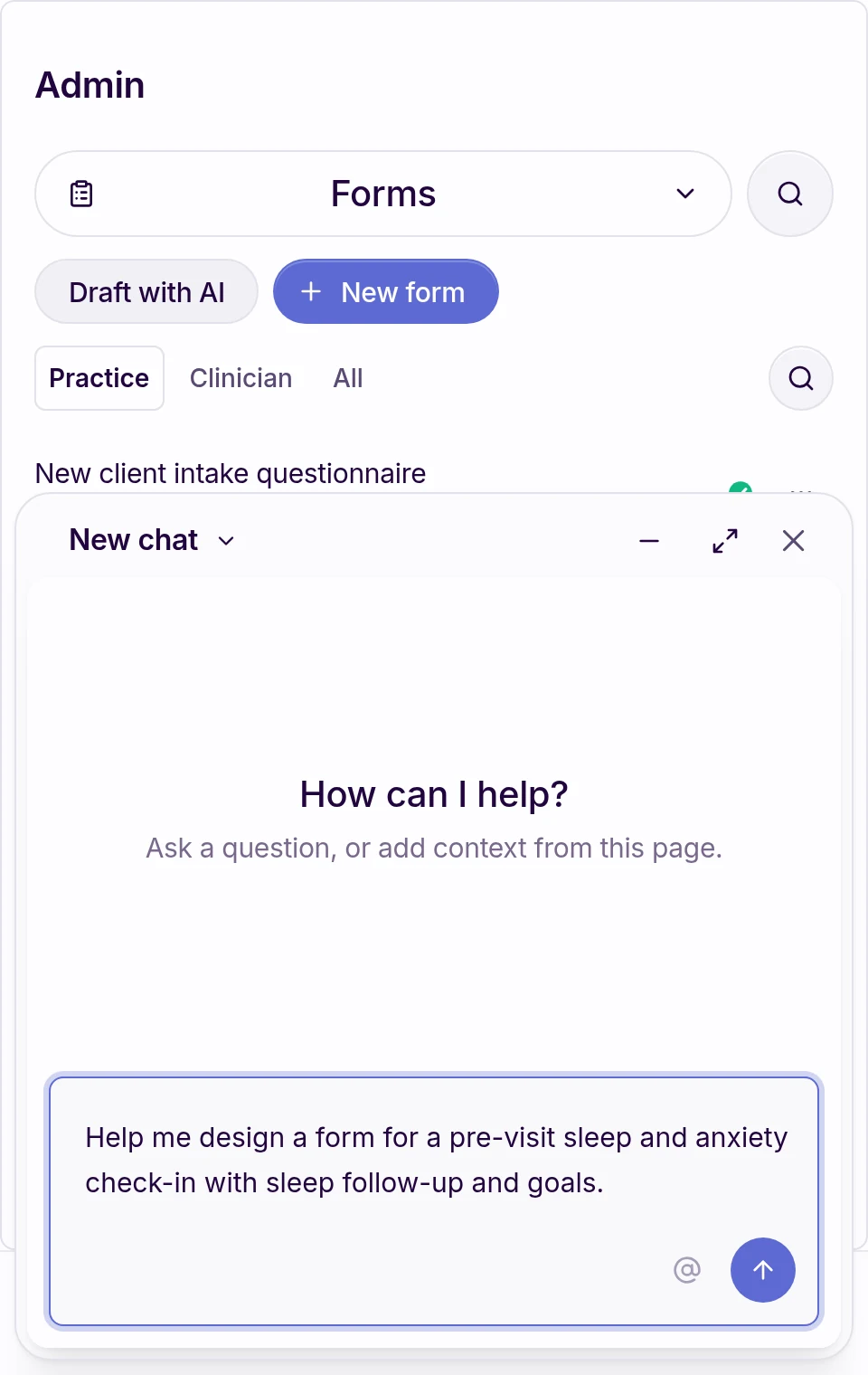
Draft from a plain-language brief.
Start from a brief in the Assistant dock instead of a blank page. Owners and admins describe the audience, visit type, and questions needed—without entering client identifiers.
- Pre-visit sleep and anxiety check-in with sleep follow-up and session goals.
- Adult telehealth readiness questionnaire covering private space and emergency contact confirmation.
- Post-session feedback check-in with rating choices, open reflection, and preferred date.
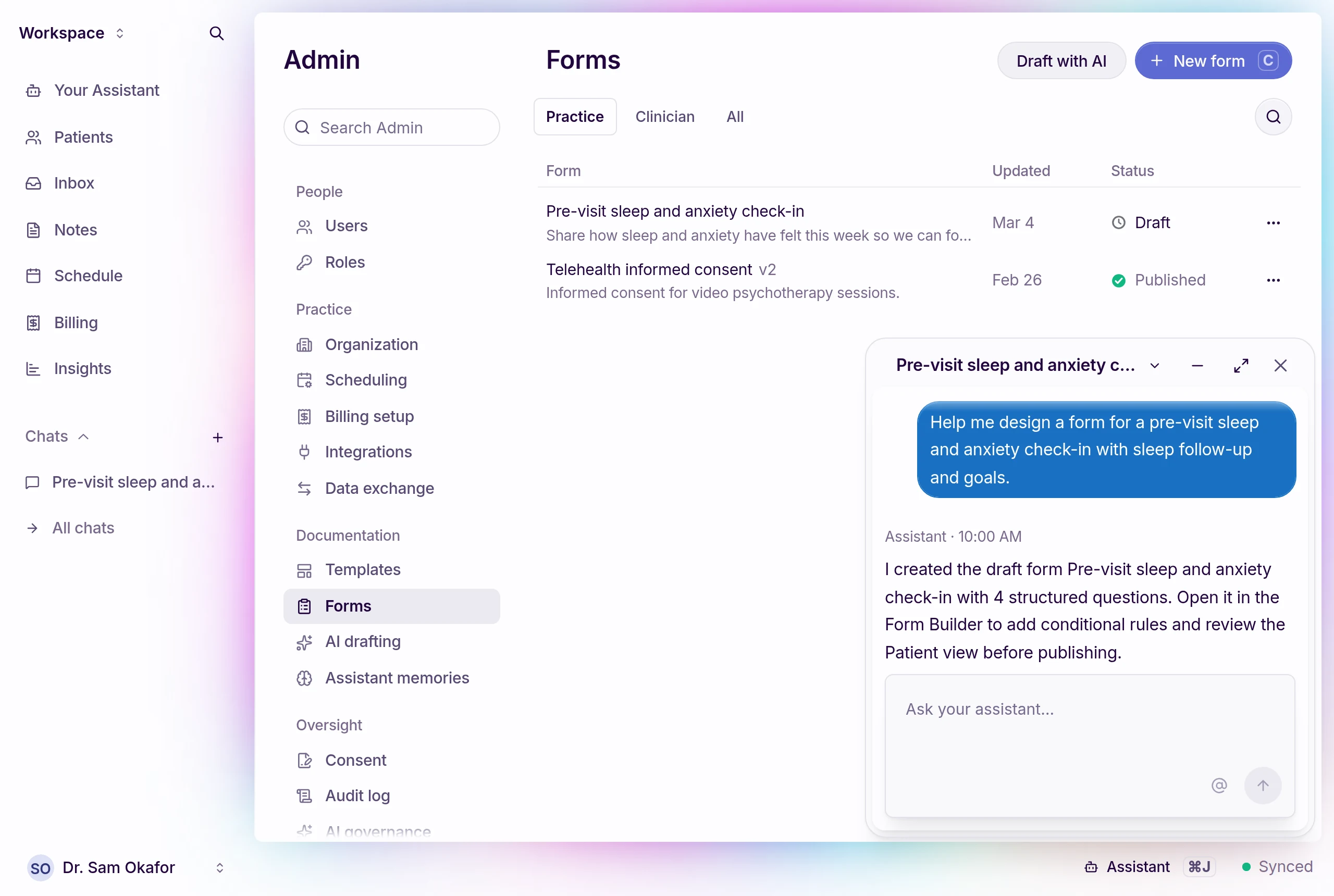
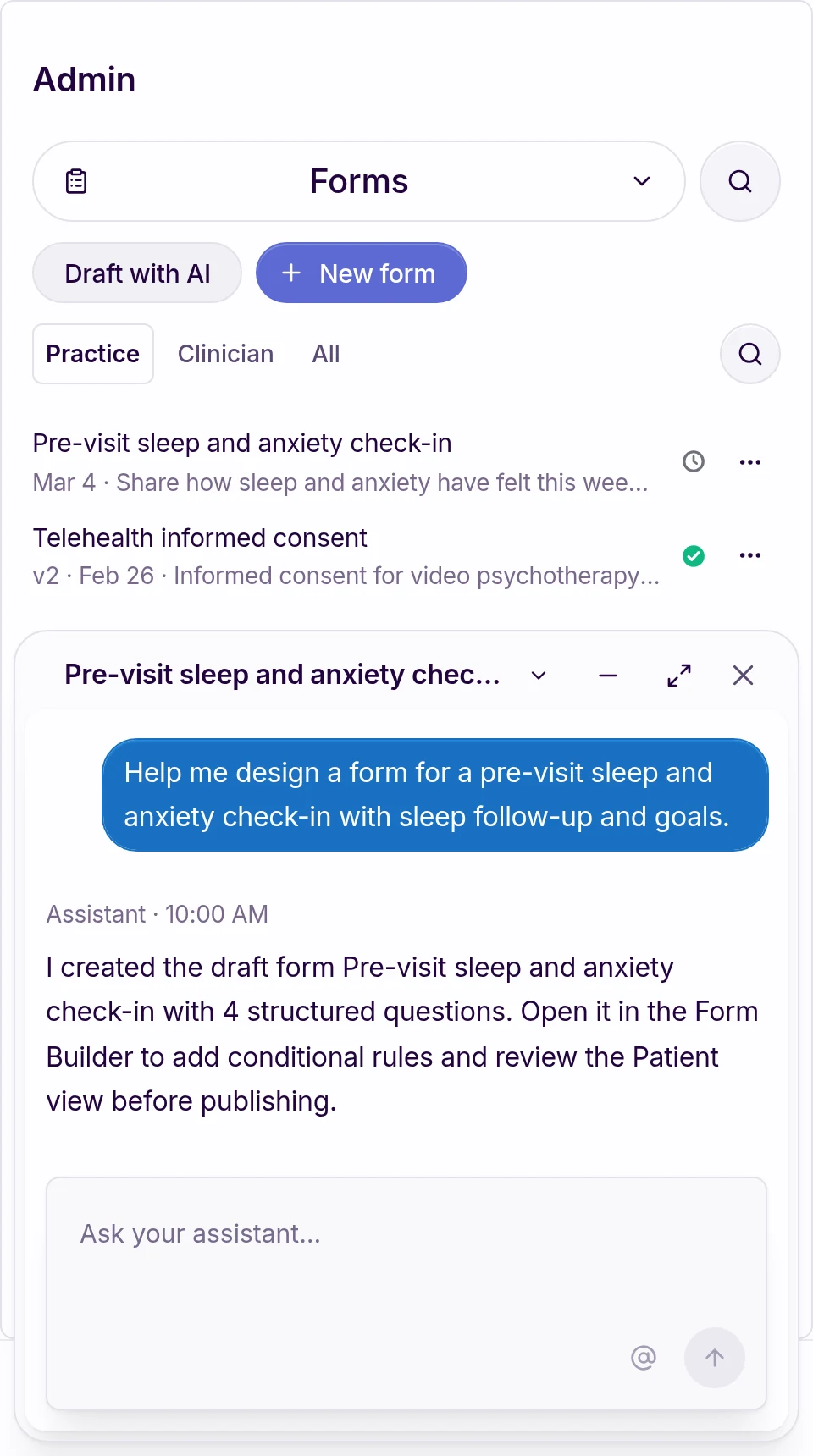
Draft or iterate in conversation
Open Draft with AI to start a new form, or choose Ask for edits on an existing draft or published form directly in the Assistant dock.
Validated working drafts
Generated forms are checked for structure and required fields before saving as an unpublished Draft.
Never published automatically
The Assistant creates and updates drafts only; an owner or admin reviews every question in the builder and explicitly clicks Publish.
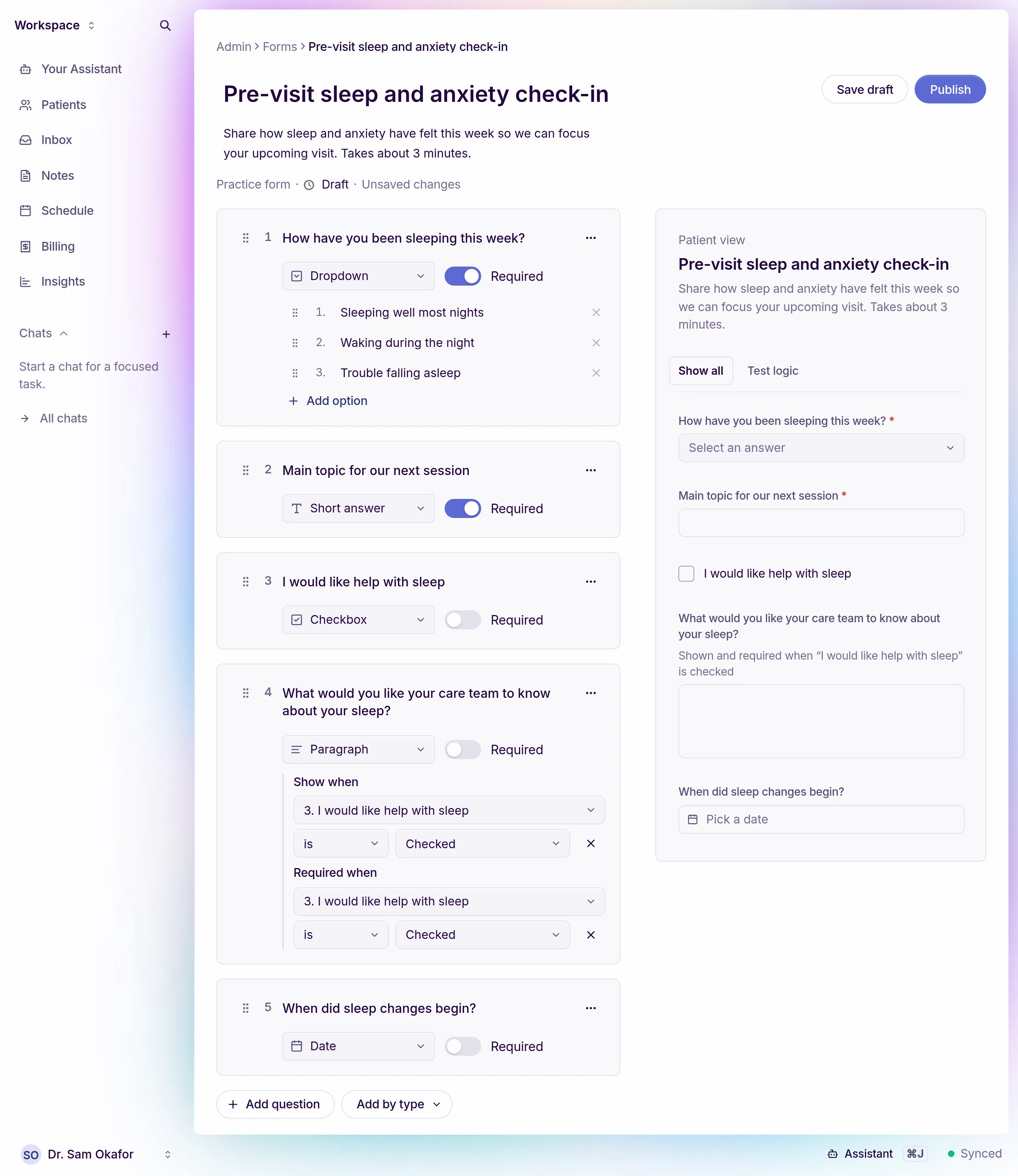
Refine every question and branch visually.
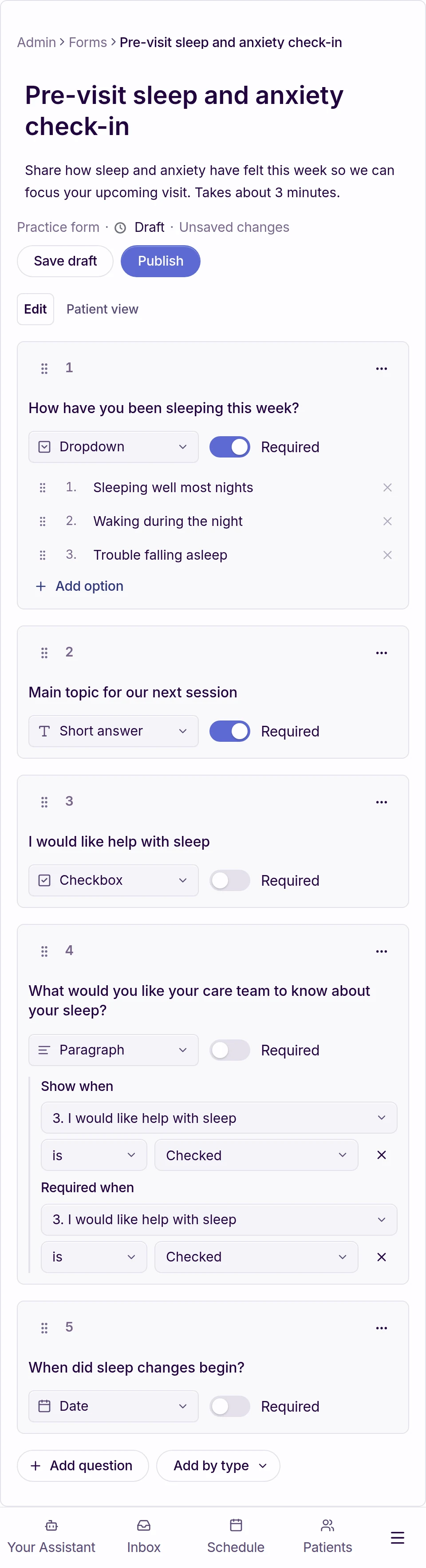
Open any draft in the full-page Form Builder to edit wording, reorder questions, add conditional logic, and inspect the live Patient view side by side.
Nine structured answer types
Build with Short answer, Paragraph, Single choice, Dropdown (up to fifty options), Checkbox, Date, Number, Email, and Phone, plus optional help text and required switches.
Drag-and-drop & conditional rules
Branch on earlier answers with is, is not, is blank, or is answered, and test logic interactively in Patient view. Drag and drop questions or choices while keeping dependencies intact.
Publish-readiness checks
Missing titles, blank labels, or duplicate or incomplete choices surface inline and jump to the question before Publish locks an immutable version snapshot.
Live in the client portal, version-pinned.
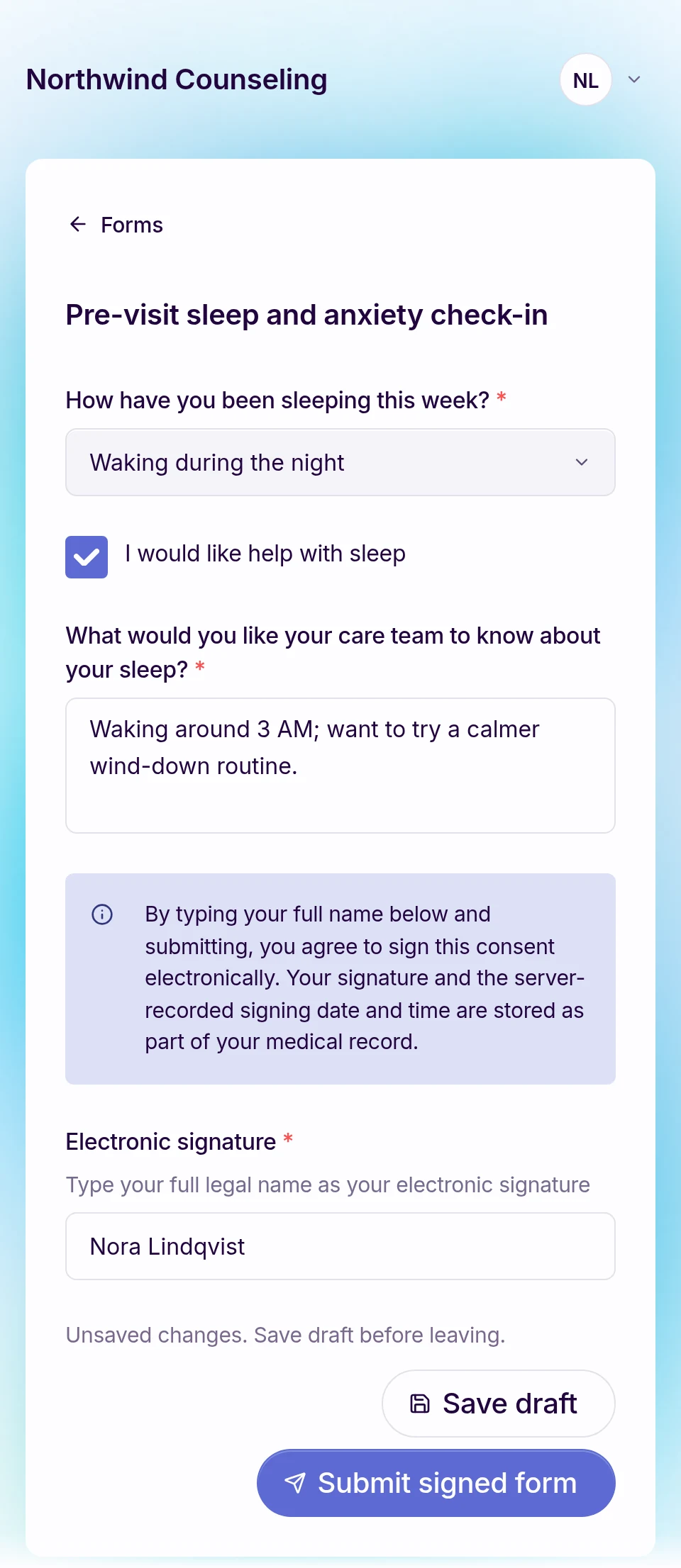
Clinicians assign published forms directly from a client’s chart. Clients complete them in a calm portal where conditional follow-ups adapt as they answer.
Dynamic conditional follow-ups
The portal evaluates Show when and Required when rules live in the browser, and the server enforces the same rules and strips hidden fields on submit.
Save draft and e-sign
Clients can save a draft and return later with answers restored, type their electronic signature with recorded evidence, and submit.
Pinned versions, consents & scoring
Every assignment locks to its exact published version. Governed consents snapshot on submit, and PHQ-9, GAD-7, PHQ-2, PCL-5, and AUDIT‑C forms auto-score into the chart.
Clinician control at every step.
From the first AI brief to the client’s signed submission, every transition is explicit, versioned, and audited.
- AI drafts
Plain-language brief to draft
The Assistant creates an unpublished working draft from your plain-language brief and helps iterate via Ask for edits.
- Human publishes
Review, branch & lock version
An owner or admin reviews every question, adds conditional logic beside the live Patient view, and explicitly publishes an immutable version.
- Chart assignment
Assigned with a due date
A clinician assigns the published version from the client’s chart, releasing it to the client’s active portal and logging the event.
- Portal submission
Completed, signed & tracked
The client submits against the locked published version. Submissions land in chart Packets (Needs review), the Patient Activity Timeline, and the audit log.
AI never publishes a form or assigns one to a client on its own. Every published snapshot, chart assignment, client submission, and staff review check is recorded in the audit trail.
Build your next intake form in minutes.
Request a walkthrough to try AI-built forms with your intake workflow.