Chat-first behavioral health EHR.

Proactive Assistant, Note Studio, chart, scheduling, telehealth, client portal, and billing in one offline-first app.
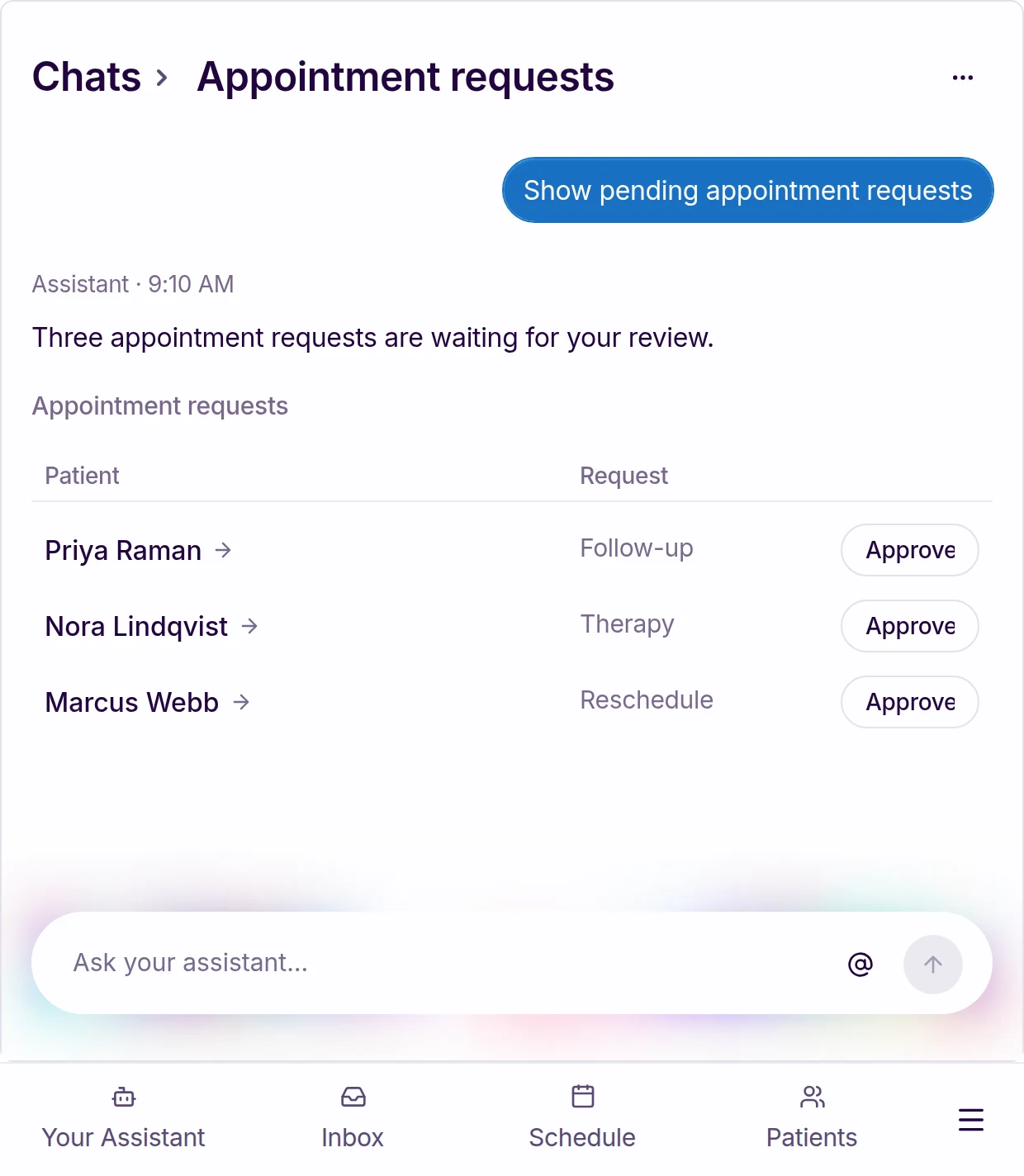
The Calm Assistant workspace with inline interactive cards and task chat controls at phone width.

Ask the chart. Act inline.

Persistent Assistant and task chats surface inline tables, forms, and cards scoped to your caseload.
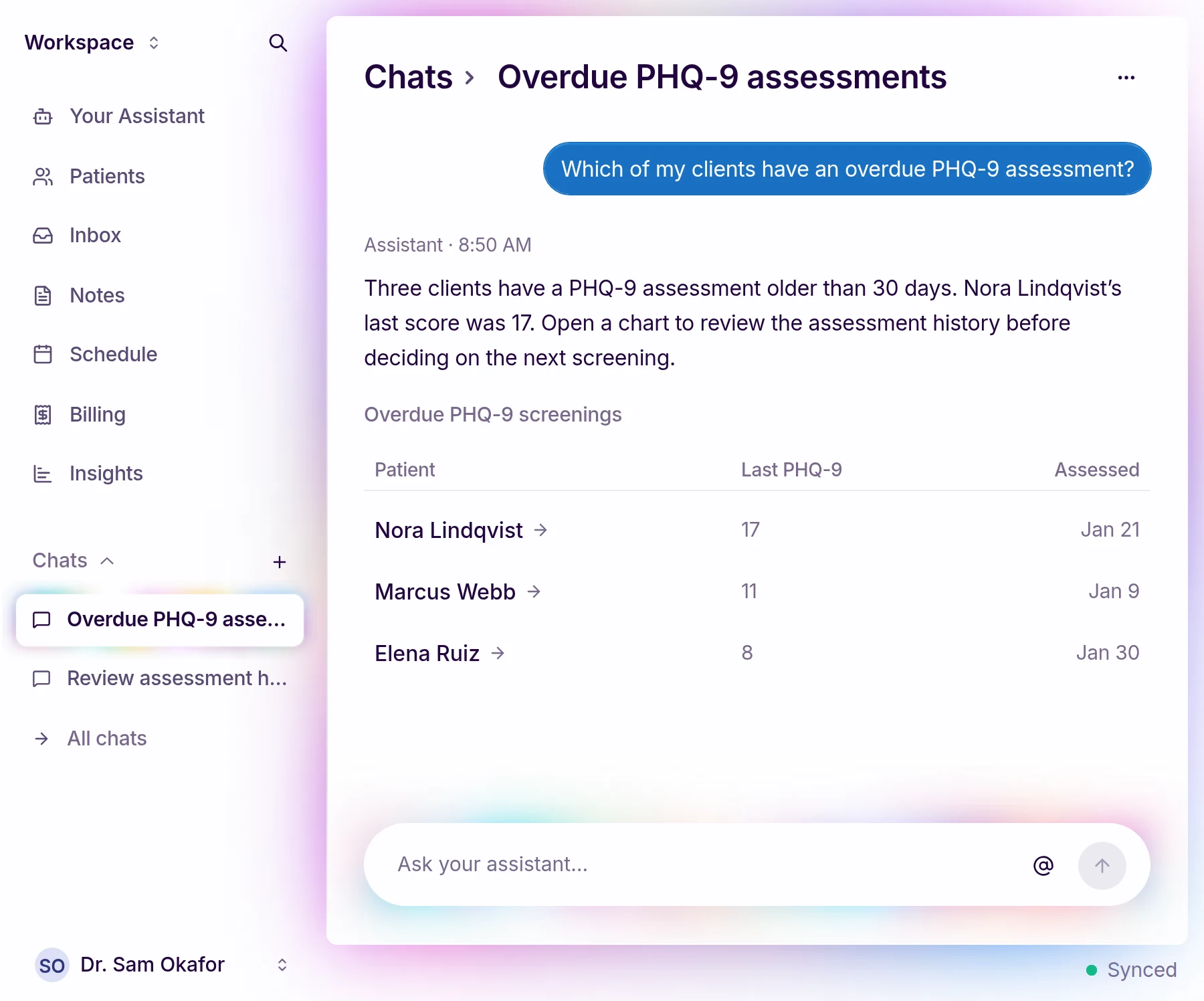
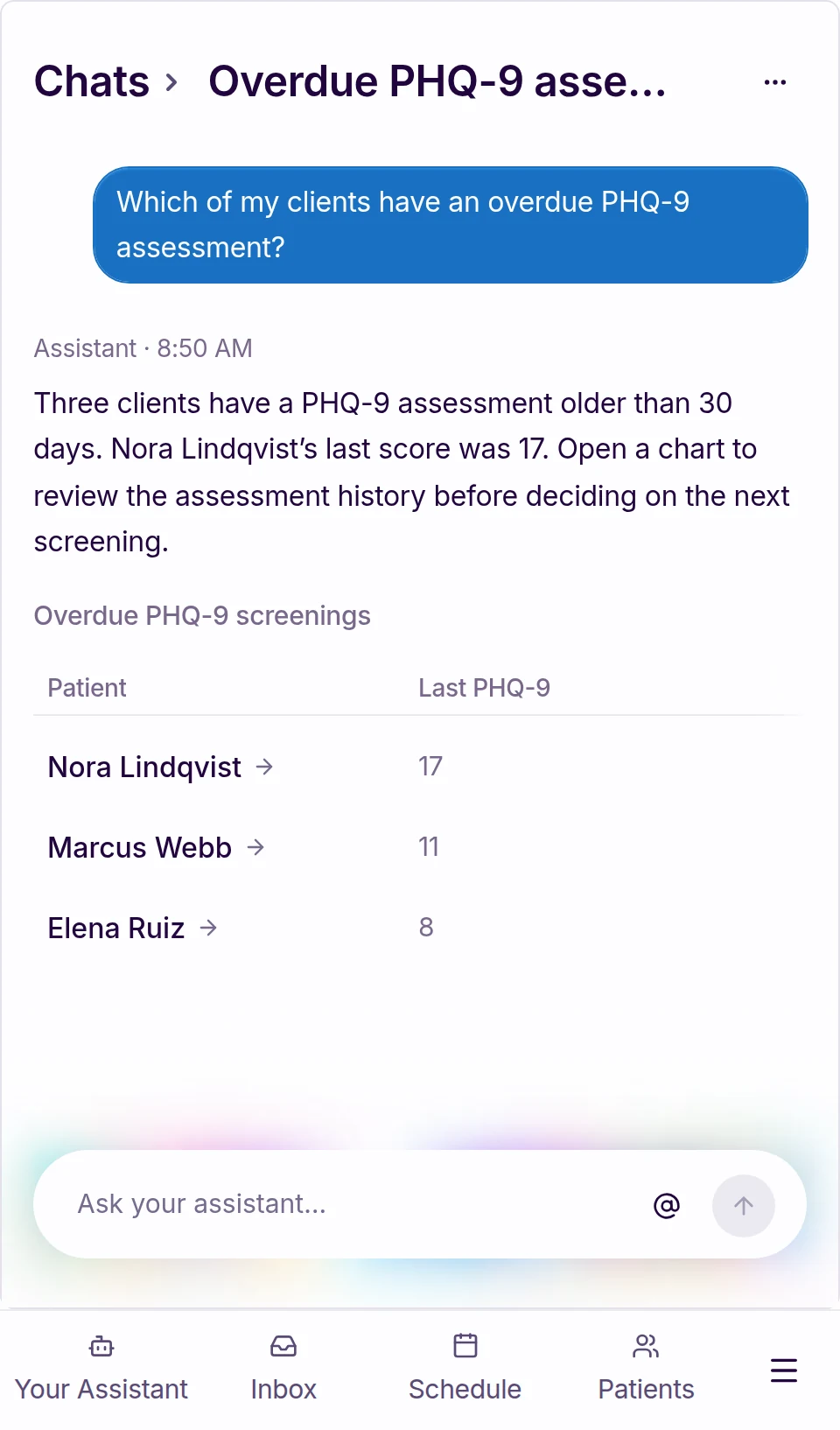
  • Which clients have an overdue PHQ-9?
  • Show Nora Lindqvist’s treatment plan goals.
  • Draft a progress note from this recap.
The assistant answers a clinical question with an inline table of clients and direct chart links.
The assistant answers a clinical question with an inline client list at phone width.
  • Inline interactive workspace

    Tables, forms, and bulk actions render inside the chat so you act without hunting through menus.

  • Task chats & dock switcher

    Break out focused threads, switch in the dock, and report results back to your main Assistant.

  • Care-scoped by default

    Clinicians see only active care relationships, with opt-in page context when you want it.

An assistant that messages you first.

Calm watches your schedule, notes, and inbox, then posts timely reminders and briefings straight to your Assistant thread.

Questions on AI boundaries 
Live Assistant thread

Timed to your clinical day.

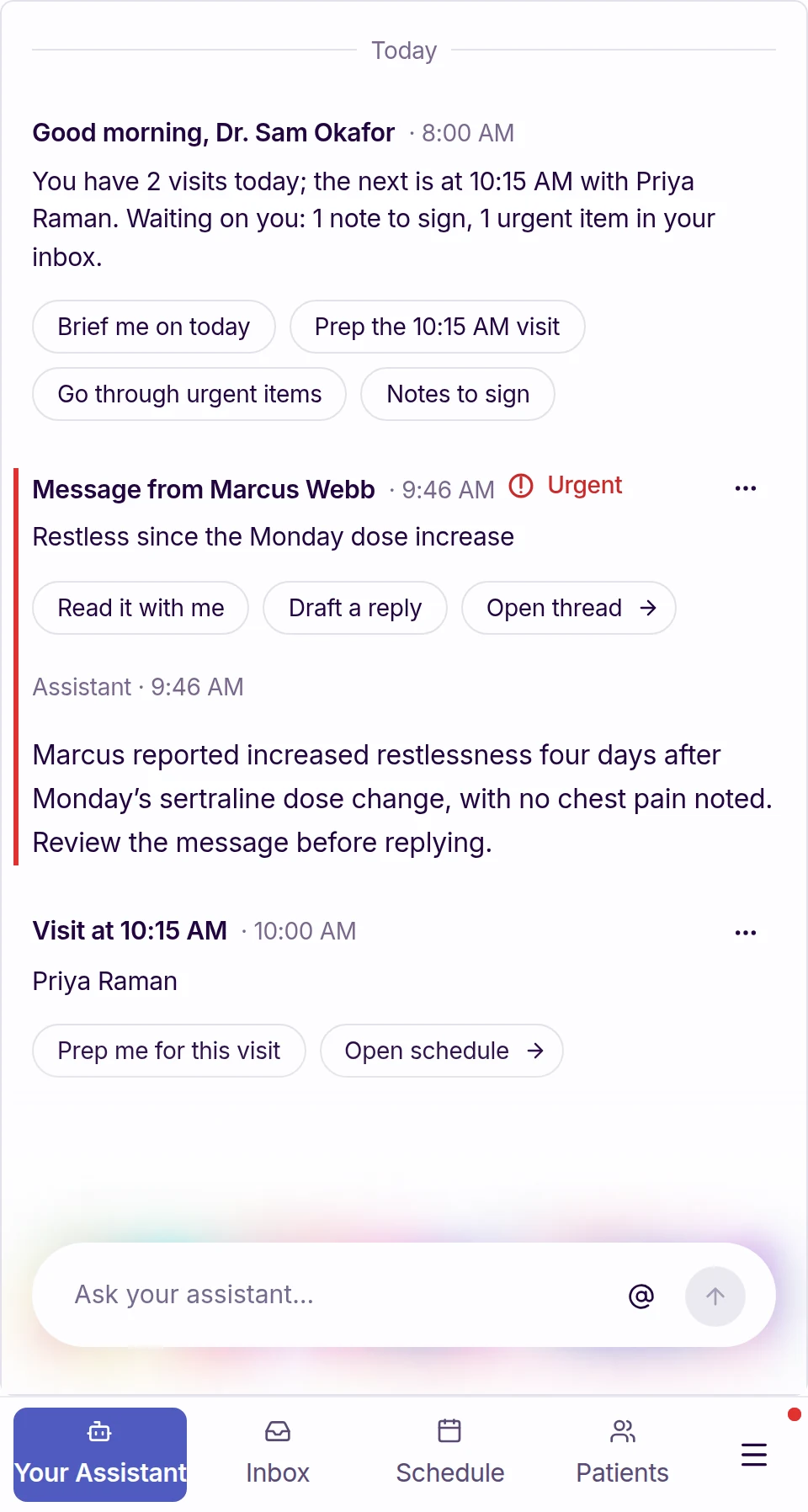
Daily briefings, urgent client messages, and pre-session prep arrive in one calm thread—each with one-click chips ready when you are.
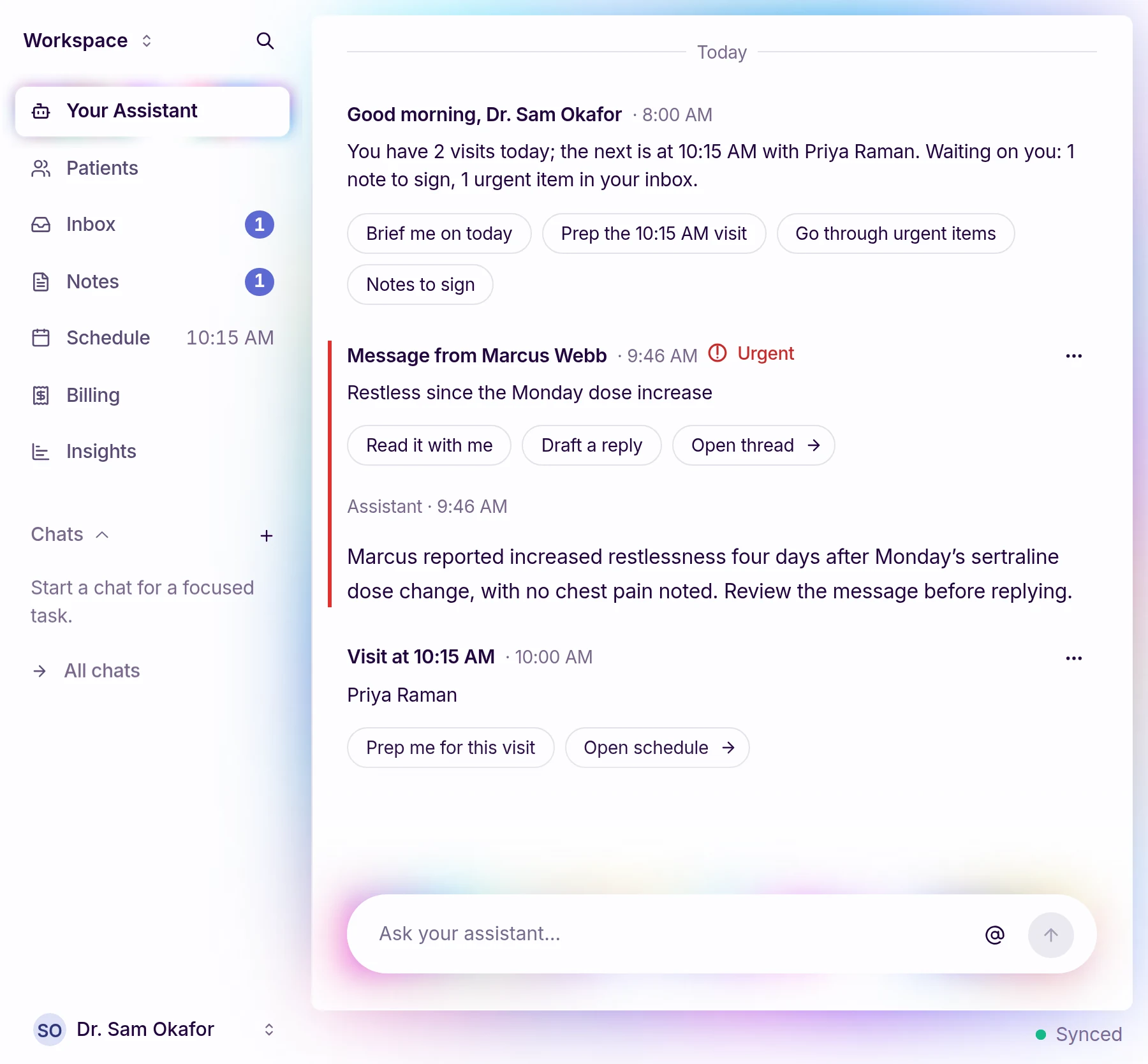
  1. 8:00 AM
    Morning briefing2 visits · 1 note to sign · 1 urgent
  2. 9:46 AM
    Urgent message · Marcus WebbSurfaced immediately with draft-reply chips
  3. 10:00 AM
    10:15 AM visit · Priya RamanOne-click prep 15 minutes before session
Calm Assistant home thread showing a morning briefing, an urgent client message notice with a proactive summary and one-click reply chips, and an upcoming visit reminder.
Calm Assistant home thread on a phone showing a morning briefing, an urgent client message notice, and an upcoming visit reminder.
  • Daily briefing

    Morning briefings

    Start your day with a grounded greeting: today’s visit count, your next client, unsigned notes, AI drafts, and urgent inbox items.
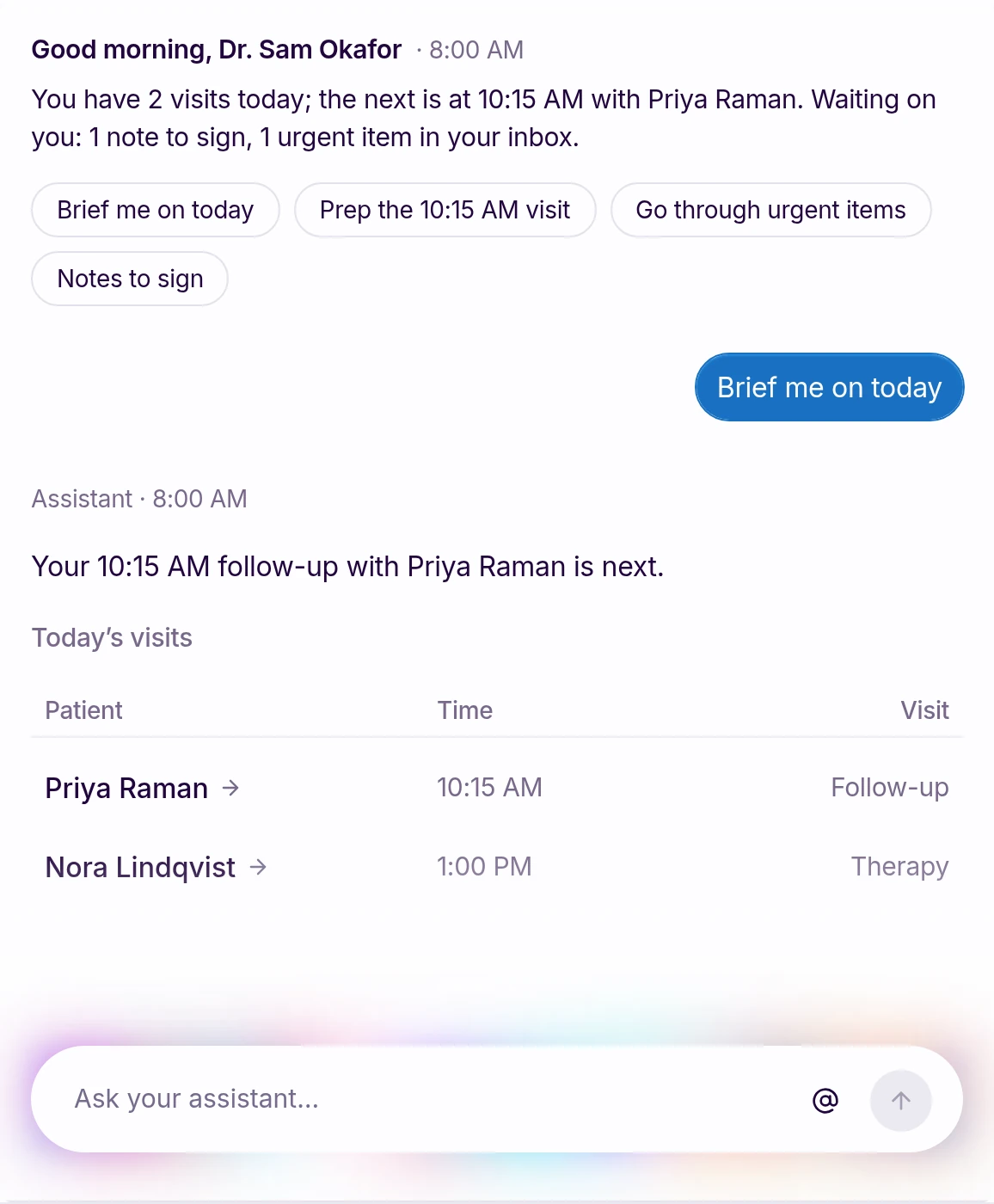
    Calm Assistant chat showing the morning briefing notice, a Brief me on today reply, and an inline Today’s visits table above the Assistant composer
  • 15 min before

    Visit-prep reminders

    Get a notice before a session begins with one-click chips to pull recent scores, treatment goals, and last-visit context.
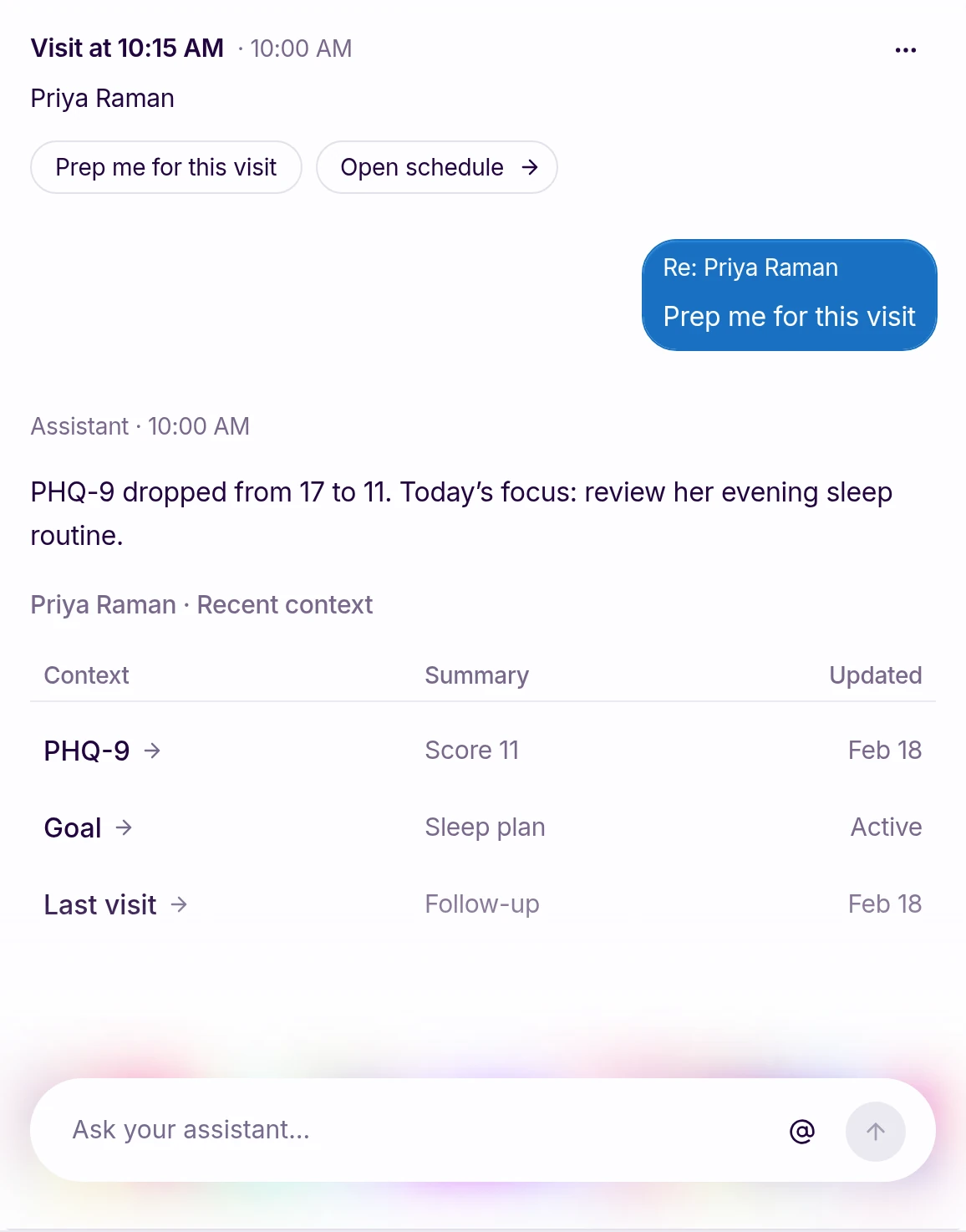
    Calm Assistant chat showing the 10:15 AM visit notice for Priya Raman, a Prep me for this visit reply, and an inline Recent context table above the composer
  • Before deadlines

    Draft and signature nudges

    Get a notice when an AI draft is ready for review or a clinical note is nearing its signature deadline before documentation piles up.

    Calm Assistant chat showing an AI draft ready notice for Nora Lindqvist, a signature review reply, and an inline Notes waiting on you table above the composer
  • Real-time + digest

    Urgent alerts and quiet digests

    Critical labs and urgent client messages arrive immediately—even as a toast on other screens—while routine updates batch into a quiet digest.

    Calm Assistant chat showing an urgent message notice from Marcus Webb followed by a quiet digest notice and Routine updates table above the composer

Messaging you in your Assistant thread and preparing private, unsent Inbox reply drafts are the only steps the assistant takes on its own. Every reply chip and draft waits for your review, and nothing enters a chart or reaches a client without your approval.

On its own
  • Posts thread briefings
  • Surfaces urgent toasts
  • Pre-drafts Inbox replies
Always requires you
  • Chart edits
  • Client messages
  • Note signatures
  • Claim submissions

Note Studio built for clinical speed.

Rich-text templates, copy from last session, AI enhance with undo, and side-by-side compare before signing.

  • Templates & rich text

    SOAP, DAP, BIRP, GIRP, intake, crisis, discharge, and custom templates in a fast rich-text editor.

  • Copy & AI enhance

    Pull forward from the last session, enhance any section with AI, and undo in one click.

  • Compare & sign

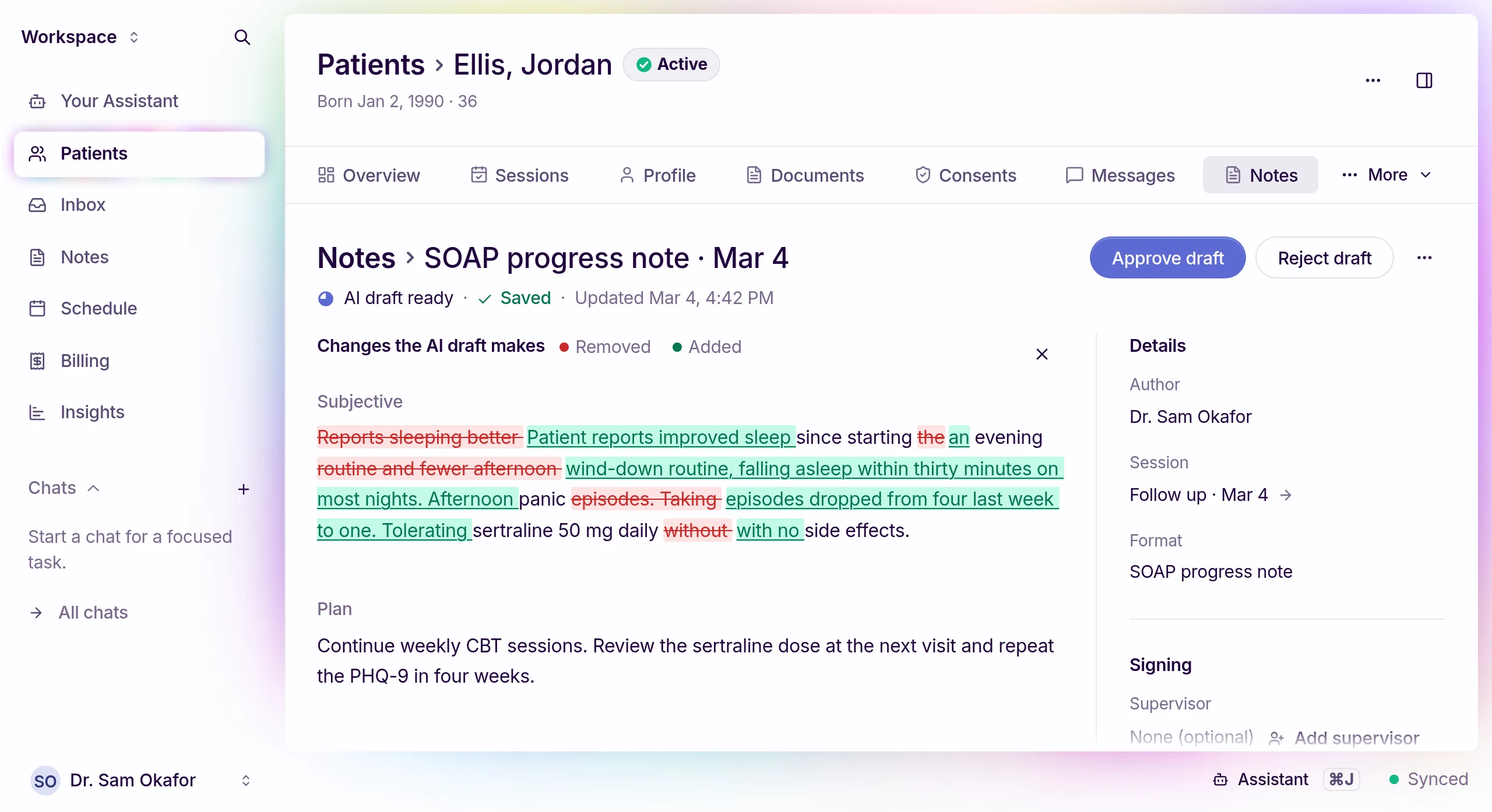
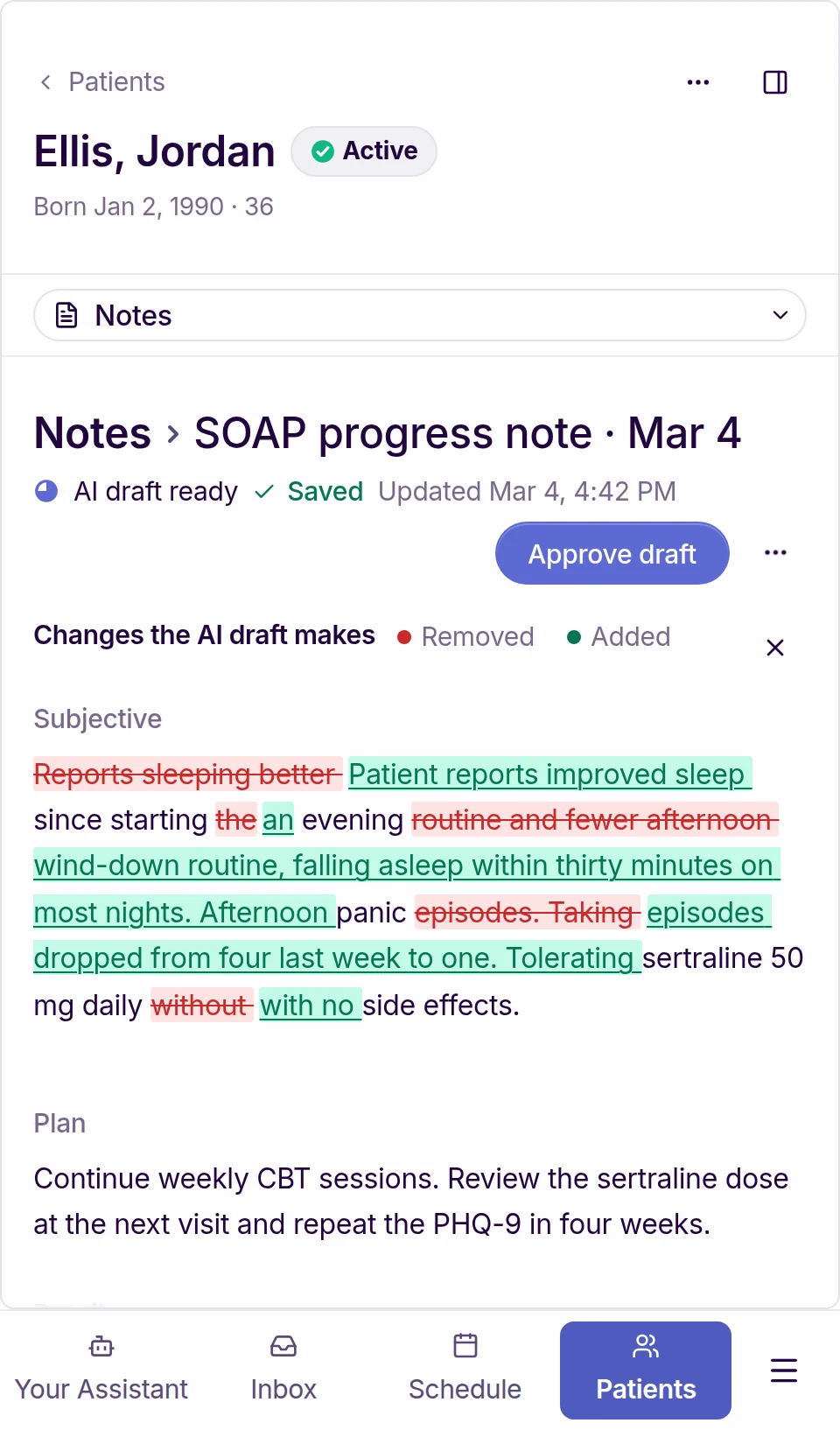
    Review AI edits word for word against your text before signing, with addenda and amendments.
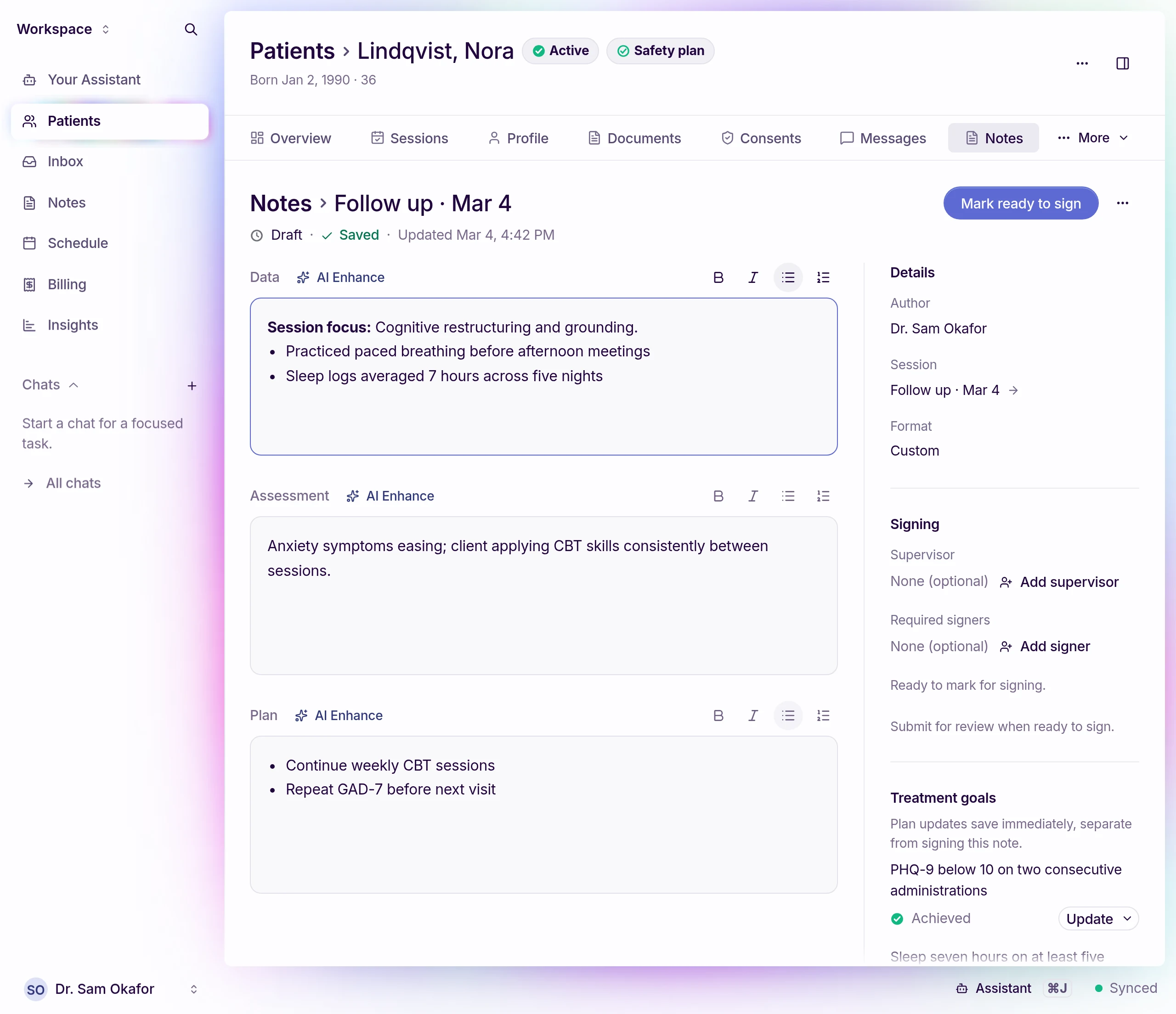
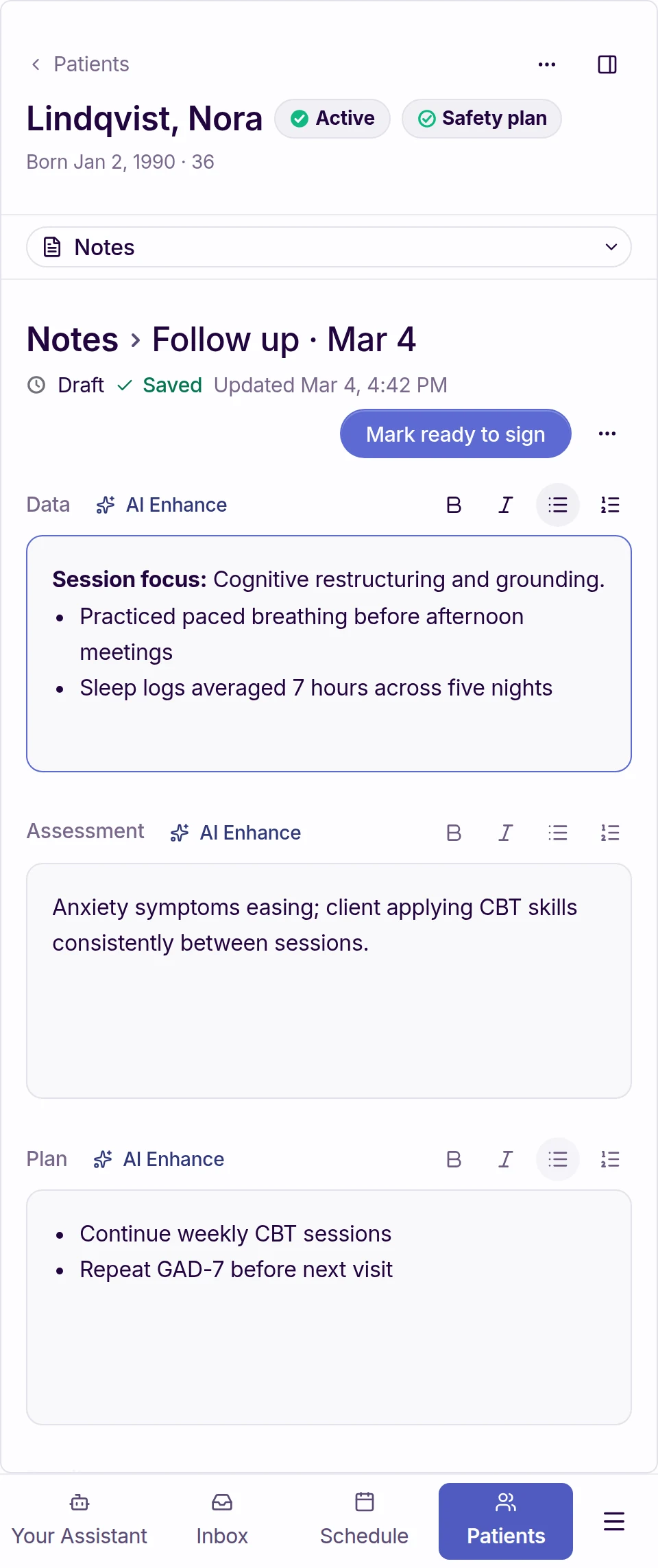
Note Studio showing a rich-text DAP progress note for Nora Lindqvist with bold headings, bulleted interventions, AI enhance controls, and active treatment goals.
Note Studio rich-text DAP progress note and AI enhance controls at phone width.
Structured templates, rich-text formatting, and AI enhance with undo
An AI-drafted note compared with the clinician’s text, with added and removed words marked before signing.
Inline word-level note comparison before signing at phone width.
Word-for-word compare before you sign

Timeline, plans, and scored measures.

Track every chart event, treatment goal, and standard assessment in one place.

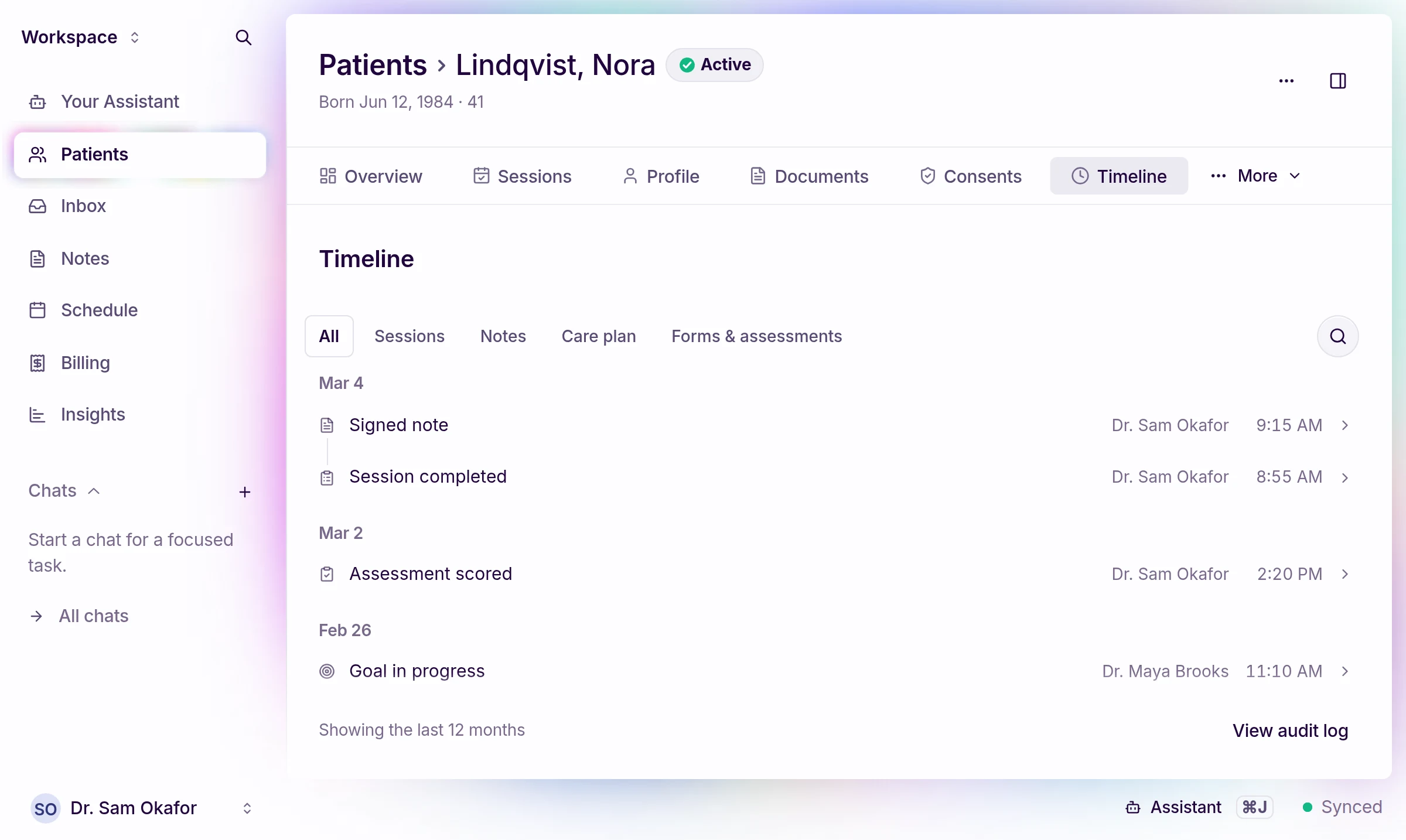
Patient Activity Timeline showing chronological chart events, notes, and assessment updates.
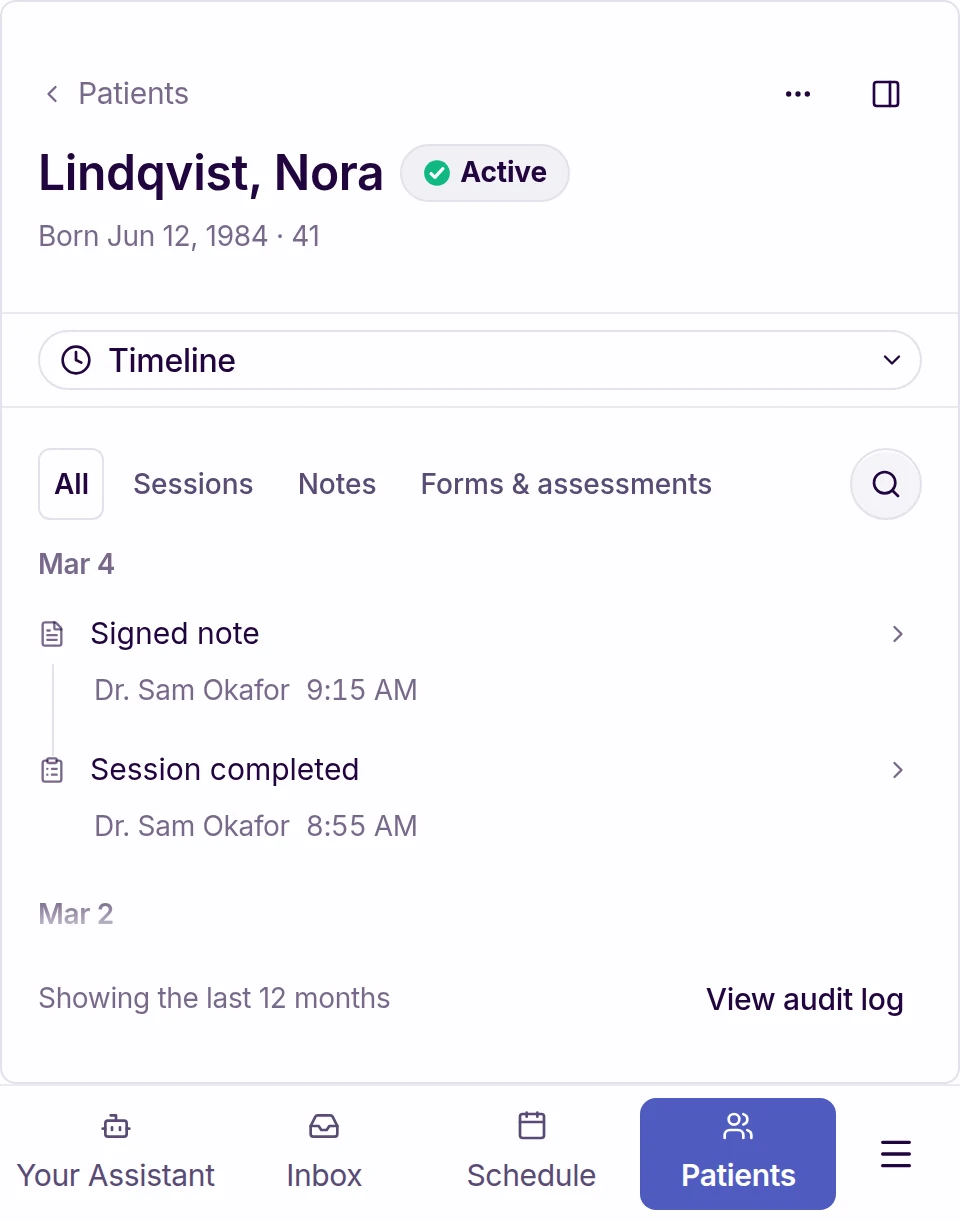
Patient Activity Timeline at phone width.

Patient Activity Timeline

Filterable chronological history across signed notes, completed visits, scores, and goals.
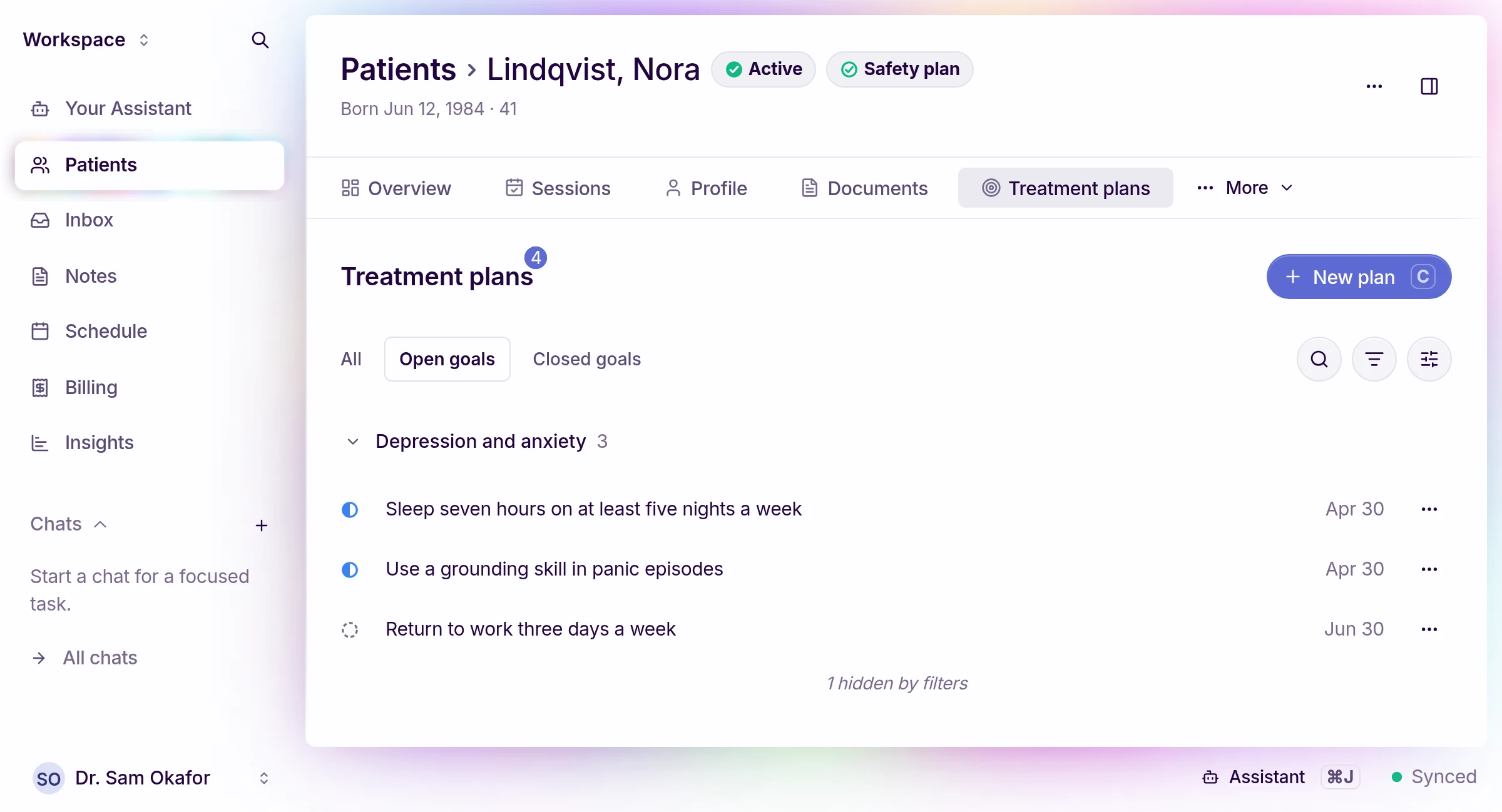
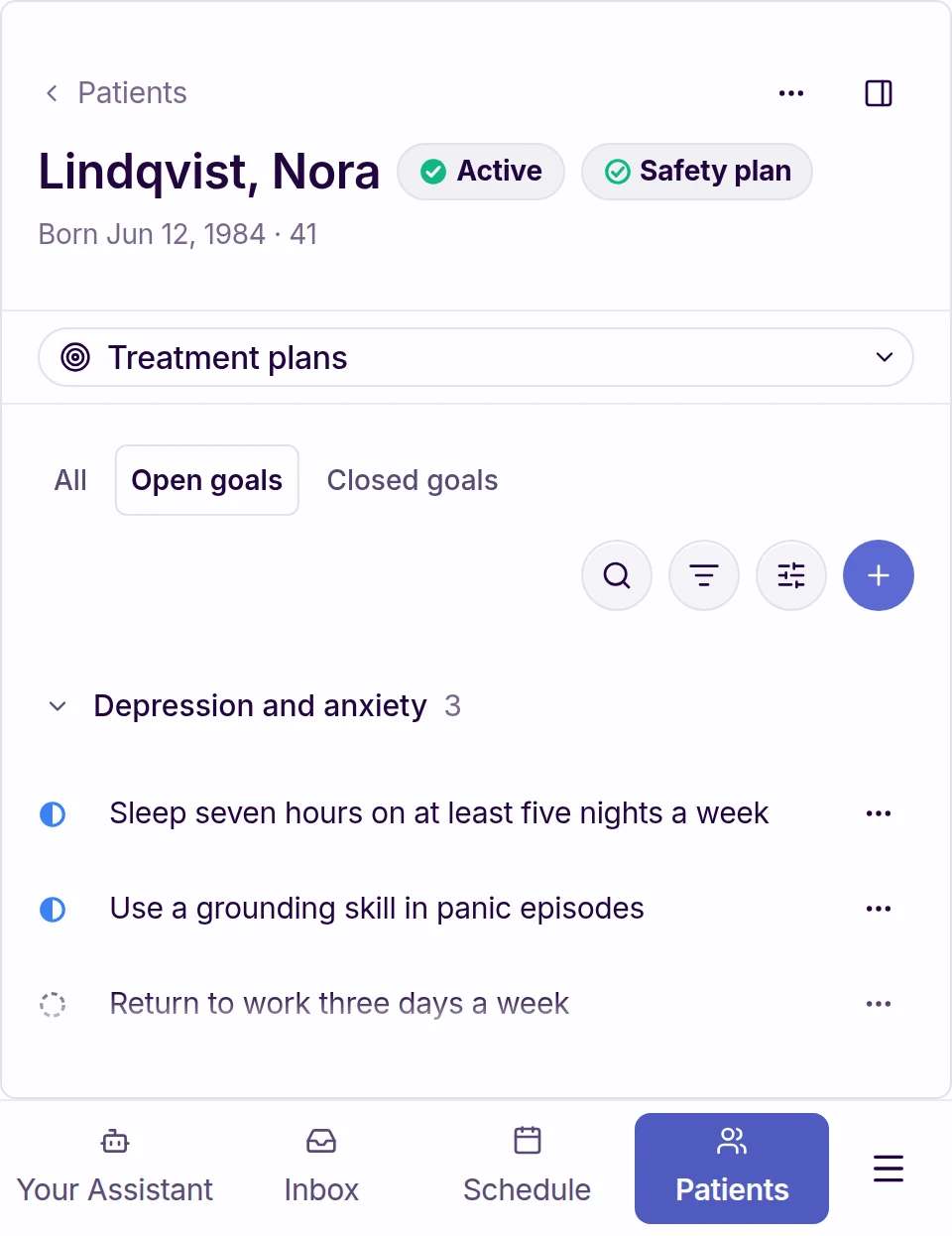
Treatment plan in the chart displaying active goals and progress status.
Treatment plan goals view at phone width.

Treatment plans & goals

Write goals once and track session-by-session progress directly in the chart.
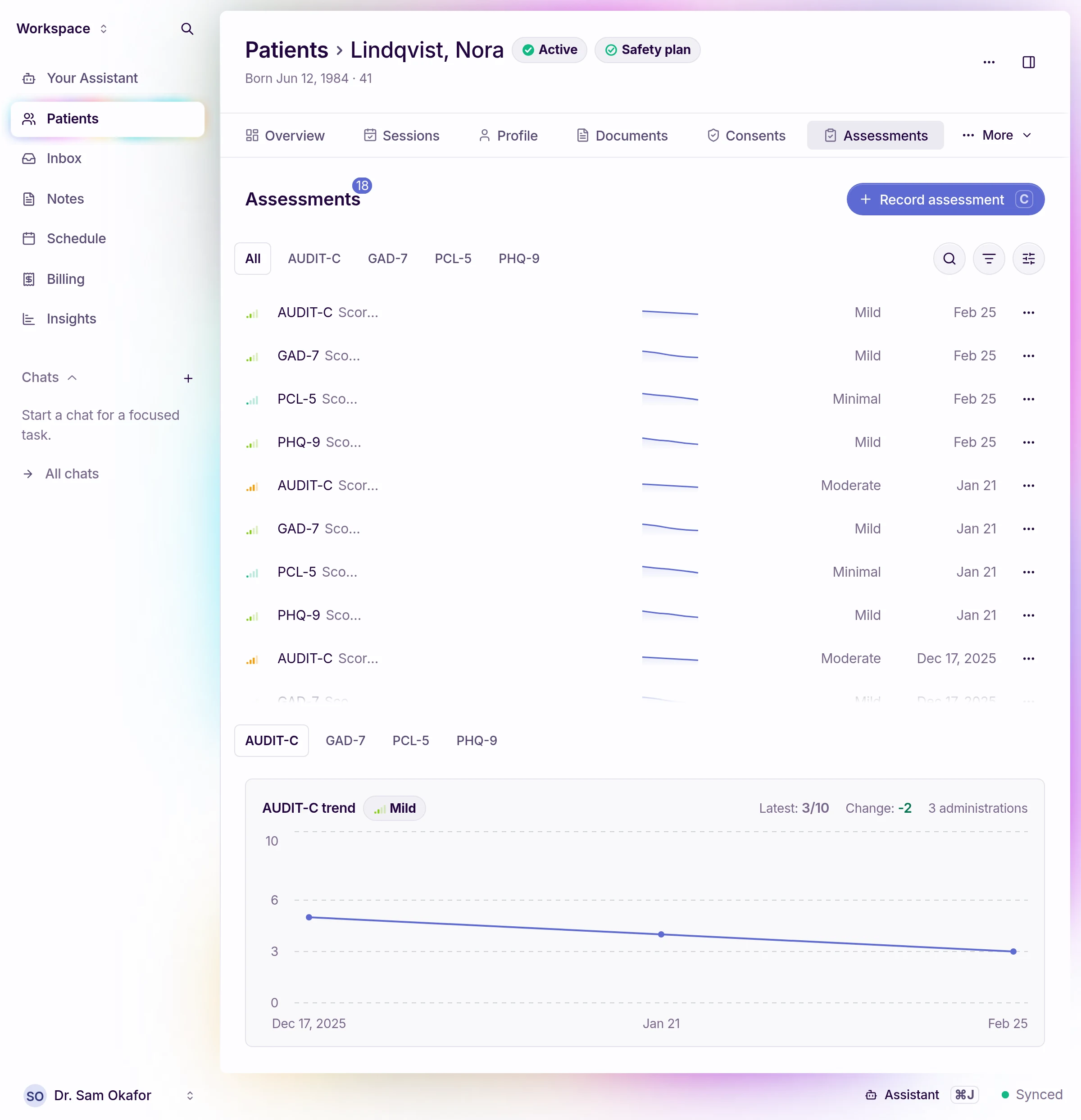
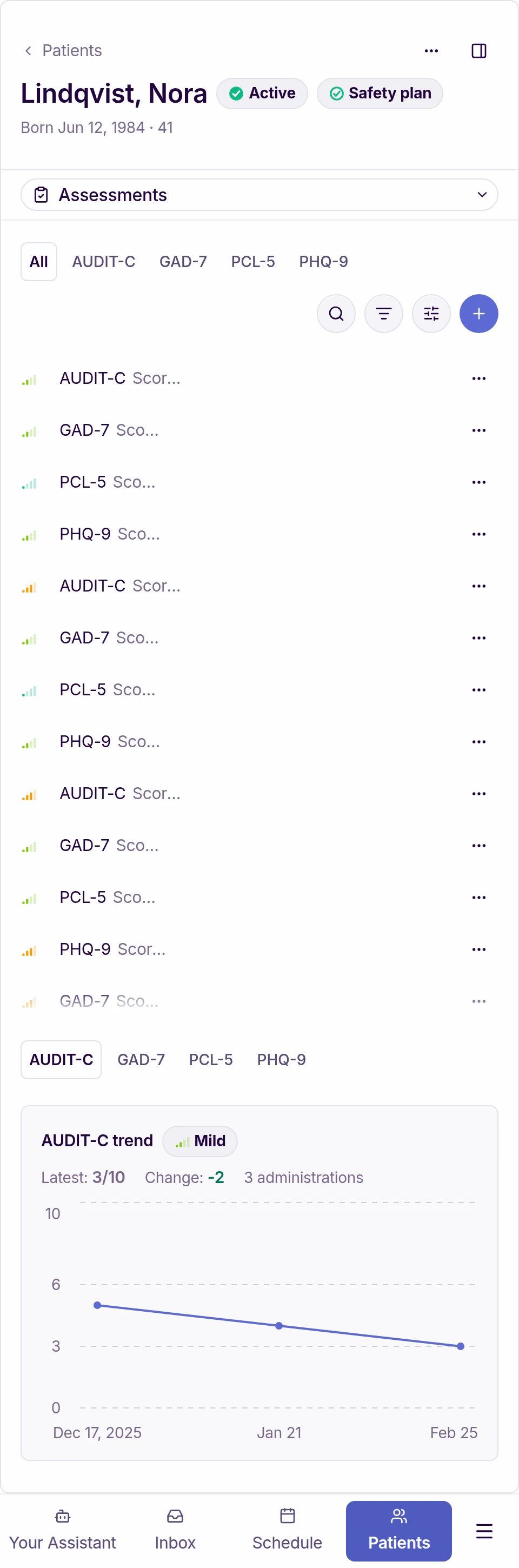
AUDIT-C selected from four measures, with three recorded scores trending from 5 to 3.
AUDIT-C score history and latest result on a phone.

PHQ-9, GAD-7, PCL-5 & AUDIT‑C

Auto-scored behavioral-health measures charted over time beside the notes they inform.

Multi-staff scheduling built for behavioral health.

Individual, couples, family, and group calendars across locations and rooms, linked straight to encounters.
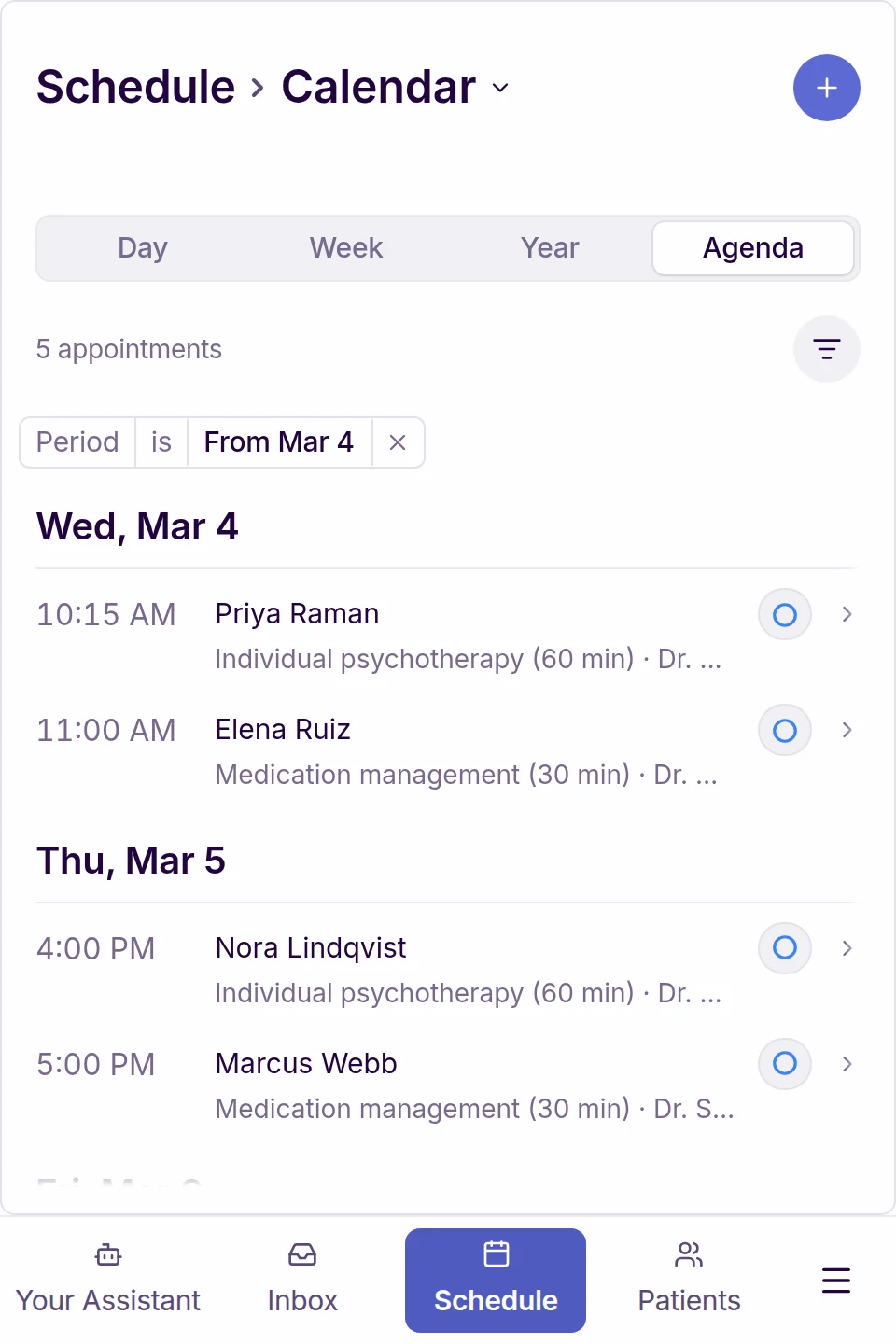
The scheduling calendar view at phone width.
  • Couples, family & multi-staff booking

    Book individual, couples, family, or co-facilitated visits with room assignments, time-off blocks, and recurring series.

  • Service types & CPT defaults

    Attach CPT codes, modifiers, and place-of-service defaults to appointment types so billing starts cleanly from the calendar.

  • Linked encounters

    Appointments connect directly to encounters and notes so documentation starts in context.

Browser telehealth, Live AI Scribe, and 16-participant groups.

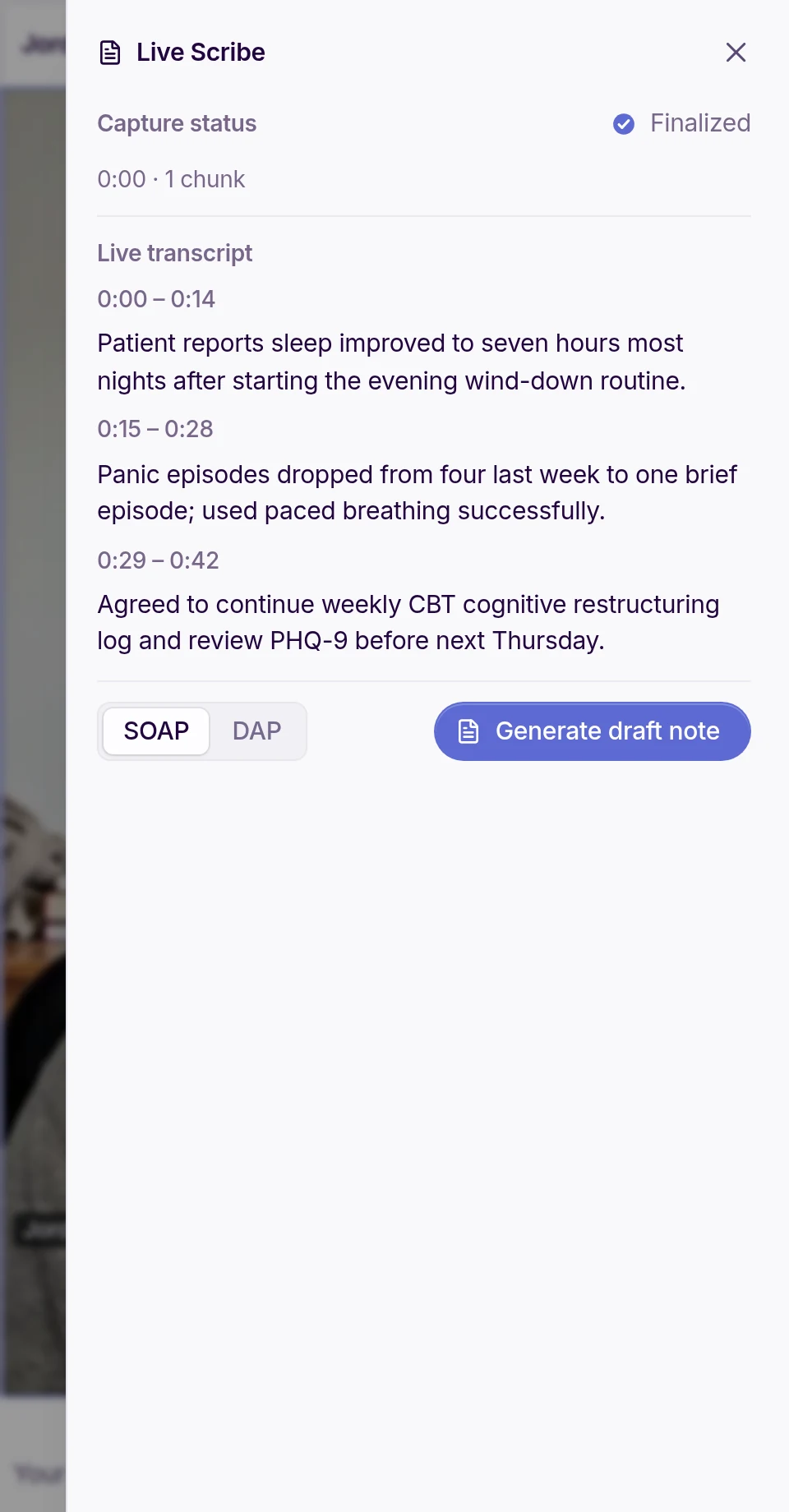
Run individual or group visits in the browser. For a configured 1:1 visit, record consent before using Live AI Scribe. Review the draft in Note Studio before signing.
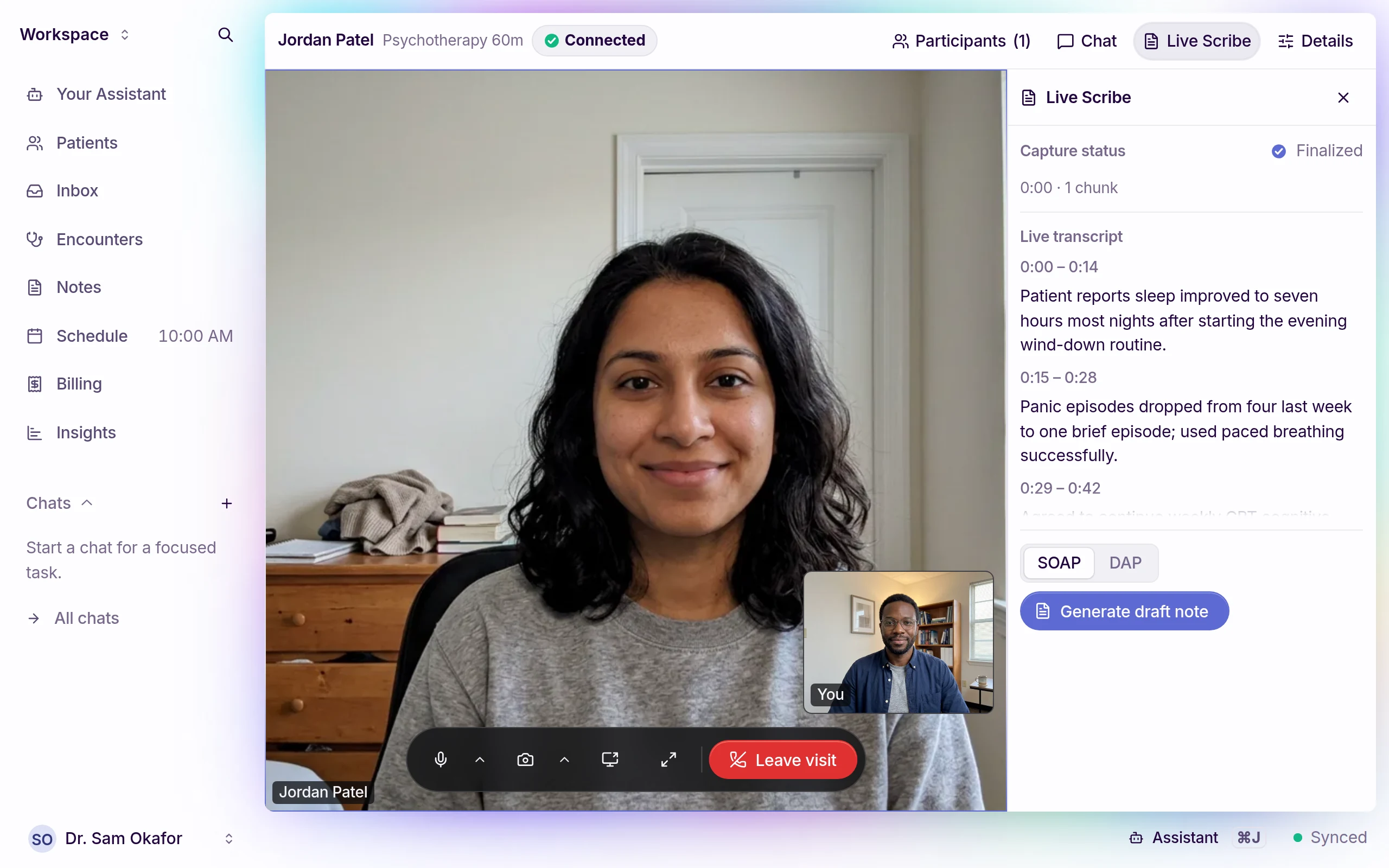
Calm browser telehealth visit with Jordan Patel beside the Live AI Scribe panel showing finalized live transcript segments and SOAP or DAP draft generation controls.
Calm browser telehealth visit with Live AI Scribe live transcript on a phone.

1:1 telehealth with Live AI Scribe

Waiting room, screen share, and in-call chat alongside consent-gated Live AI Scribe. Capture live transcript segments with ephemeral audio and generate a SOAP or DAP draft for clinician review.
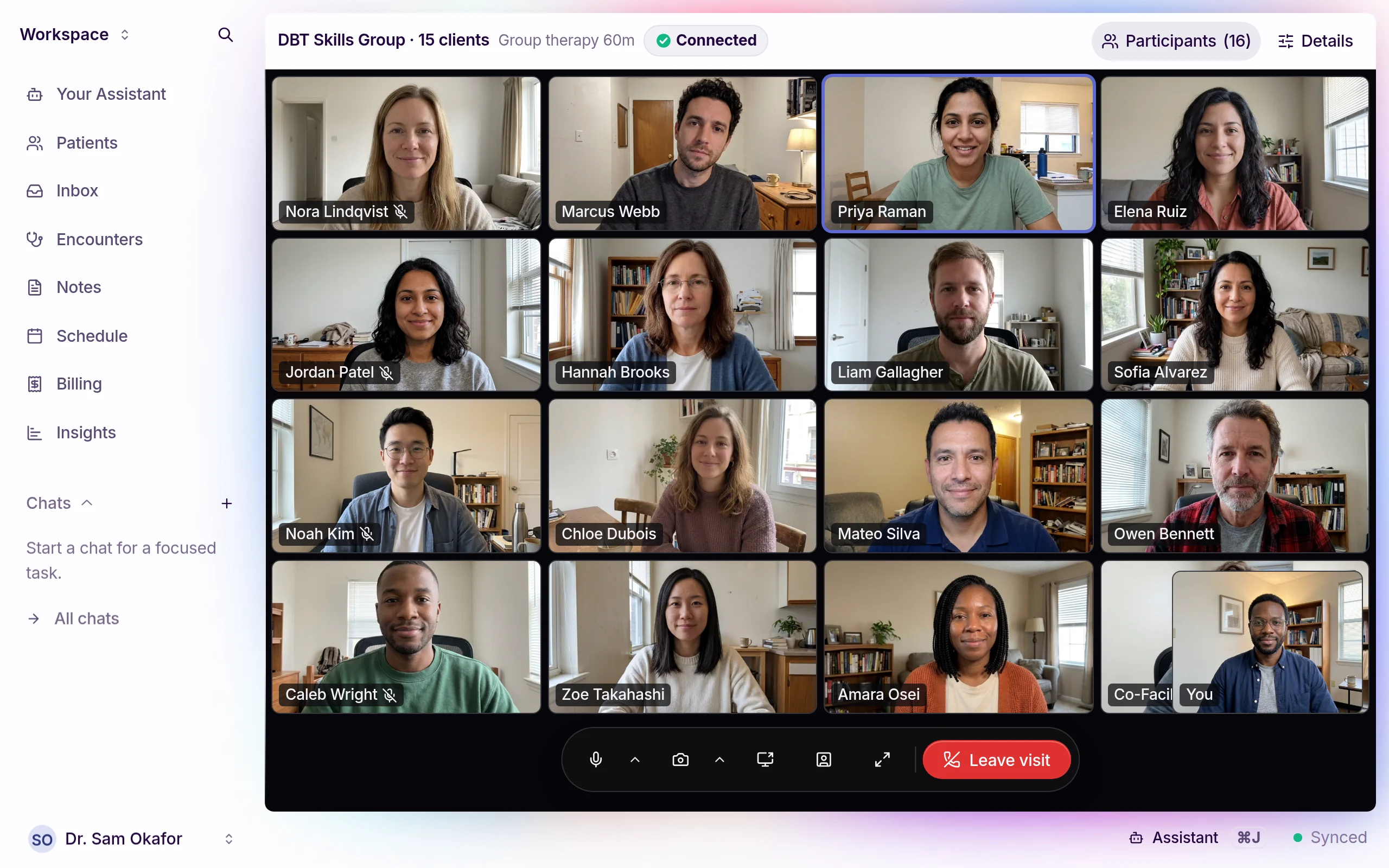
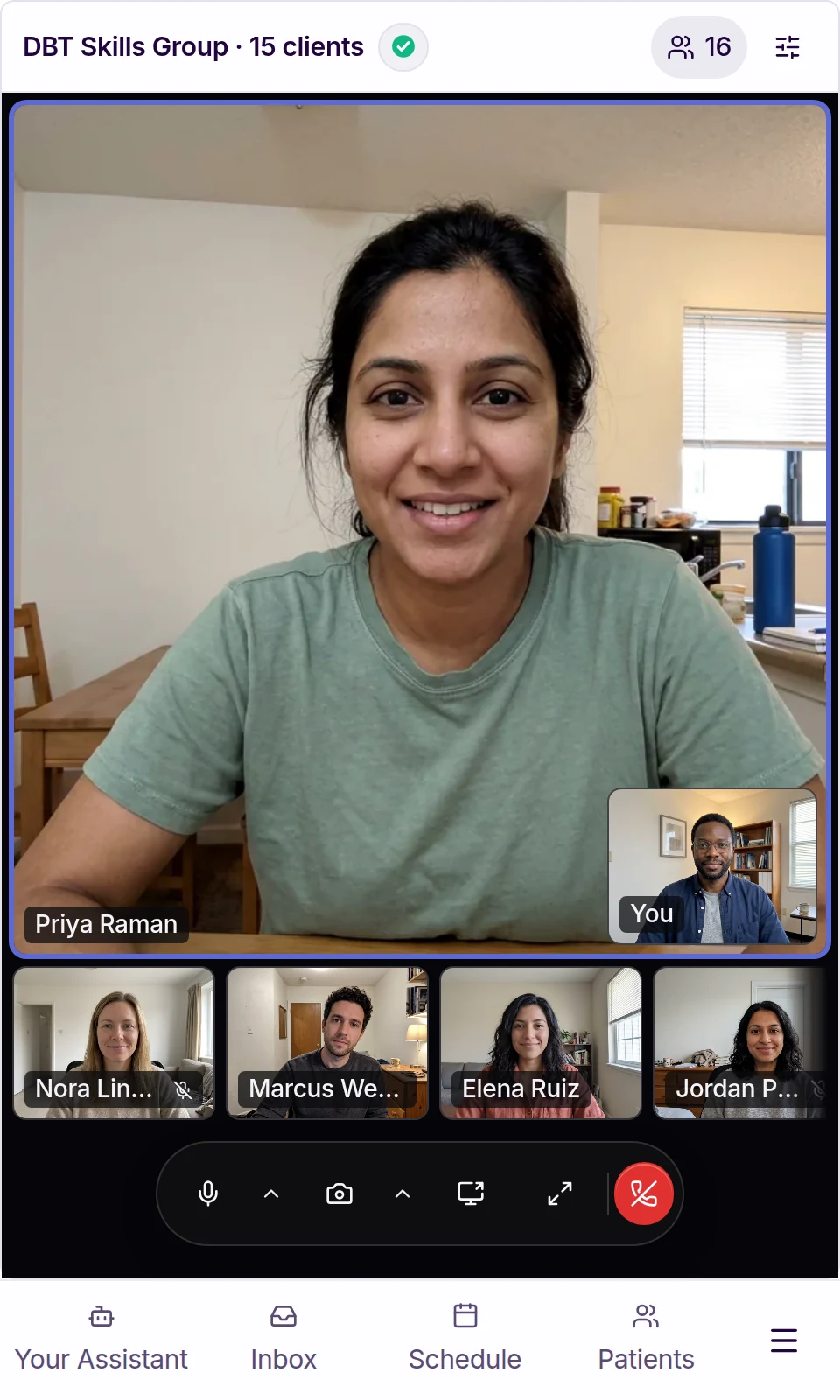
Calm group telehealth stage for DBT Skills Group showing 16 participants in a 4 by 4 grid, active speaker highlight on Priya Raman, participant roster button, and media controls.
Calm group telehealth stage on a phone showing active speaker Priya Raman and horizontal participant filmstrip.

16-participant group telehealth & Group DAP

Facilitate up to 16 participants in a 4×4 desktop grid or active-speaker mobile filmstrip, with co-facilitator support and linked Group DAP documentation.

Dynamic AI-built forms, client portal, and Inbox replies.

Draft questionnaires with AI, add Show when and Required when branches beside a live Patient view, send version-pinned forms to the portal, and review AI-drafted client replies inline.

Explore AI-built dynamic forms 
  • AI-drafted dynamic forms

    Draft structured questions in the Assistant dock, refine and add conditional logic visually, and publish explicitly.

  • Version-pinned portal delivery

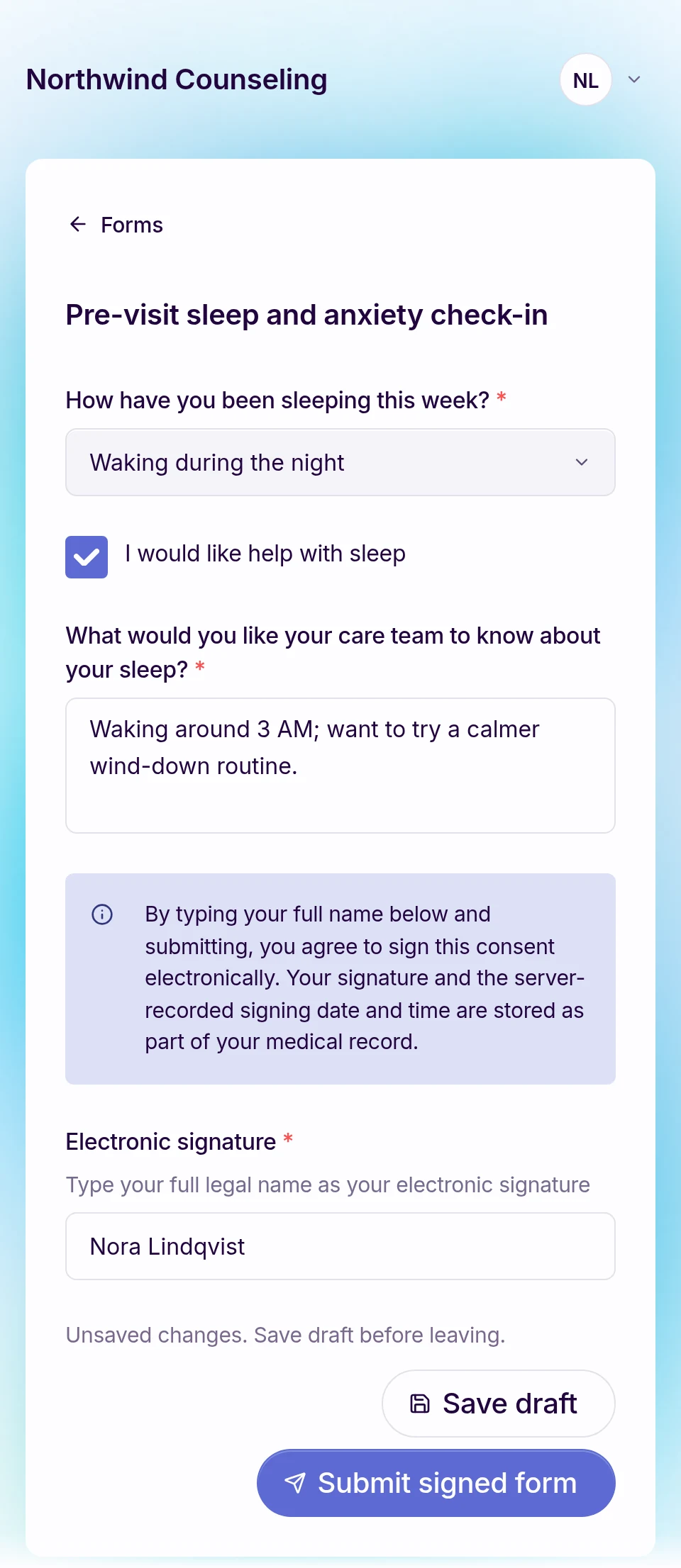
    Clients save drafts mid-way, sign electronically, and submit against the exact published version; approved screenings auto-score into the chart.

  • Inbox AI reply drafts & care plans

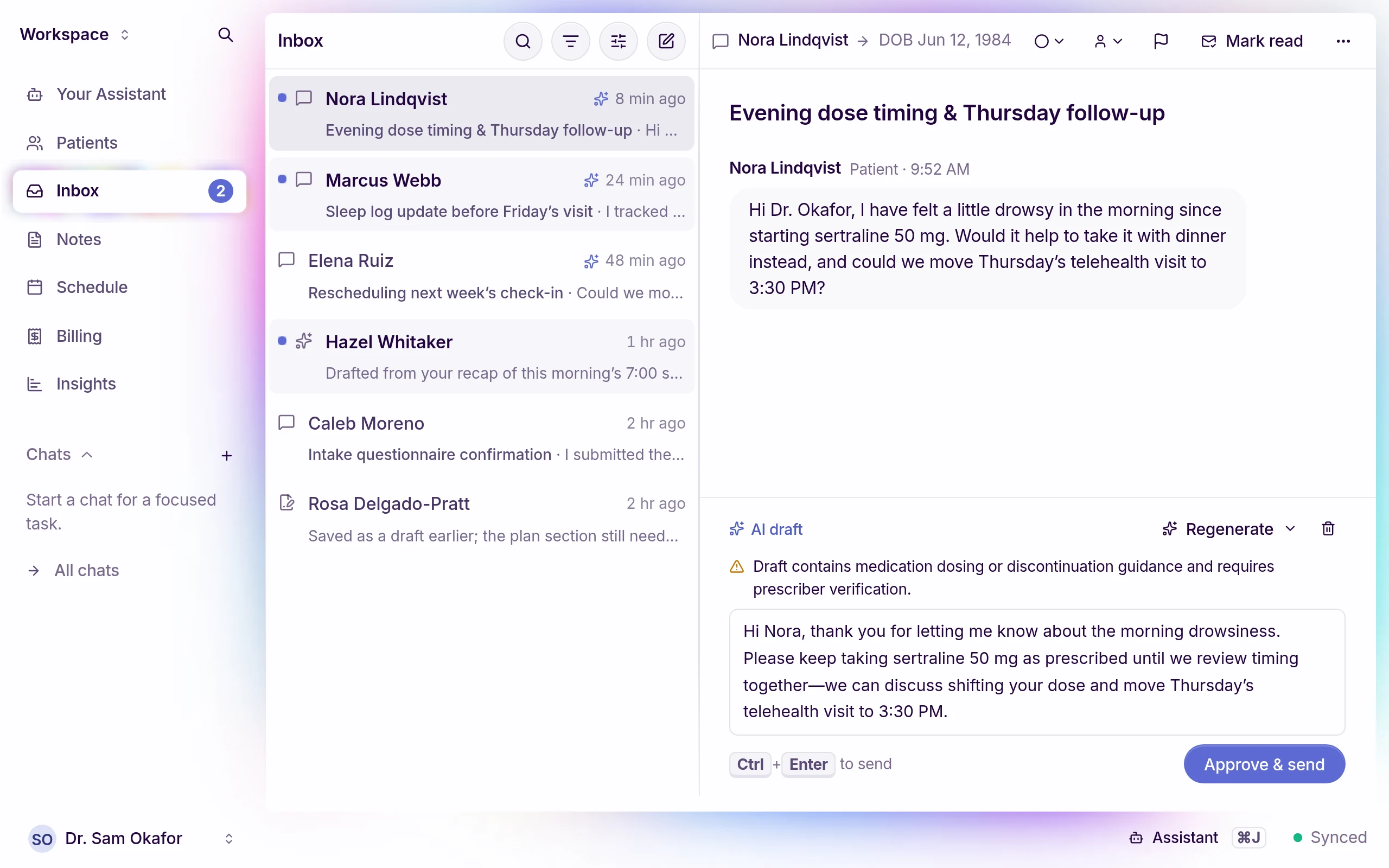
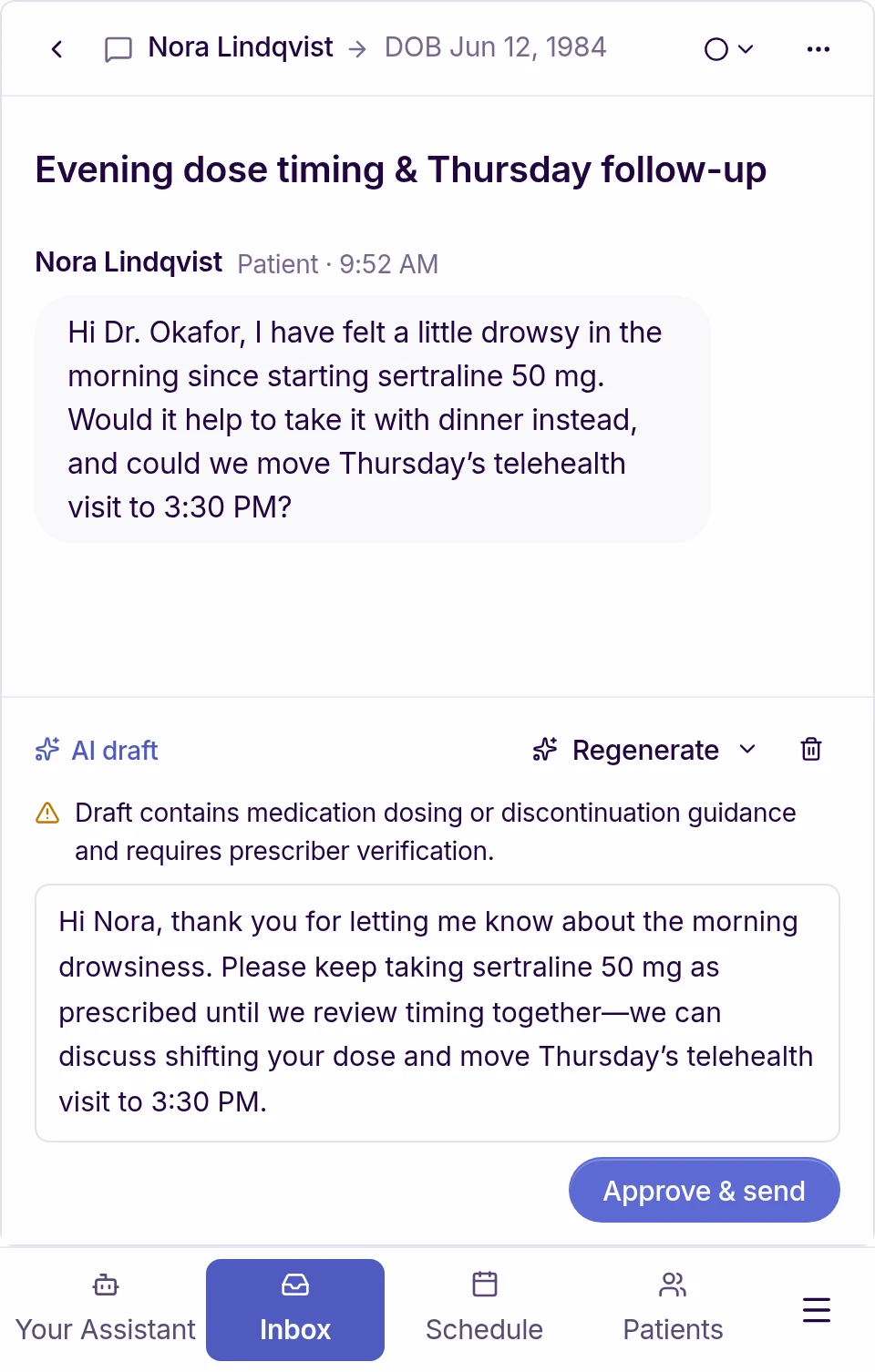
    Incoming client messages open with a private AI reply draft, safety validation notices, quick Regenerate steering, and one-step Approve & send, alongside homework, documents, and care plans.
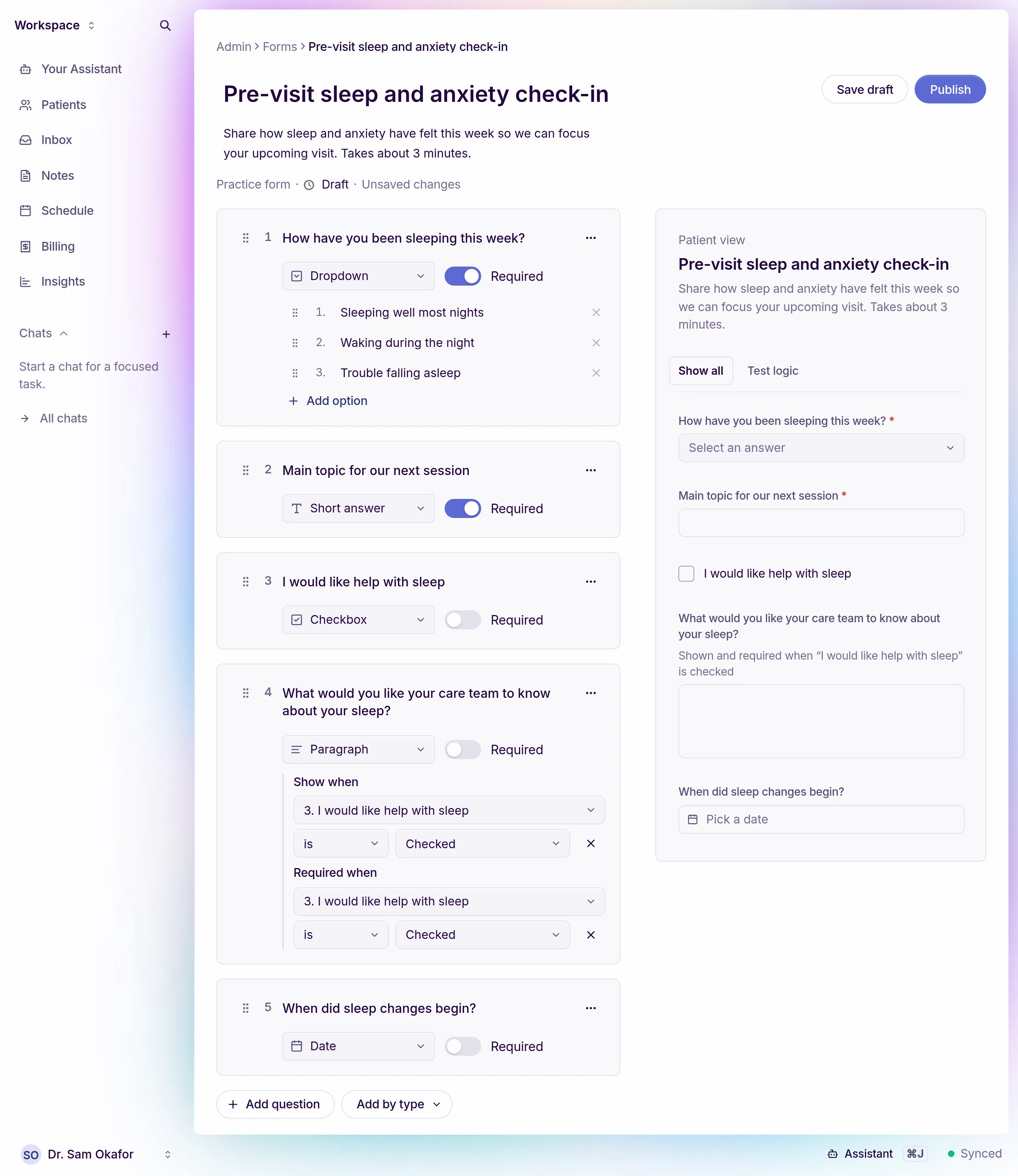
Calm Form Builder editing a pre-visit sleep and anxiety check-in with question cards, a Show when conditional rule, Save draft and Publish buttons, and the live Patient view side by side.
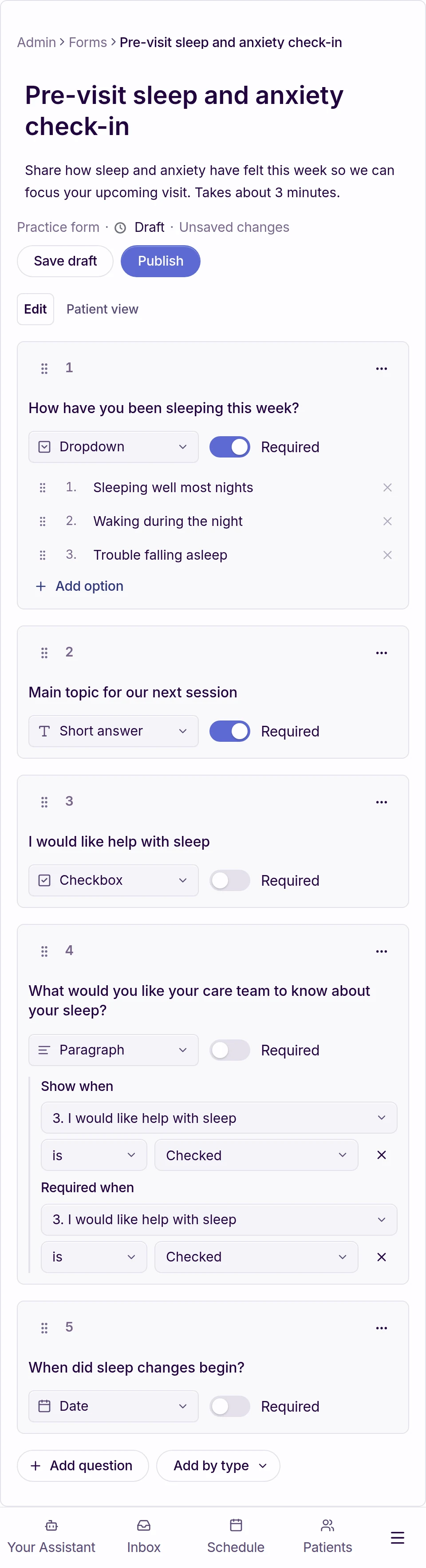
Calm Form Builder on a phone showing question cards and a Show when conditional rule.
Visual Form Builder with conditional rules and live Patient viewVisual Form Builder with conditional rules and Patient view tab
Calm Client Portal on a phone showing a revealed conditional sleep follow-up question, Save draft, Electronic signature, and Submit signed form.
Clients complete conditional forms, save drafts, and sign in the portal
Calm Inbox showing a fictional client message thread with a private AI draft in the composer, a validation notice for medication dosing verification, Regenerate and Discard controls, and an Approve & send button waiting on the clinician.
Calm Inbox on a phone showing a fictional client message, a private AI draft in the composer with a validation notice, Regenerate and Discard controls, and Approve & send.
Private AI reply drafts stay in Inbox until you edit and click Approve & send. The client is fictional.

From completed visit to claim draft.

Prepare claim drafts from signed encounters, check billing details, and reconcile uploaded 835 remittances.
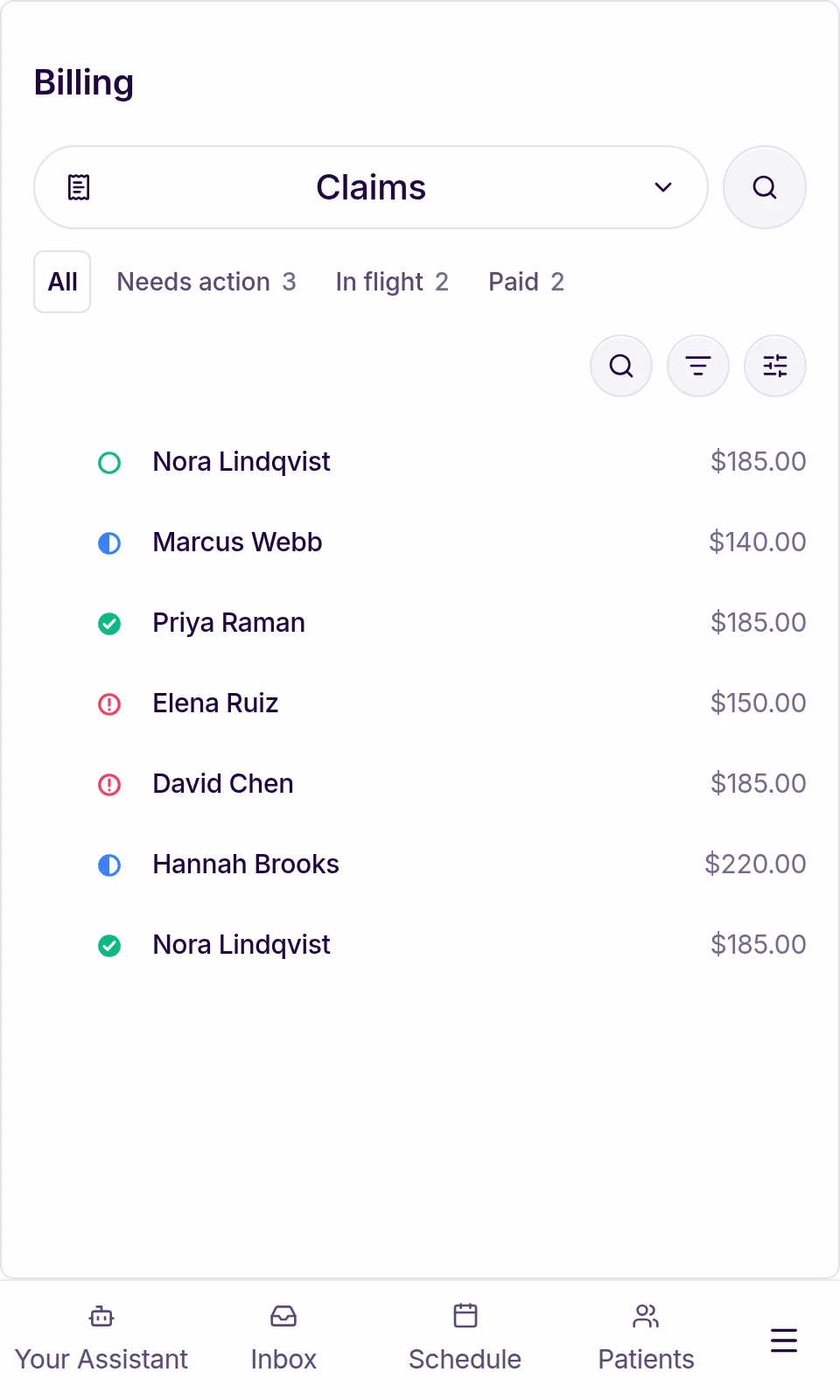
Billing and claims list at phone width.
  • 837 claims, pre-scrubbing & 835 ERAs

    Generate 837P claims from signed encounters, pre-scrub before submission, reconcile 835 remittances, and work denials in one queue.

  • Secondary claim preparation

    Carry primary payment and adjustment details into the draft for secondary coverage.

  • Superbills and statements

    Create superbills and prepare client statements in the billing workspace.

Practice insights and offline-first speed.

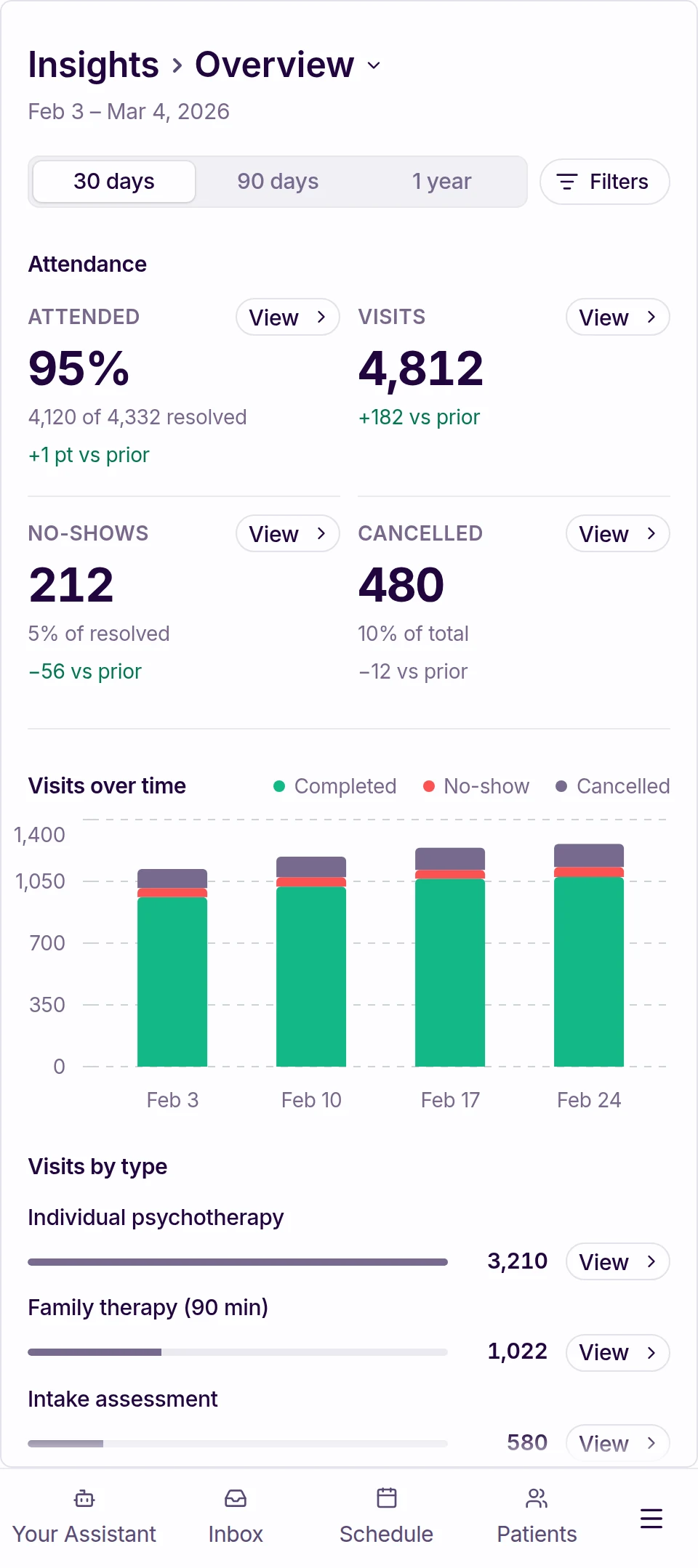
Period-correct utilization, revenue, and assessment reporting backed by an instant local sync store.
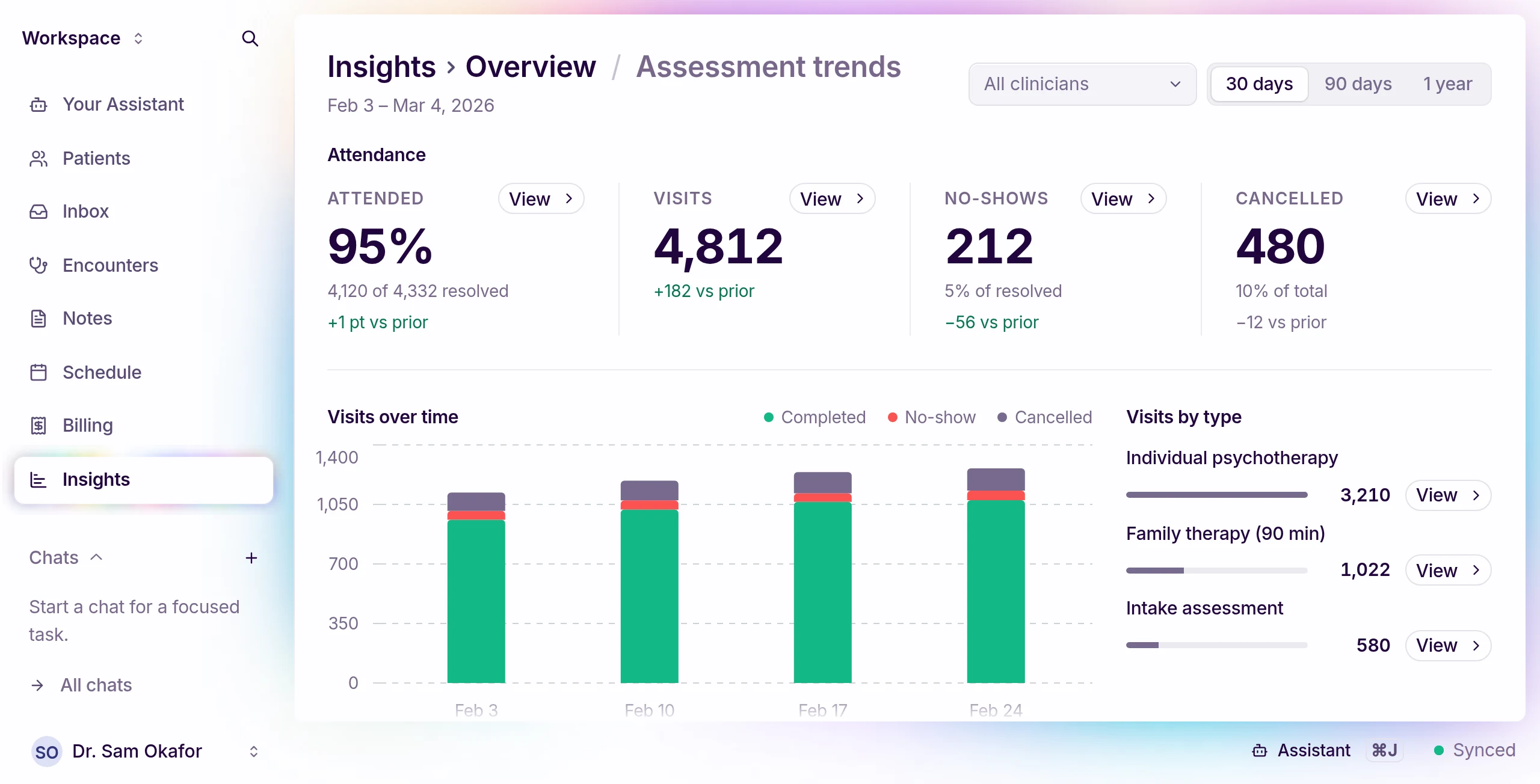
Practice insights dashboard showing utilization, revenue by appointment type, and assessment trends.
Practice insights dashboard at phone width.
  • Utilization, revenue & outcomes

    Track appointment utilization, net A/R and claims aging, revenue by service type, and org-wide PHQ-9 and GAD-7 trends with drill-through.

  • Offline access in desktop and mobile browsers

    On a desktop or phone, the browser keeps permitted records available when the connection drops and receives updates when it reconnects.

  • Opening sensitive records

    When you open a Part 2 record or psychotherapy note, the browser keeps the copy it receives from the server in memory only.

See your own week in Calm.

Request a walkthrough to see Calm with your practice’s workflows.