Security and privacy
Every chart request is checked against written access policies, and delivered reads are logged. Here is what protects your data today.
Reads are logged, not just edits
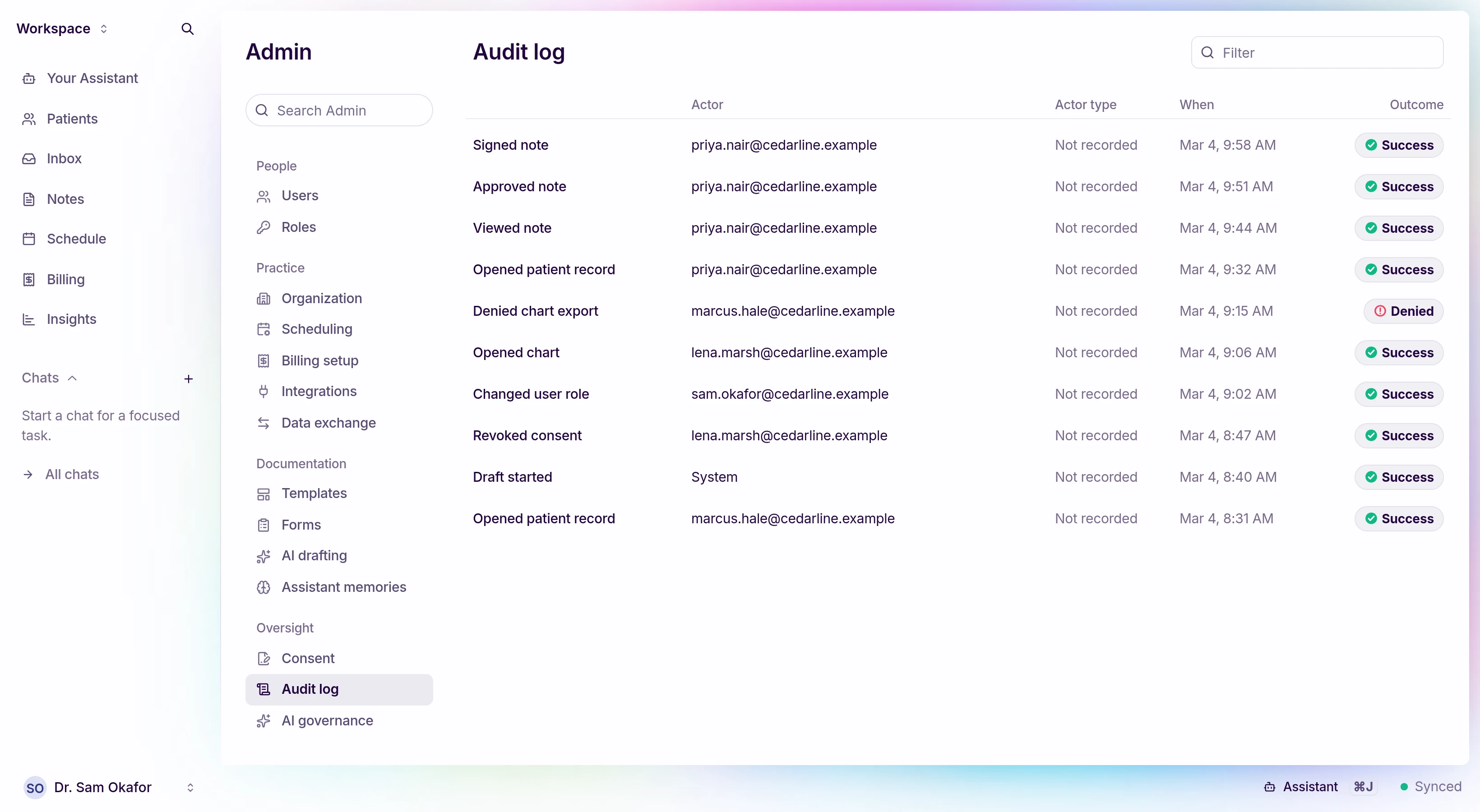
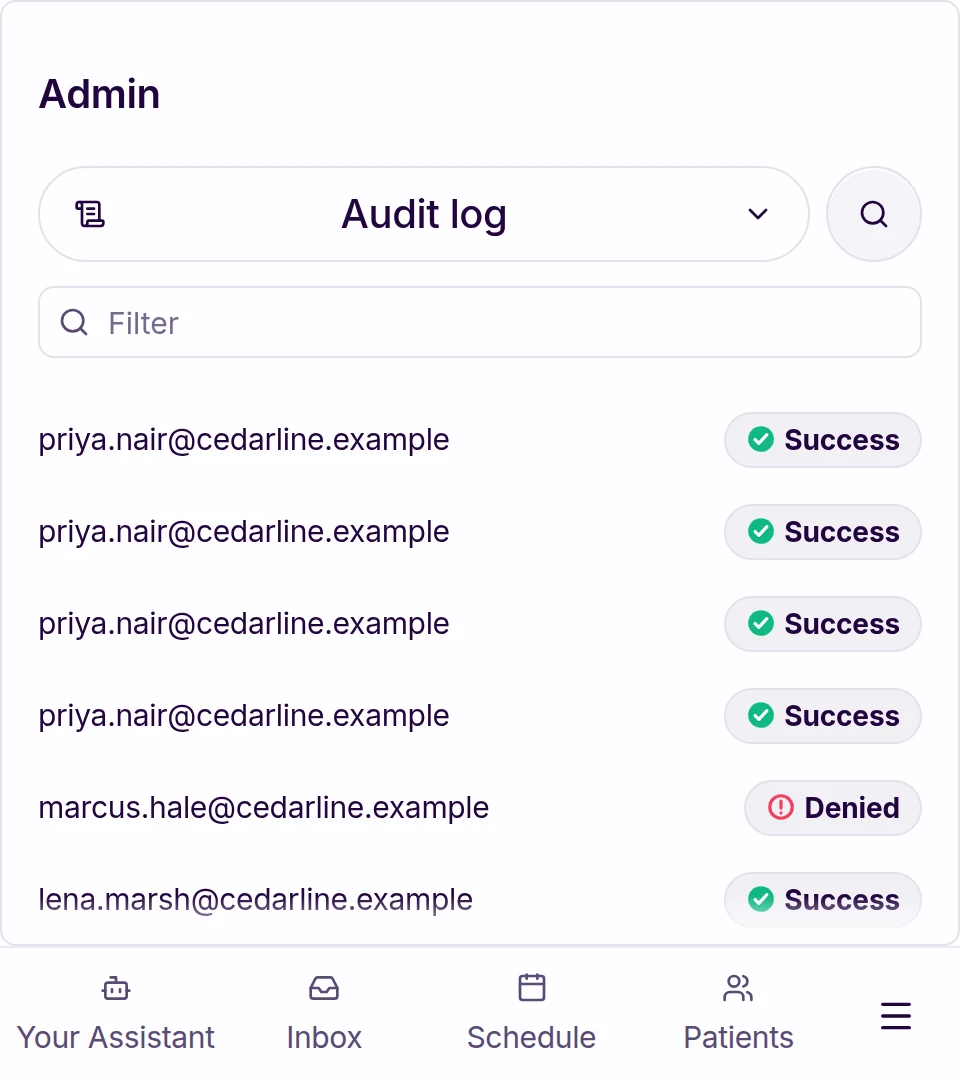
When chart data is delivered to a device, it is recorded alongside edits and signatures.
Reads
Charts, notes, AI drafts, labs, and messages delivered to a device.
Changes and signing
Every edit, signature, addendum, and amendment to the record.
AI review decisions
Each AI draft, and whether a clinician approved, edited, or rejected it.
Consent and exports
Signed sensitive-record consents and every approved or released chart export.
Owners and compliance admins browse the audit trail in-app to see who acted, on what, and when.
Access follows the care relationship
Signing in is not enough. Every server request is checked against written policies before data is returned.
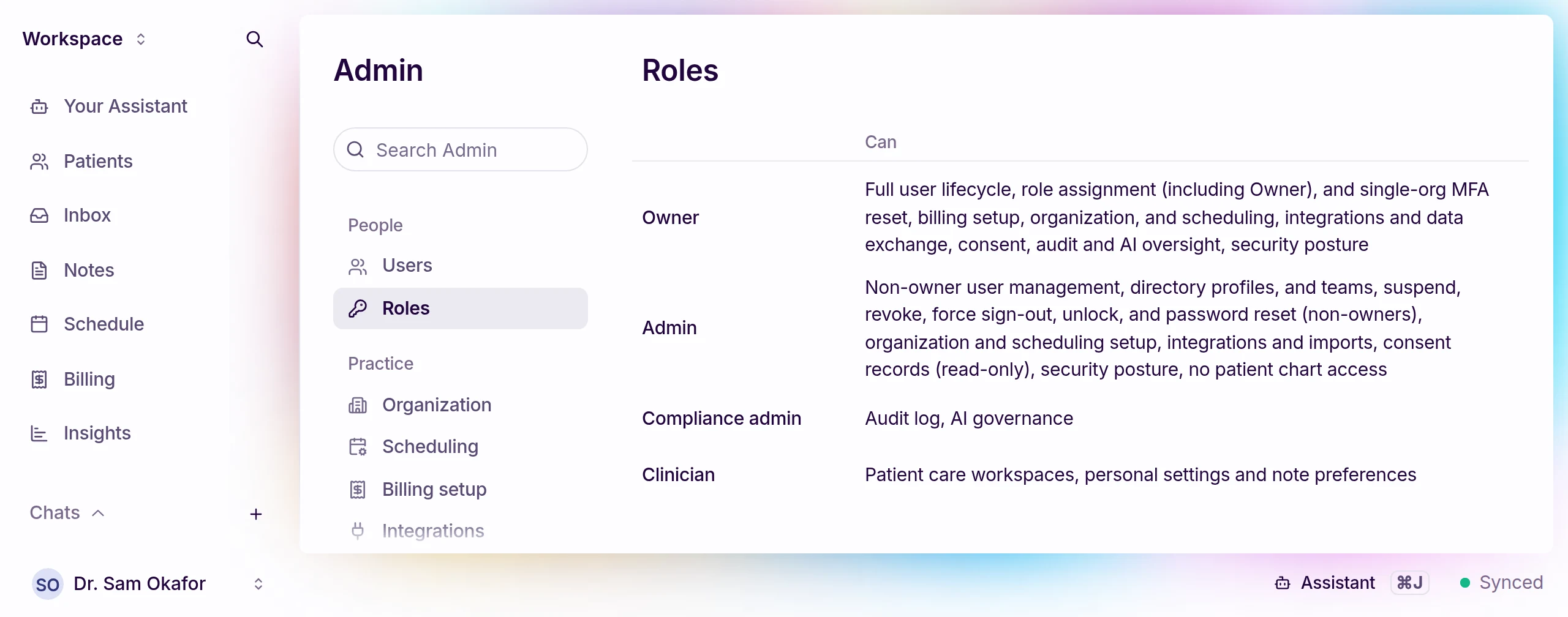
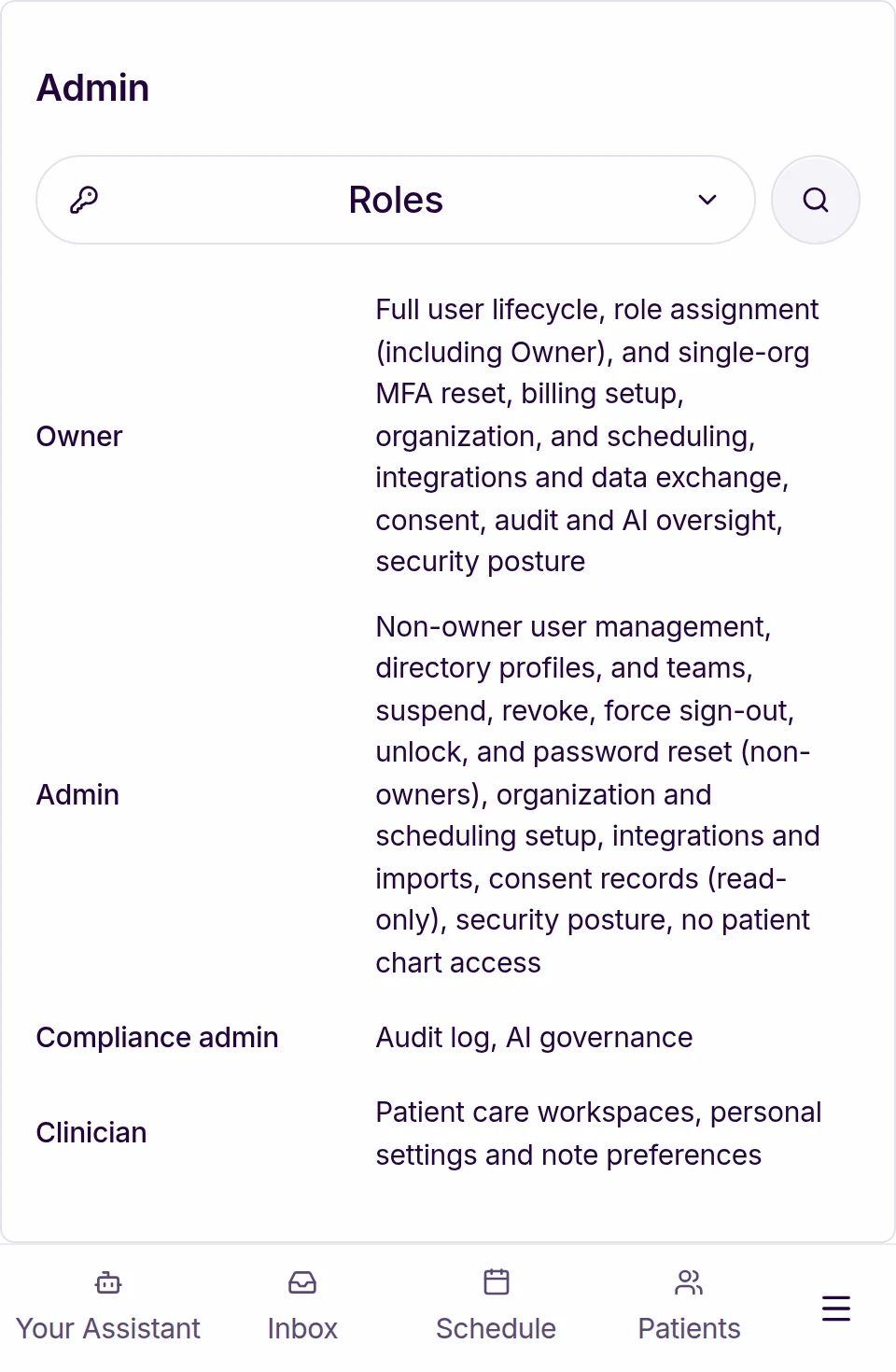
Only the care team
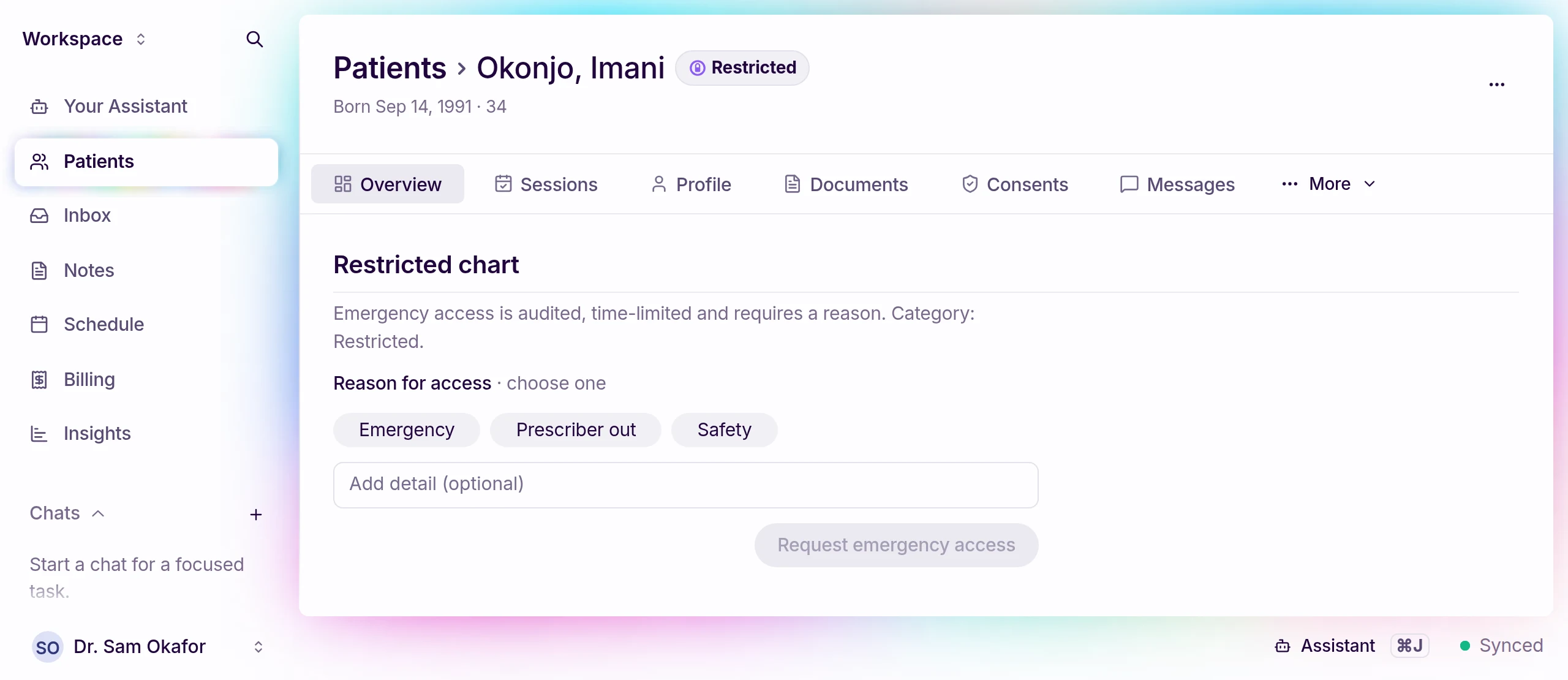
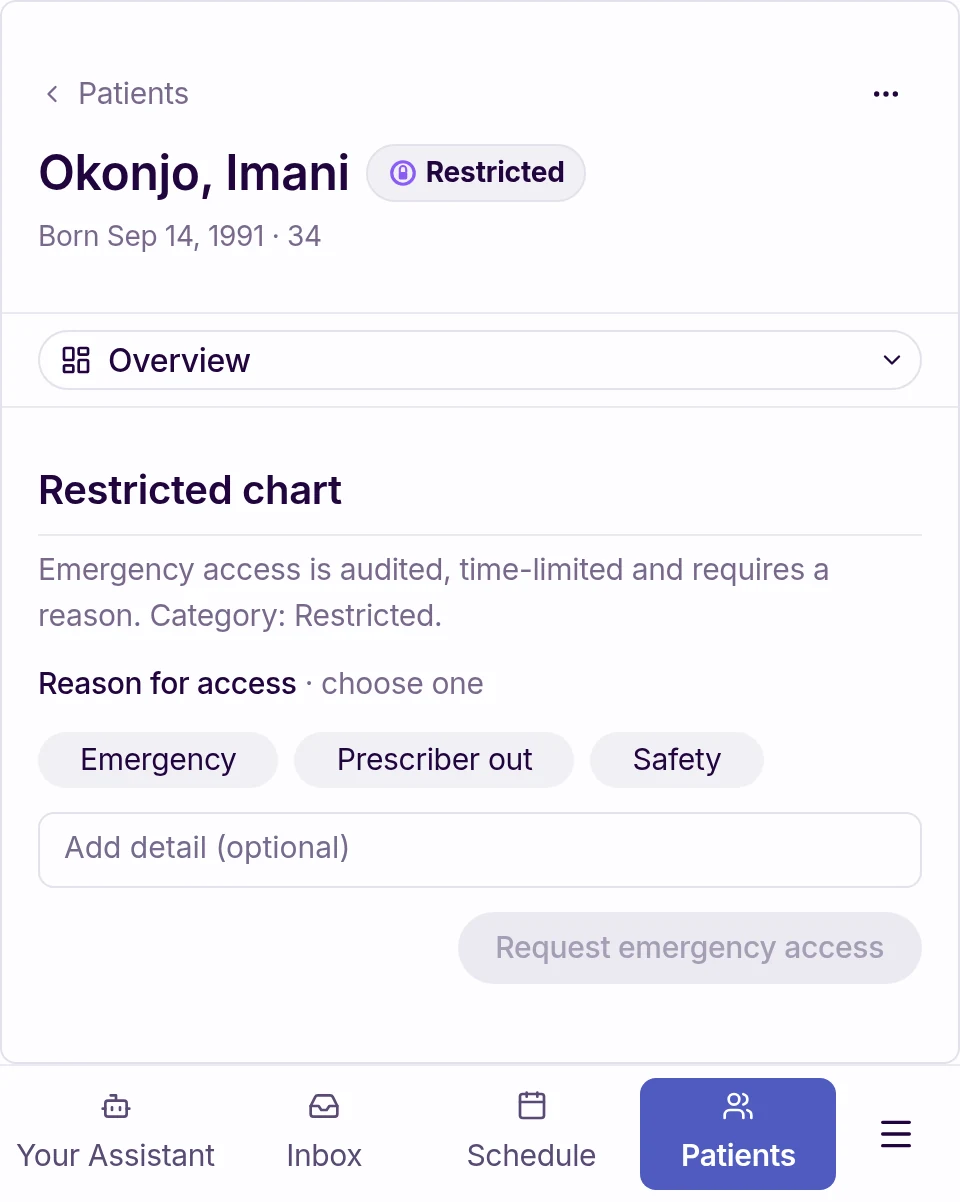
Clinicians read only active care-relationship charts. Emergency break-glass access is time-limited and logged with a reason.
Roles that match the practice
Owner, admin, clinician, and compliance admin roles separate billing, operations, and clinical access.
Policies written down
Access rules live in centralized, auditable authorization policies rather than scattered code checks.
Authenticator MFA and passkeys
Staff and client portal accounts can enable authenticator-app MFA with recovery codes or sign in with passkeys.
Sensitive records carry stricter gates
Behavioral health records with special rules are isolated into their own categories.
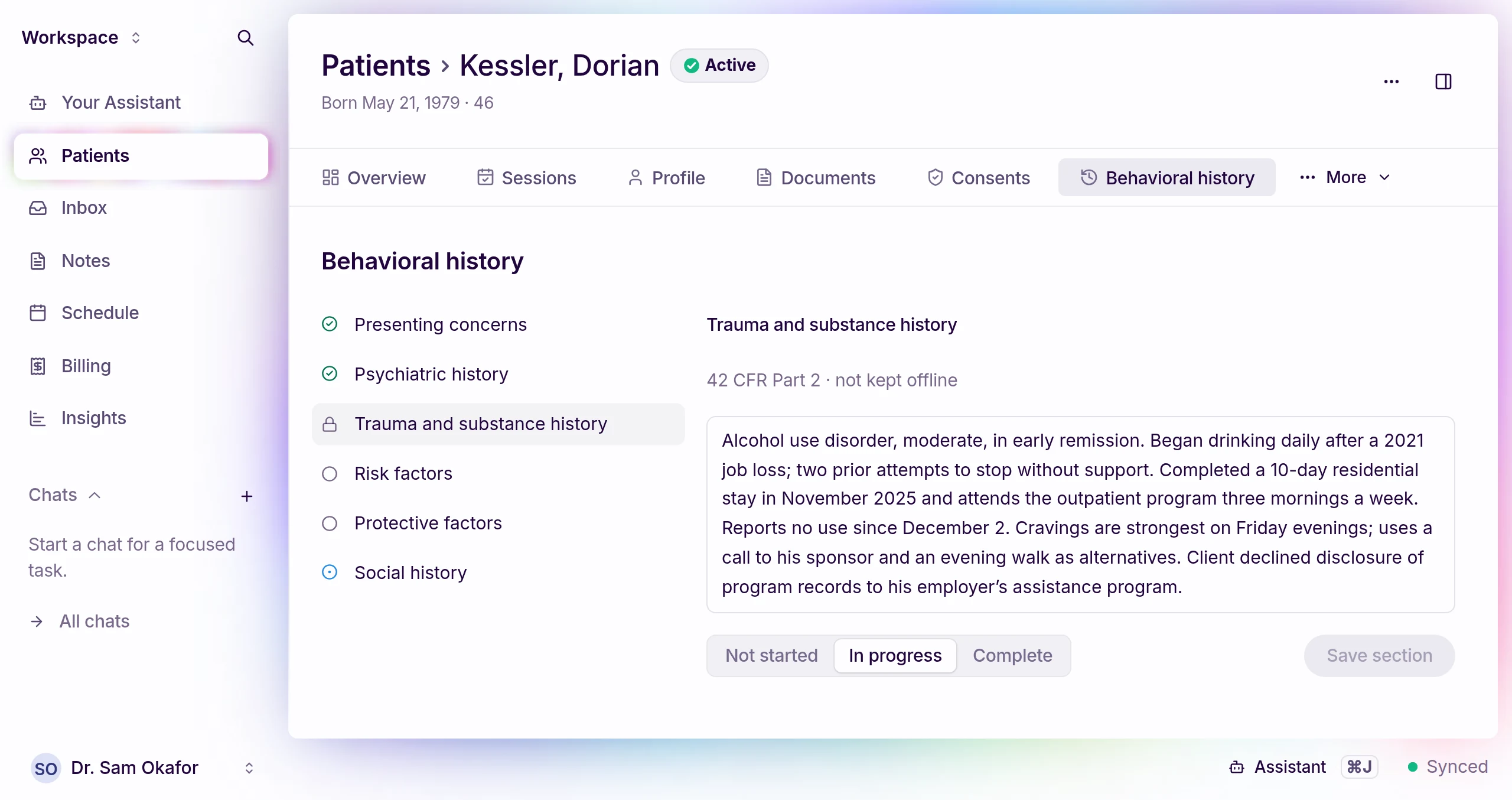
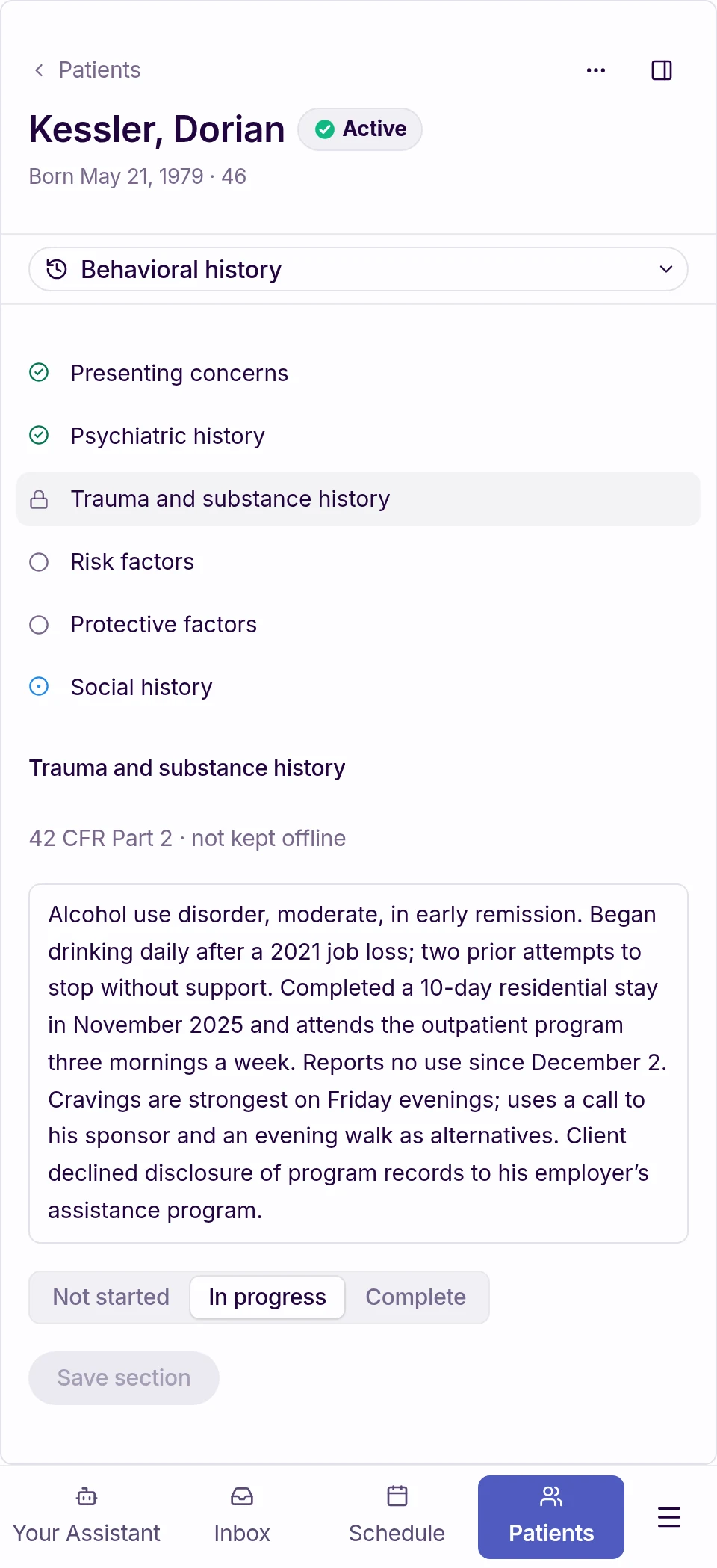
Psychotherapy notes
Kept apart from the main chart behind a separate, time-bound grant.
Substance use records under 42 CFR Part 2
Disclosure requires the client’s signed consent, recorded in the audit trail.
Opening records and recovering drafts
The browser holds Part 2 records and psychotherapy notes fetched from the server in memory only. To recover an unsaved draft, it can store the author’s own typed changes in encrypted local storage. Recovery requires an active session and matching access grant.
Every AI draft shows its work
The assistant drafts. A clinician decides. Both halves are recorded.
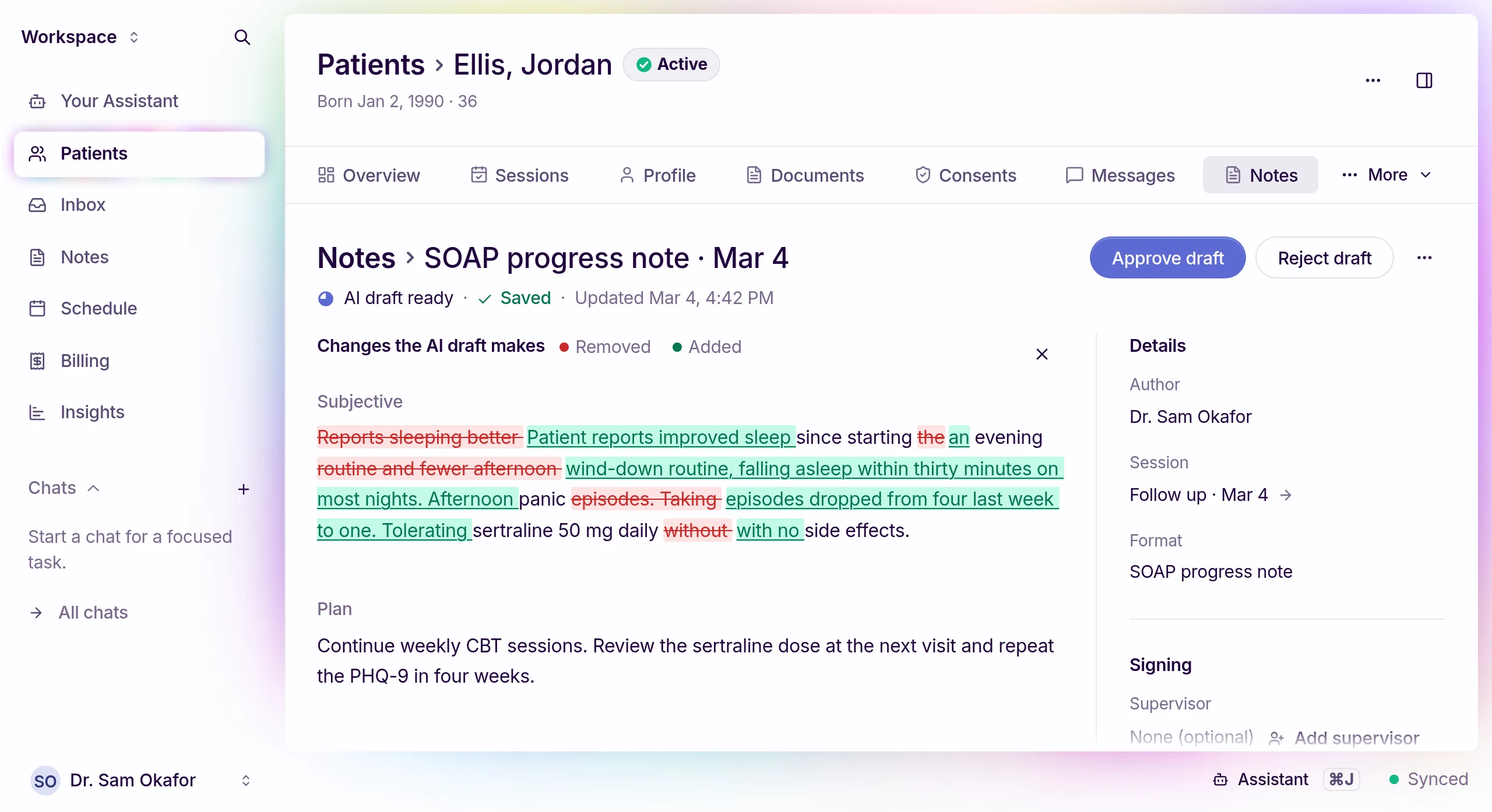
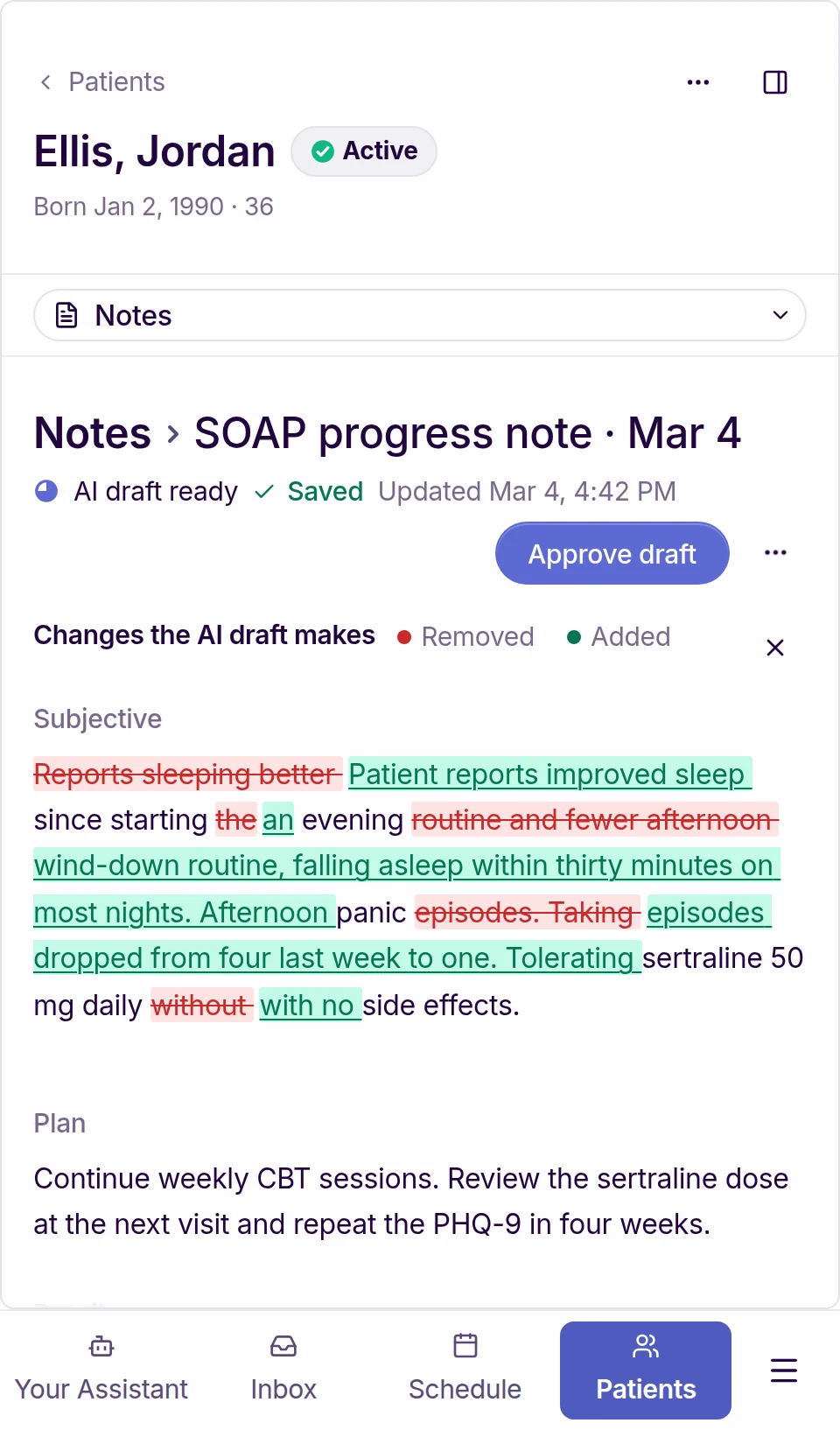
Tied to where it came from
Each draft links to the client, session, note version, model, and timestamp.
Review decisions kept
Clinician approvals, edits, and rejections are stored with the draft and audit trail.
Nothing enters the record unreviewed
A draft is only a proposal until a clinician reviews and signs it.
Governed AI form drafts
AI form authoring creates or updates unpublished drafts only—never publishing or assigning to clients automatically—and every client submission pins an immutable published version hash.
Private Inbox reply drafts
Background reply pre-drafts exclude psychotherapy notes, run automated patient-safety checks, and stay hidden from clients until a clinician clicks Approve & send.
AI data privacy and model boundaries
Review model approval, data use, and retention terms before enabling an AI workflow.
Review of client data use
Review the provider’s training and retention settings before any clinical data is sent.
Model provider review
Clinical use requires an approved provider, a BAA where required, and a review of model region, access, and retention settings.
Ephemeral scribe audio and zero-PHI orchestration
Live AI Scribe requires recorded patient consent, deletes raw audio upon finalization, and keeps durable workflow payloads limited to opaque IDs rather than raw PHI.
Hosting, infrastructure, and backups
Clear server boundaries, redacting logs, and tested recovery procedures underneath the application.
Trusted Rust API and tenant isolation
A trusted Rust API and worker boundary mediate every PostgreSQL and object-storage request with row-level tenant isolation. Web, desktop, and mobile clients never connect directly to databases or storage.
Application diagnostics
The platform uses an allowlist for diagnostic fields and separates operational logs from the clinical audit trail.
Backups, recovery, and chart portability
Practice staff with chart-export permission can prepare a FHIR R4 bundle or C-CDA document. Ask about current backup and recovery arrangements during onboarding.
HIPAA and BAA, plainly
Straight answers on compliance, Business Associate Agreements, and shared responsibility.
Do you sign a Business Associate Agreement (BAA)?
Review and execute the applicable BAA before entering client information in Calm. Contact the team for the current terms.
Is Calm “HIPAA certified”?
No software is HIPAA certified. HIPAA requires administrative, physical, and technical safeguards, which we build in through care-team access controls, audit trails, and Part 2 gates.
Whose job is compliance?
Review the applicable BAA with your compliance lead. Your practice manages staff training, role assignments, and internal policies.
What if my compliance lead needs more detail?
Email [email protected]. We will walk your compliance lead through our BAA terms and security architecture.
Practices must execute a Business Associate Agreement (BAA) before entering protected health information in Calm.
Read our BAA overviewBring your hardest privacy question.
We will walk you through our architecture, access controls, and BAA terms.