Many clinicians, one clear record.

Enforce care-relationship access, coordinate multi-staff rooms, run supervision co-sign queues, and keep note standards consistent.
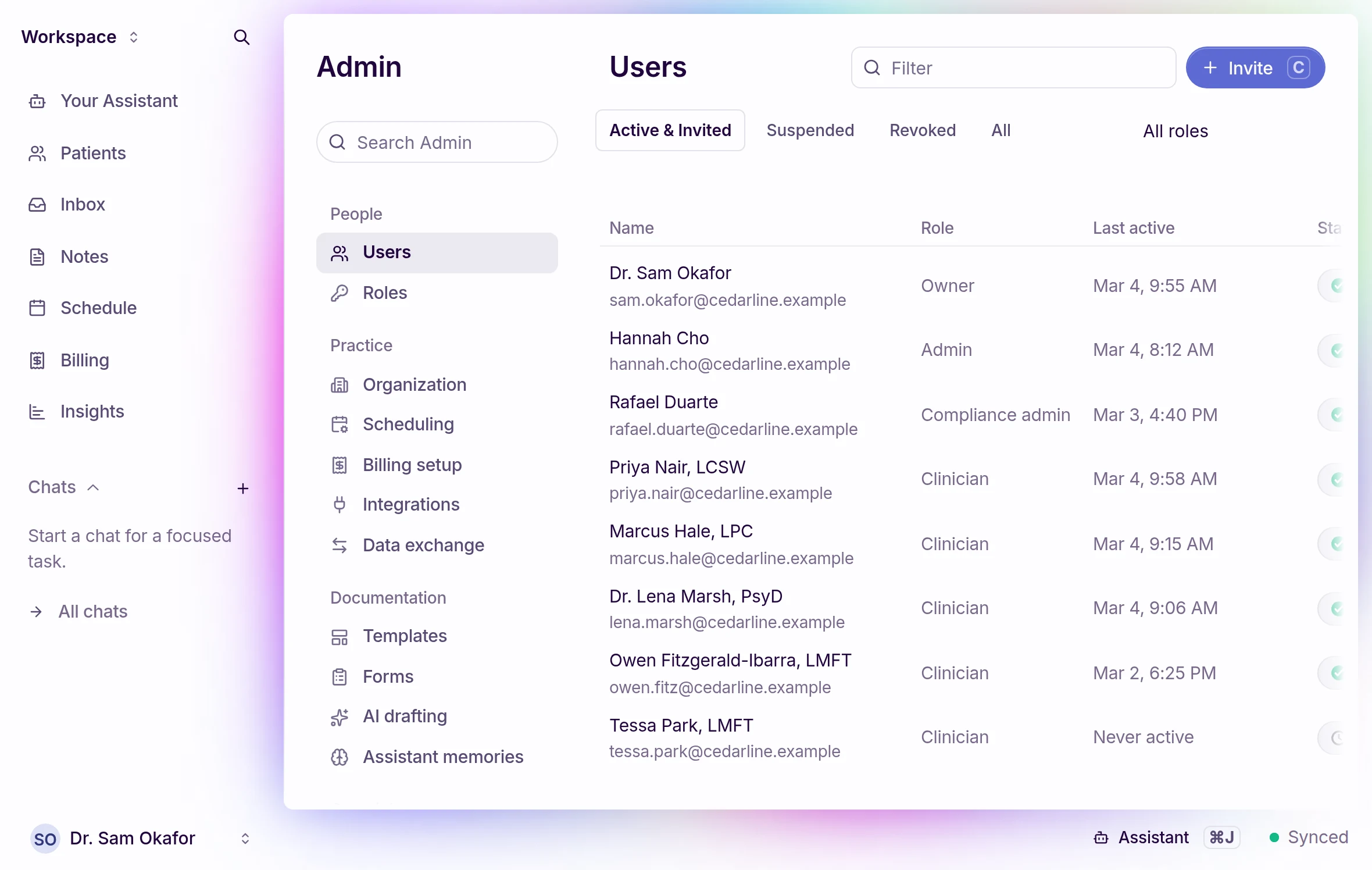
Calm Admin, Users: eight people in one practice with the roles Owner, Admin, Compliance admin and Clinician, each with their last active time and status; one clinician is still invited.
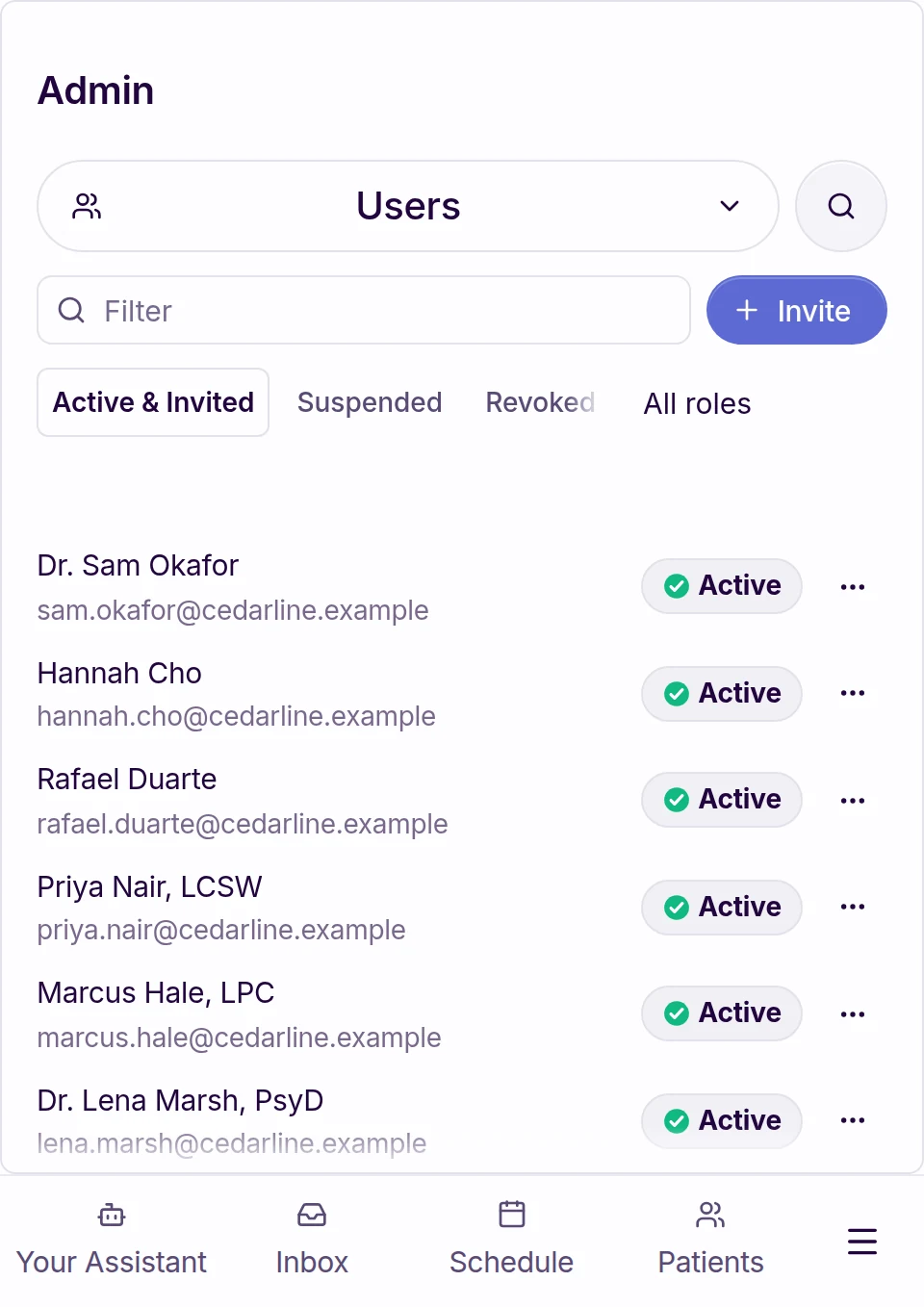
Calm Admin Users on a phone: the owner, an admin, a compliance admin and three clinicians, each active, with their role and last active time.
Admin › Users in a fictional eight-person practice.

Clear boundaries for every seat in the practice.

Permissions are enforced by the server on every chart request, separating operations, billing, clinical care, and compliance.

Owner

Manage practice membership and settings, and review audit events.

Clinical access still depends on the applicable chart permissions.

Admin (Operations)

Manage operational settings and book visits on behalf of clinicians.

No access to clinical progress notes or psychotherapy records.

Compliance admin

Review the administrative audit log and recorded access decisions.

This role does not grant access to the clinical chart.

Clinician & Supervisor

Active care-relationship charts, shared templates, 16-participant group telehealth, and co-sign queues.

Unassigned charts stay closed unless time-limited emergency access is logged.

What a growing practice runs into.

  • Which charts can a clinician open?

    For routine care, the server checks the clinician’s active care relationship before returning chart data.

    How access works 
  • How do we schedule clinicians, rooms, and groups?

    Schedule across clinicians, couples, 16-participant group telehealth with Group DAP, and rooms with recurring series and time-off events on one calendar.

  • How do supervisors review and co-sign notes?

    Route notes through dedicated supervision and co-sign queues, and review the treating and supervising clinicians on a claim draft.

  • Where can we review practice metrics?

    Insights tracks utilization, appointment types, unsigned notes, and org-wide assessment trends without manual exports.

  • How do covering clinicians review portal replies?

    Inbox prepares private, care-scoped AI reply drafts with safety validation notices directly in the thread composer. Drafts stay hidden from clients until an authorized clinician clicks Approve & send, attributing the review decision to the clinician who sent it.

    See Inbox reply drafts 

Four roles, clear boundaries.

Owner, admin, compliance admin, and clinician carry distinct permissions so office staff never see clinical charts.
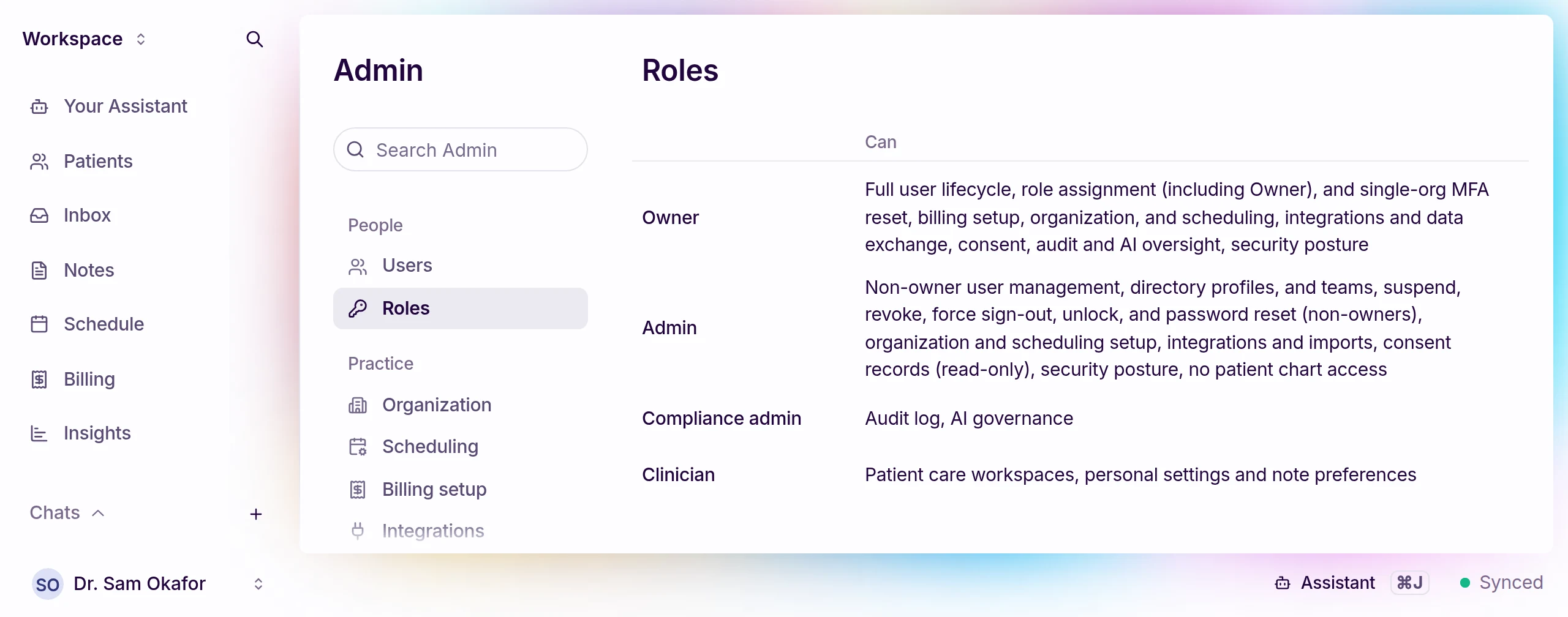
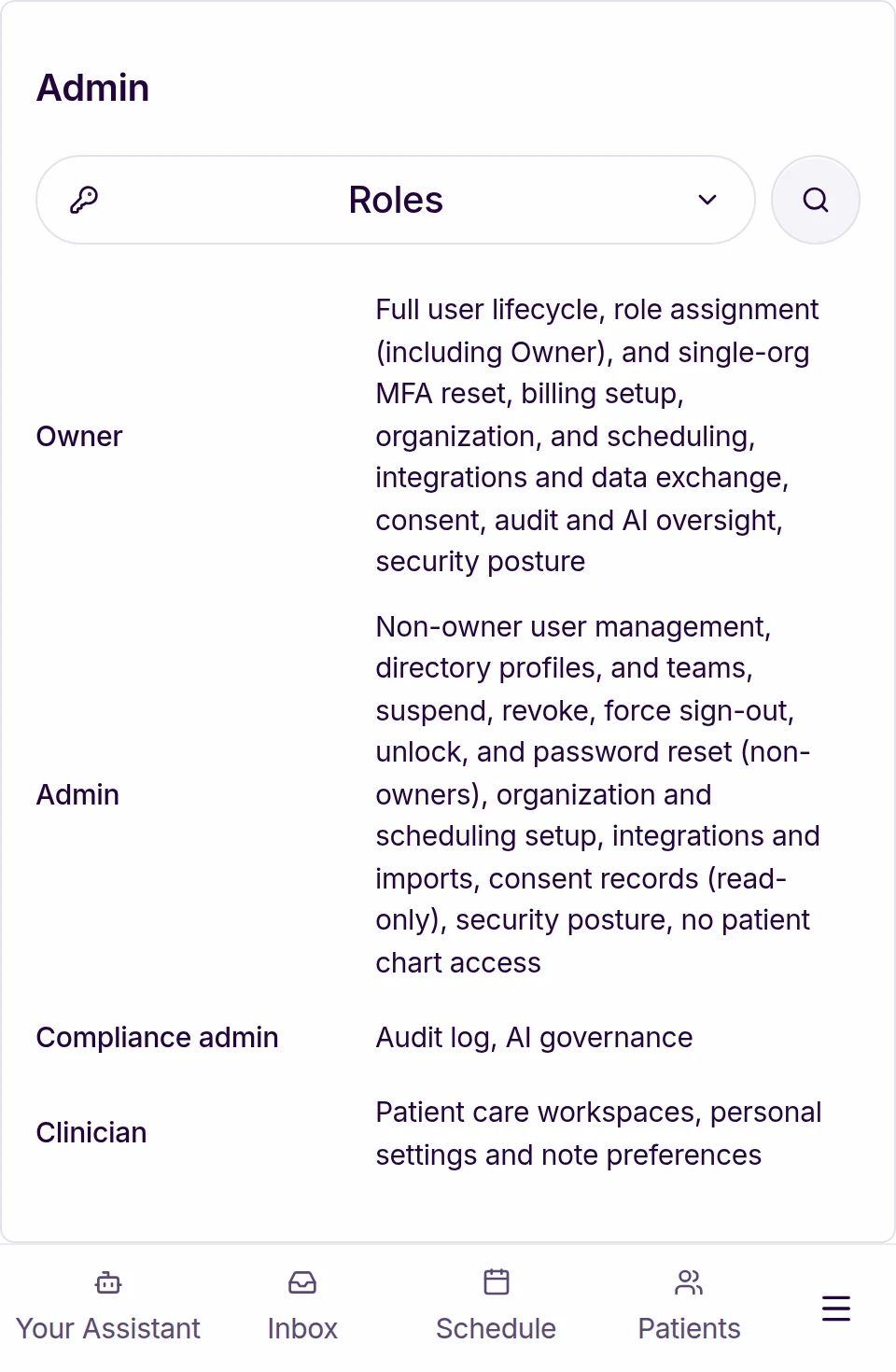
Calm Admin, Roles table: Owner, Admin, Compliance admin and Clinician, each with what it can do. The admin role has no patient chart access; the compliance admin role covers the audit log and AI governance.
Calm Admin Roles on a phone: Owner, Admin, Compliance admin and Clinician, each with what it can do.
Admin › Roles: what each role in a practice can do.

Practice health in one view.

Track visit volume, cancellations, signed-note backlog, and outcomes across the practice.
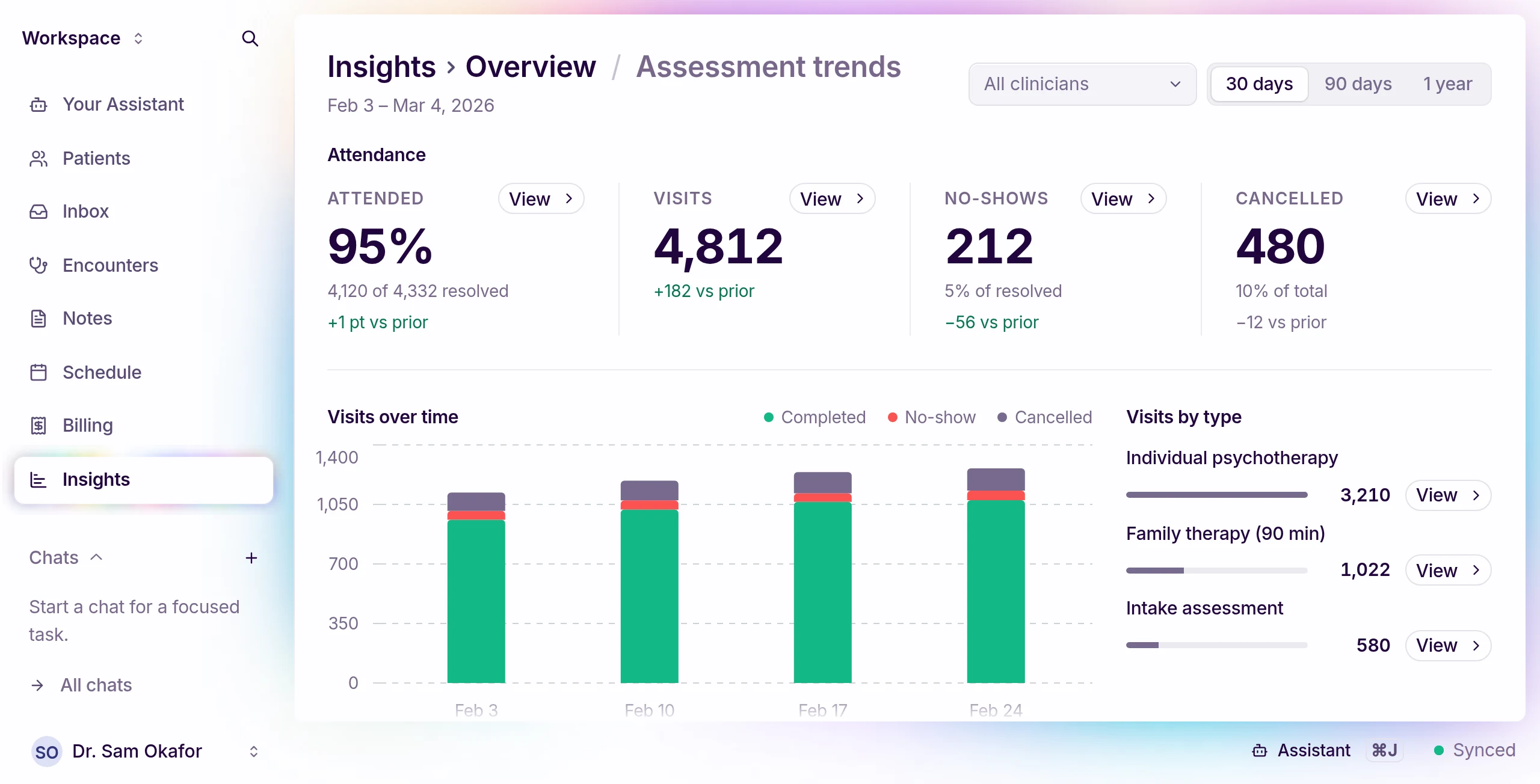
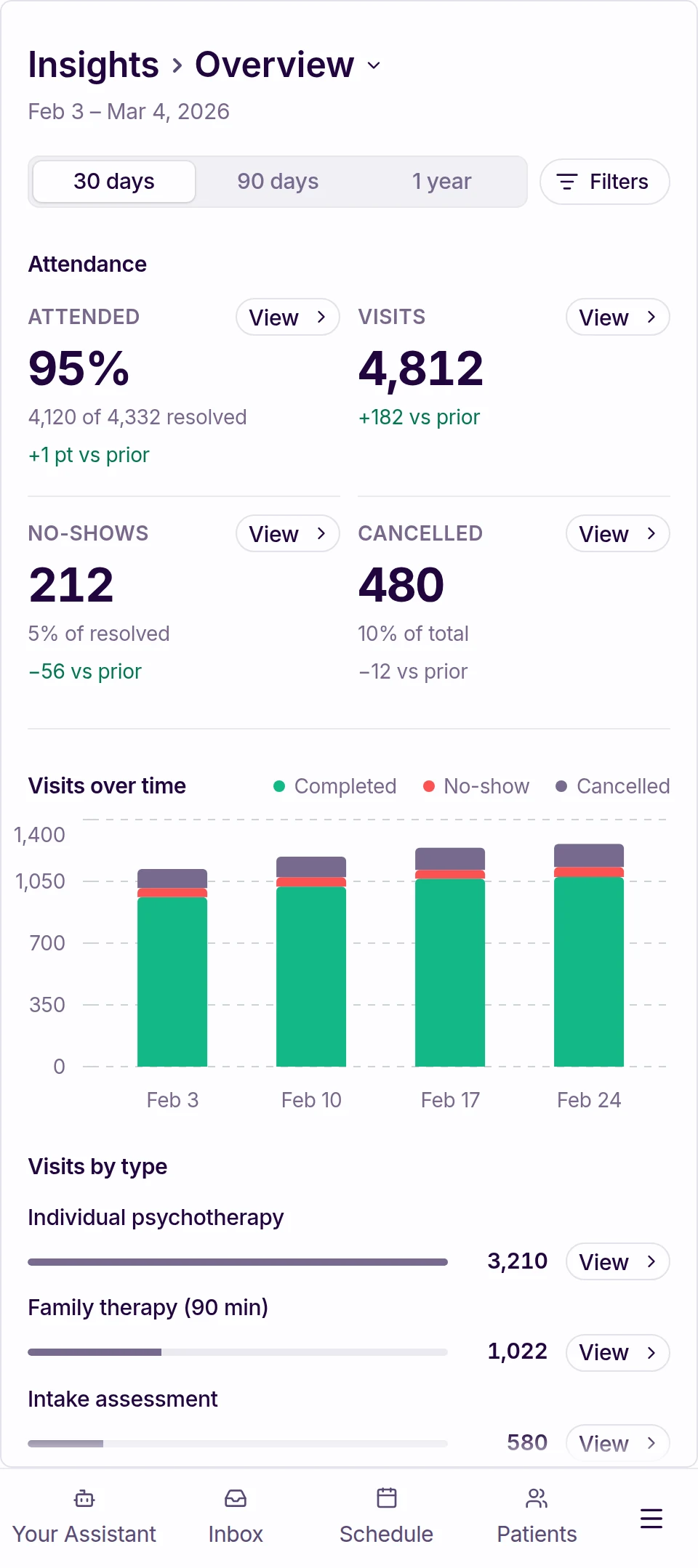
Calm Insights dashboard showing appointment volume, completed visits, signed notes, and breakdown by visit type.
Calm Insights on a phone showing appointment volume and completion metrics.
Practice utilization, completion, and note-signing metrics. Data is fictional.

Multi-staff and room scheduling.

Coordinate clinicians, rooms, couples visits, and recurring series from a single calendar.
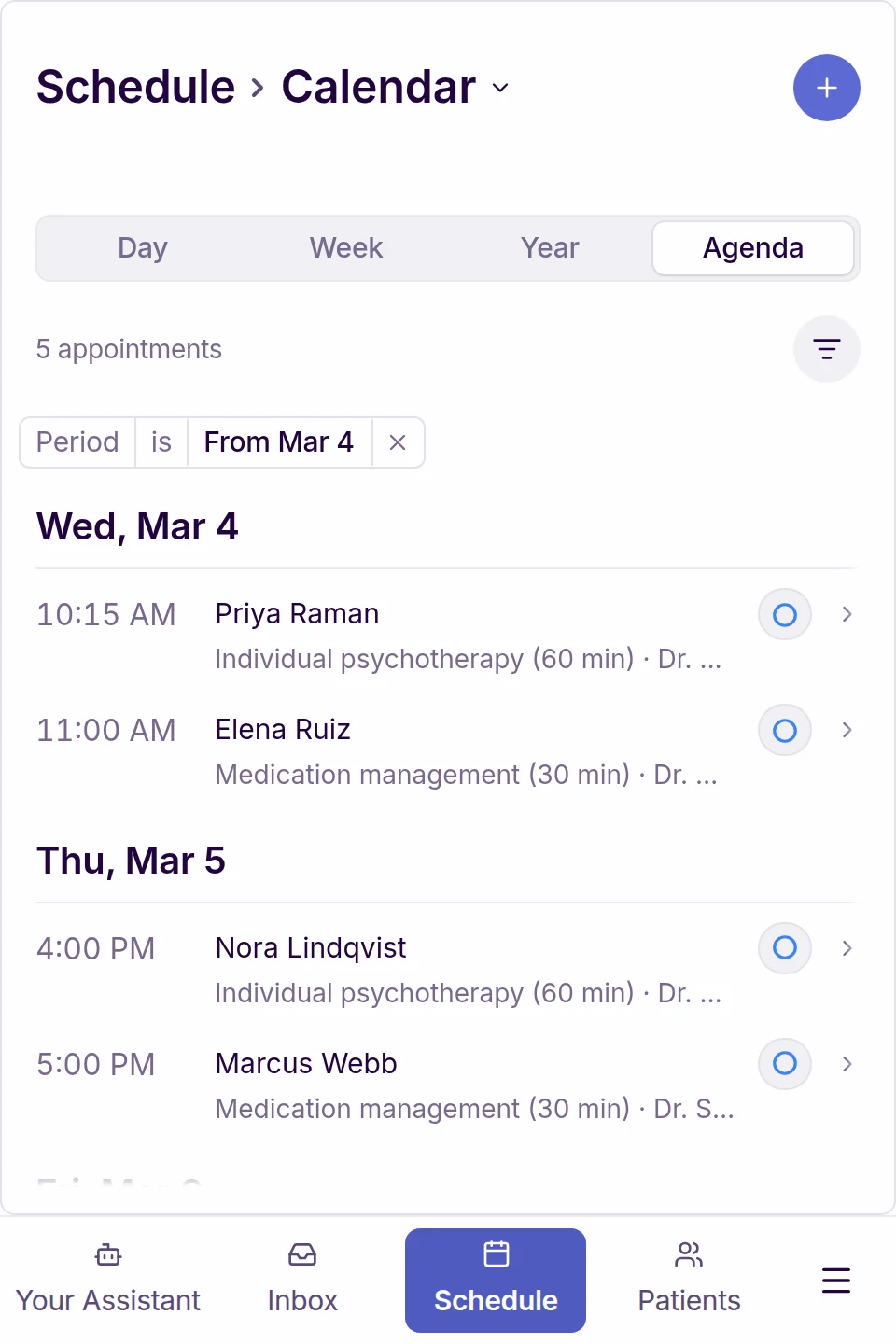
Calm Schedule on a phone showing upcoming in-person and telehealth appointments.
Scheduling with rooms, modalities, and recurring series. Clients and clinicians are fictional.

Who opened which chart, answered.

Reads, changes, signing, and exports land in the audit log for owners and compliance admins.
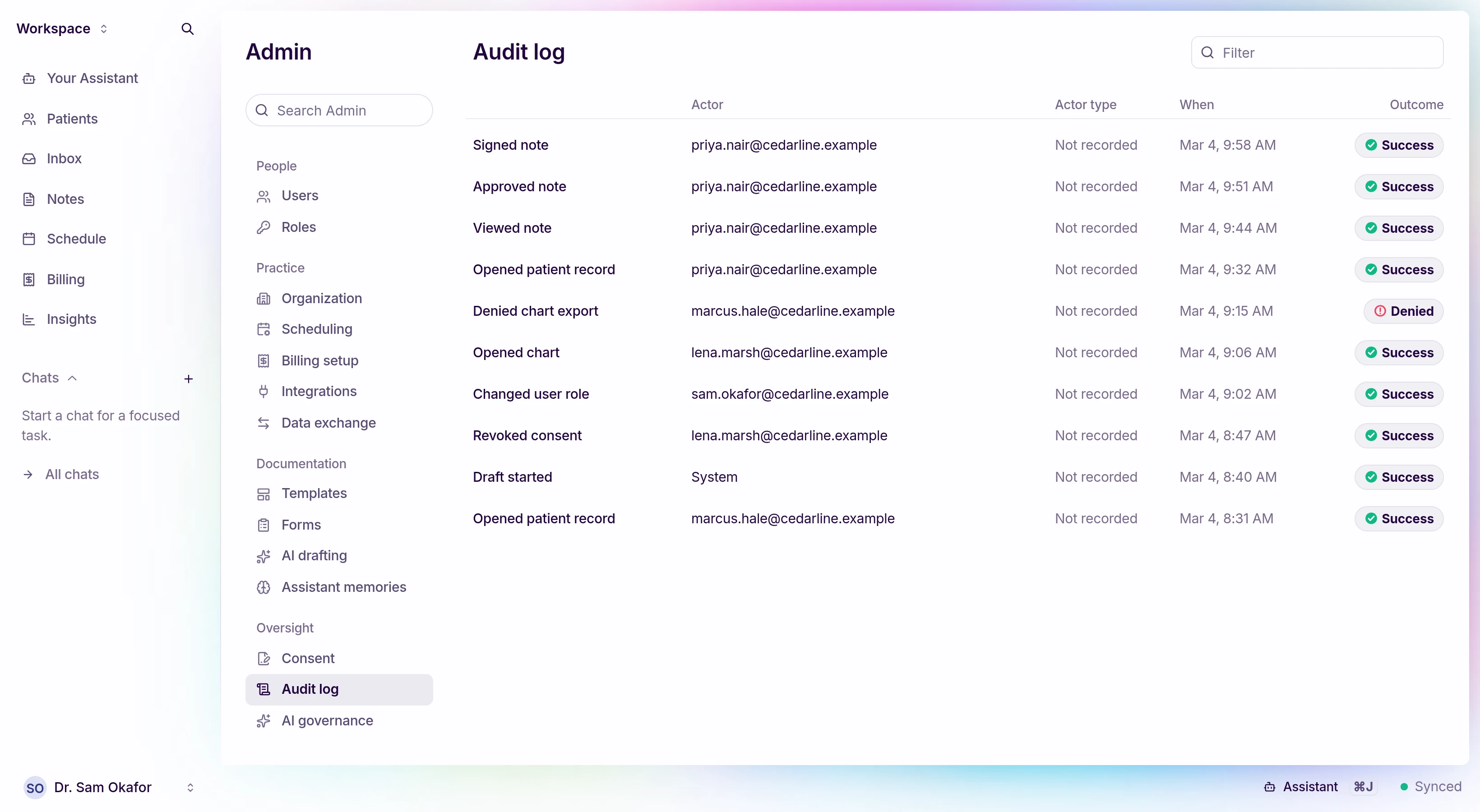
Calm Admin, Audit log: ten events newest first, among them a signed note, an approved AI draft, reads of charts, notes and a lab result, a denied chart export request and a revoked consent, each with who acted, when and the outcome.
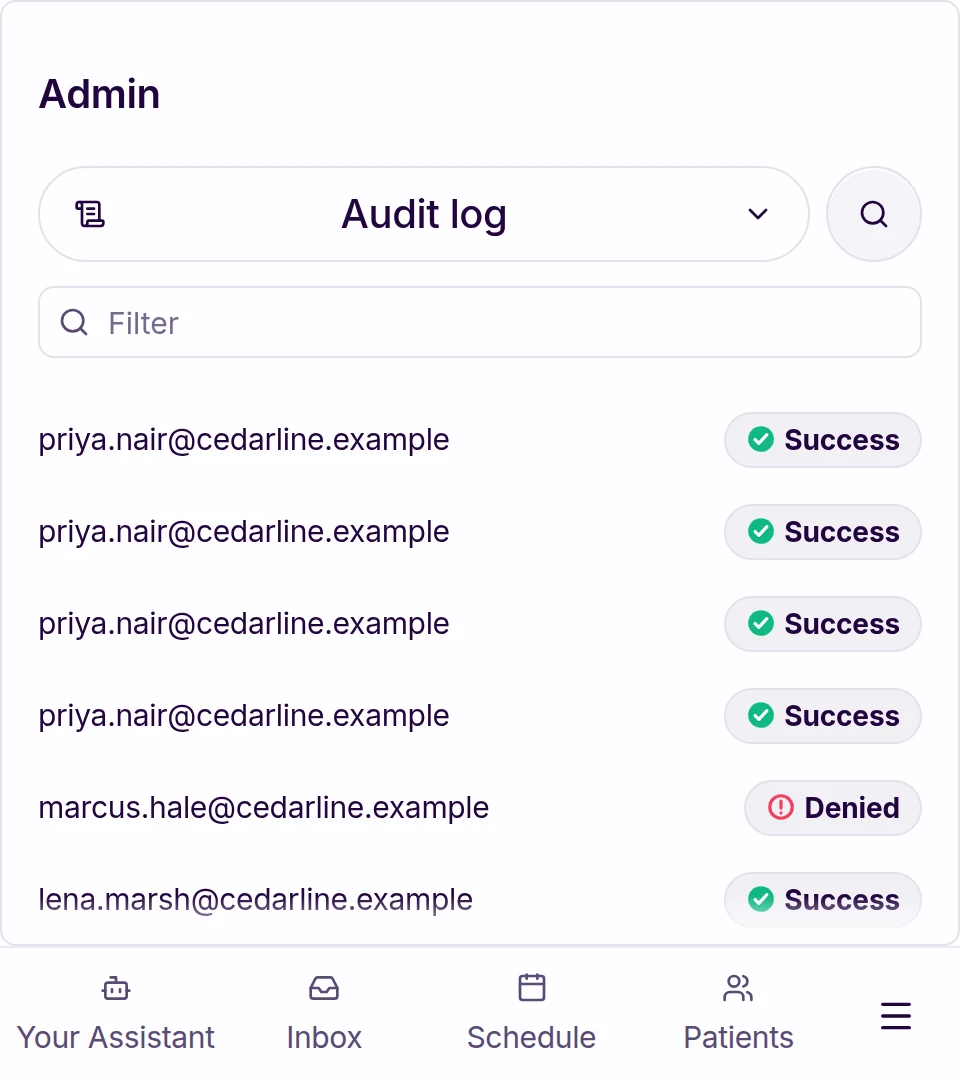
Calm Audit log on a phone: a signed note, an approved draft, chart and note reads, a denied chart export request and a lab result read, each with who acted and when.
Admin › Audit log in one practice, newest first. Names are fictional.

Client replies reviewed inline before sending.

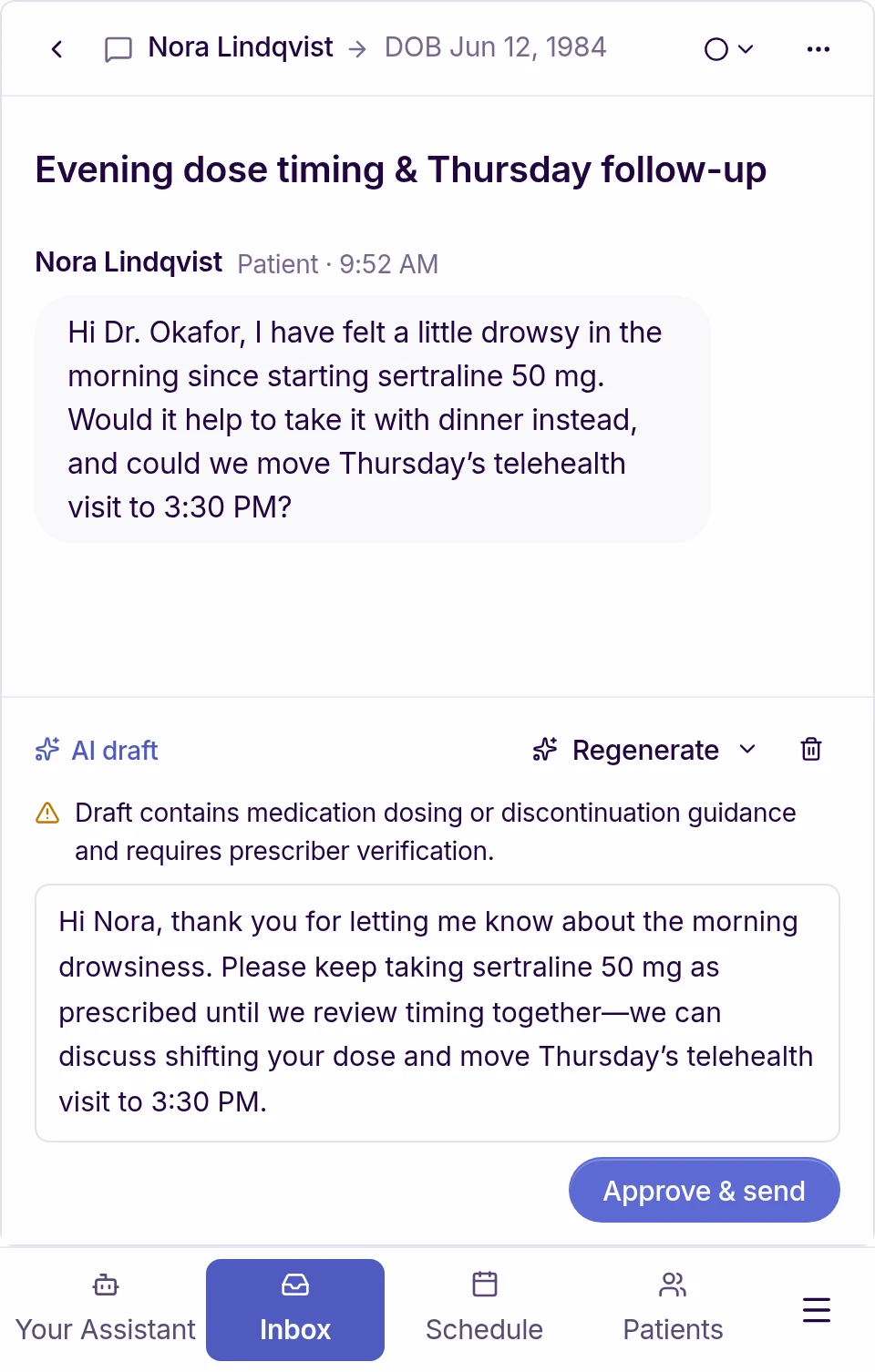
Care-scoped AI reply drafts wait privately in the Inbox composer with safety notices until an authorized clinician edits and clicks Approve & send.
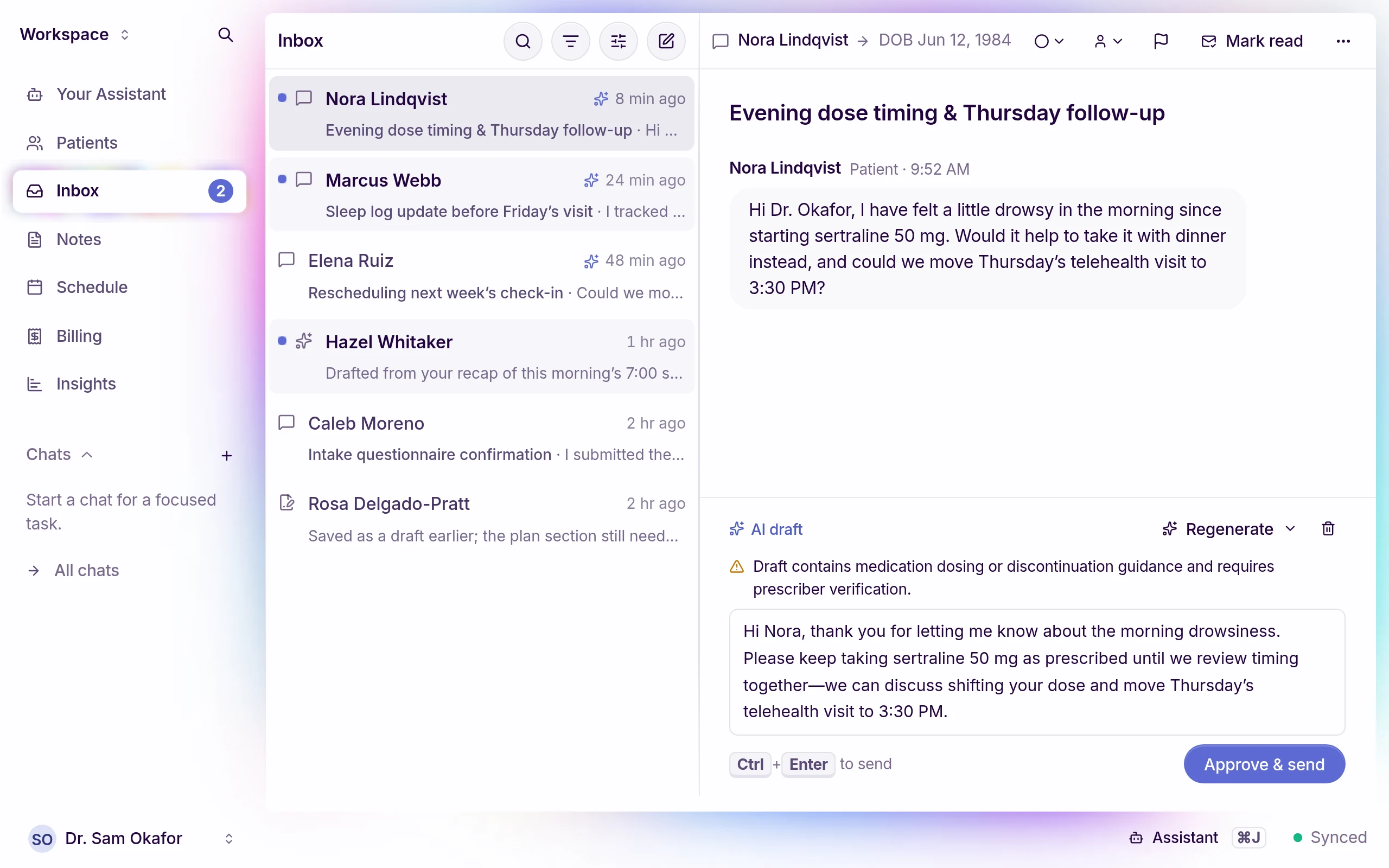
Calm Inbox showing a fictional client message thread with a private AI draft in the composer, a validation notice for medication dosing verification, Regenerate and Discard controls, and an Approve & send button waiting on the clinician.
Calm Inbox on a phone showing a fictional client message, a private AI draft in the composer with a validation notice, Regenerate and Discard controls, and Approve & send.
Private AI reply drafts stay in Inbox until you edit and click Approve & send. The client is fictional.

Bring the whole practice.

Tell us how many clinicians you have and what you use today.