Client portal at your desk and on your phone.
Complete an intake packet, join a video visit, or send a message to the care team from a desktop or mobile browser.
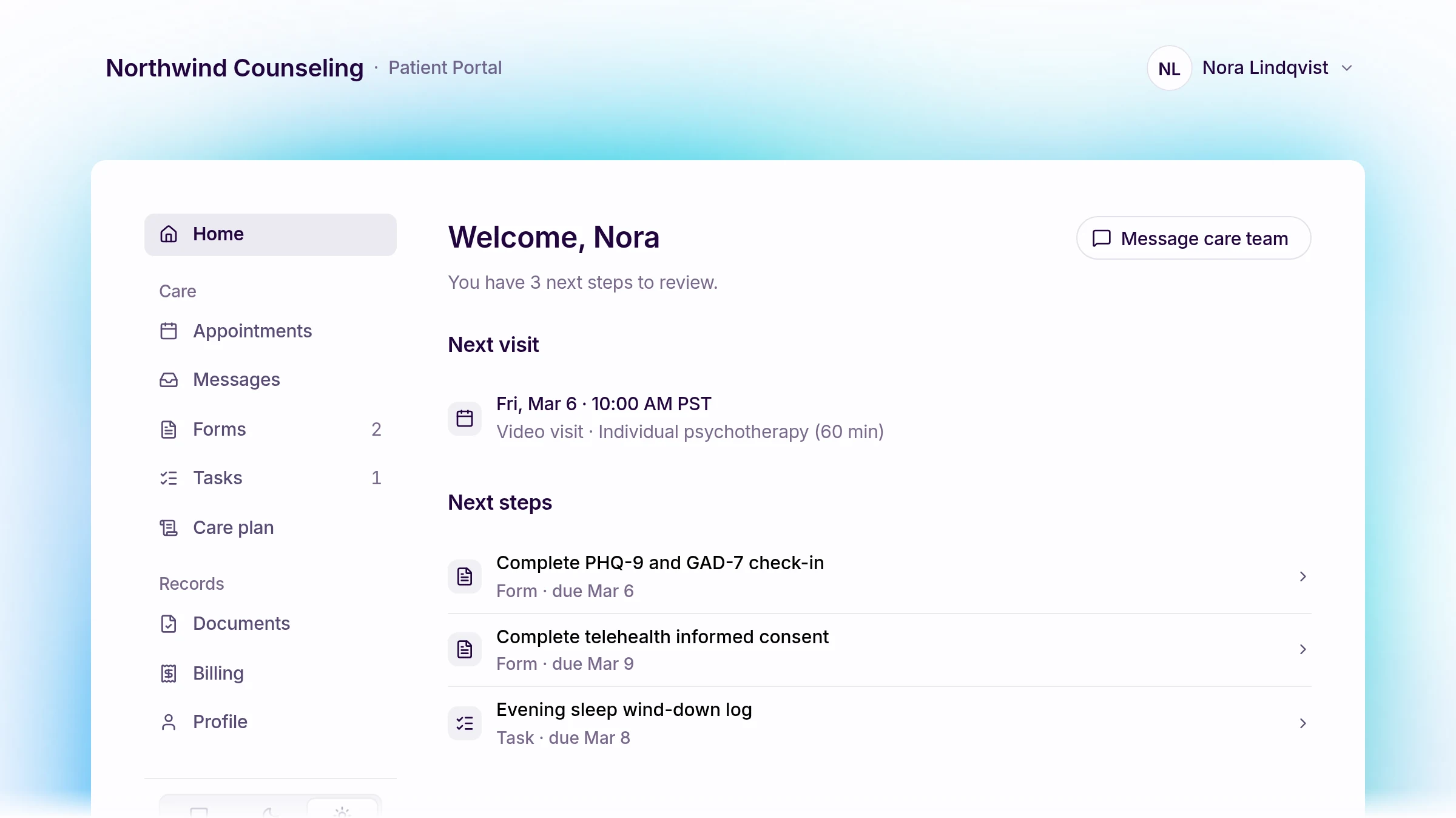
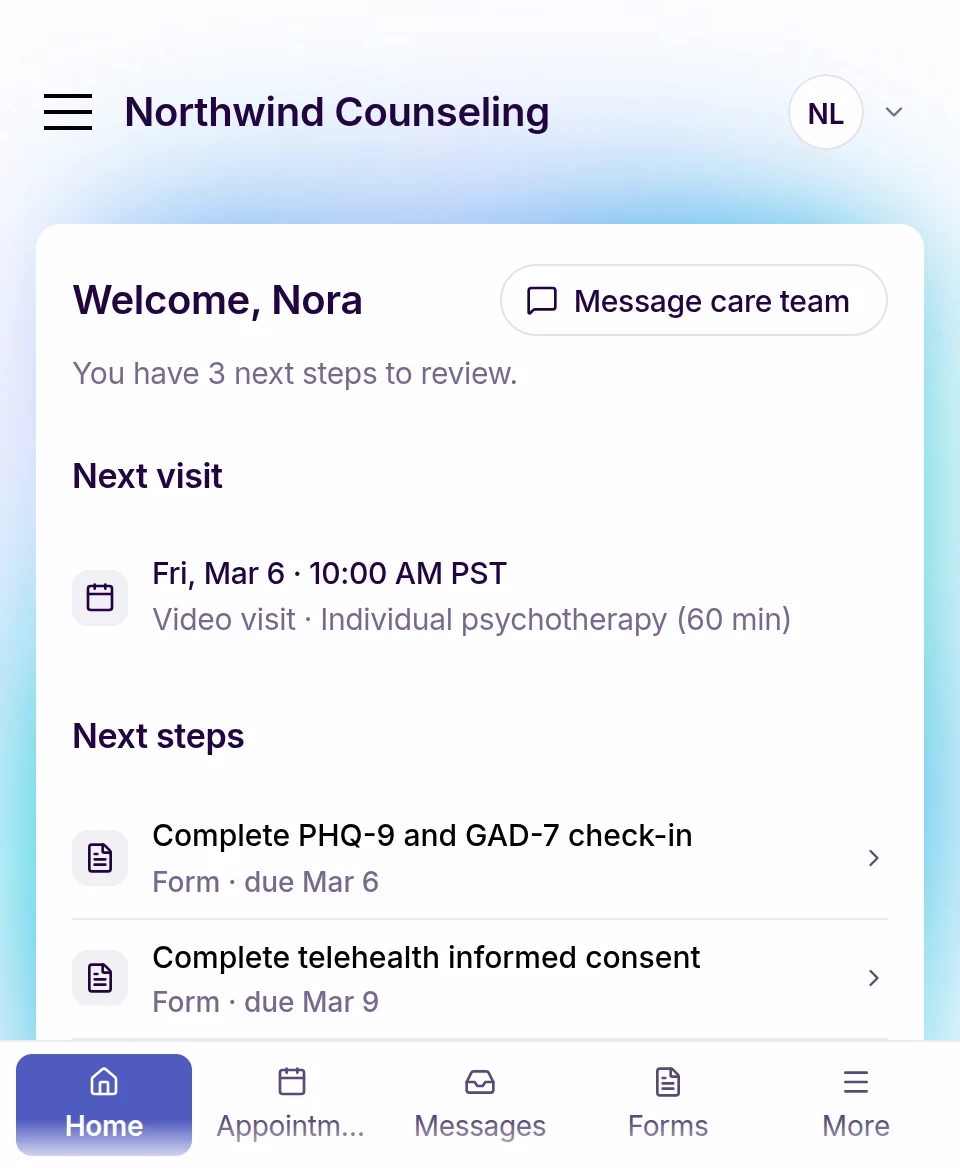
A calm portal clients actually finish.
Open assigned forms and consents, join telehealth visits, and review shared goals and statements in one place. Portal users can register a passkey or enable authenticator MFA.
Explore AI-built dynamic forms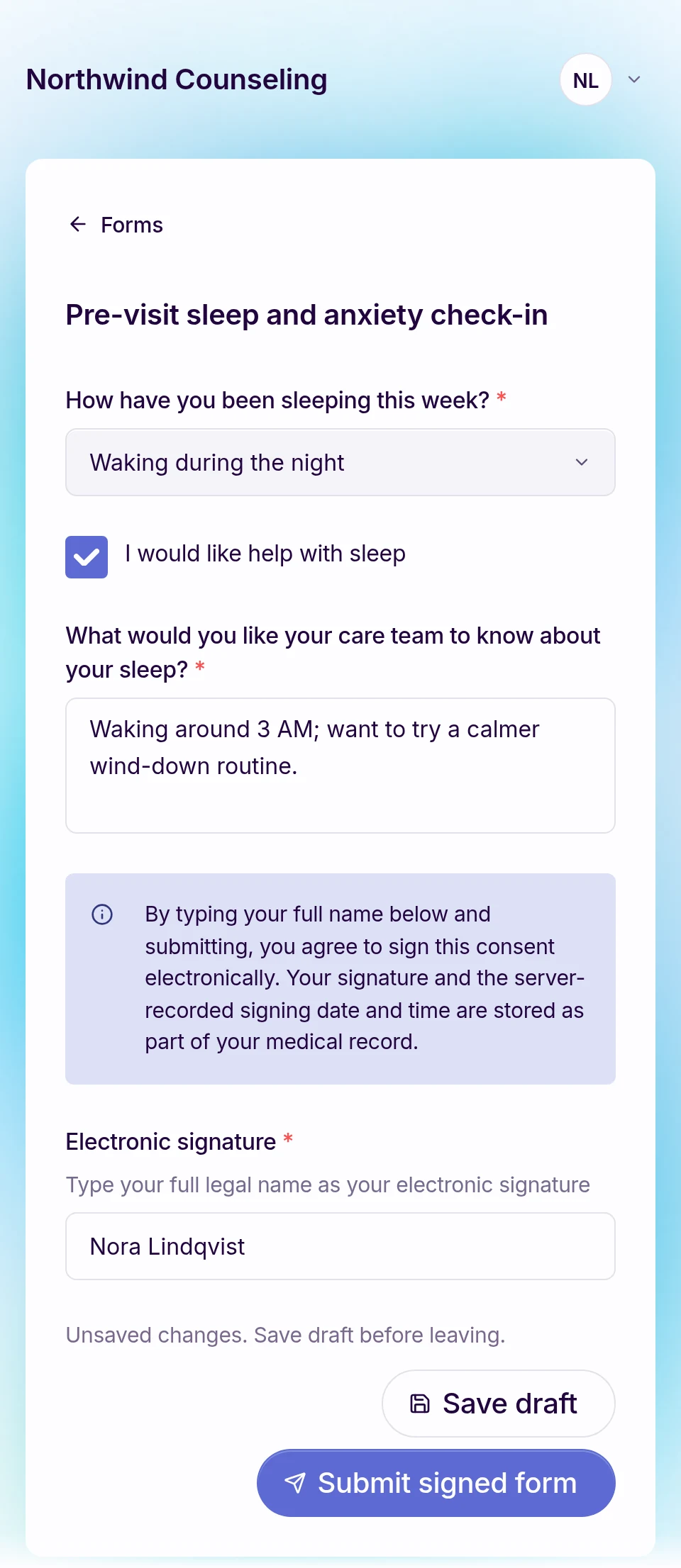
Version-pinned forms & consents
Conditional intake packets plus PHQ-9, GAD-7, and PCL-5 screeners. Clients save drafts and sign against a locked template version.
One-click browser telehealth
Join 1:1 or up to 16-participant group visits straight from any browser with mic/camera preflight and waiting-room screeners.
Care-scoped secure messaging
Provider-scoped threads with read status and urgent or crisis guidance, keeping clinical conversations out of standard email.
Tasks & shared care plan
Assign between-session homework, worksheets, and explicitly released treatment goals with clear due dates and completion tracking.
Released documents & uploads
Release clinical documents with read acknowledgements and accept client uploads that pass scanning and staff review.
Statements, superbills & payments
Share released statements, superbills, balances, and online payment handoff inside the portal rather than over email.
Clients only see what you release.
The portal is strictly narrower than the clinical chart. Staff notes, drafts, and internal threads stay off-limits, and every release or revocation is logged in the audit trail.
- Adult self-access accounts bind to one practice and one client record, separate from staff identity.
- Portal users can enable authenticator MFA or register a passkey.
- Email and lock-screen notices never include diagnoses, visit reasons, balances, or message text.
Always clinician-only
Progress notes, psychotherapy notes, and unsigned drafts
Internal staff threads and supervision co-sign queues
Unreleased care-plan items, forms, and clinical documents
42 CFR Part 2 records outside signed client consent
Explicitly released to client
Assigned forms, consents, and submitted copies
Upcoming visits, telehealth join links, and schedule requests
Shared treatment goals, homework tasks, and released files
Released statements, superbills, and payment history
Example client notice: “Northwind Counseling — You have a new item waiting in your client portal.” Open the portal to read the item.
Desktop browser
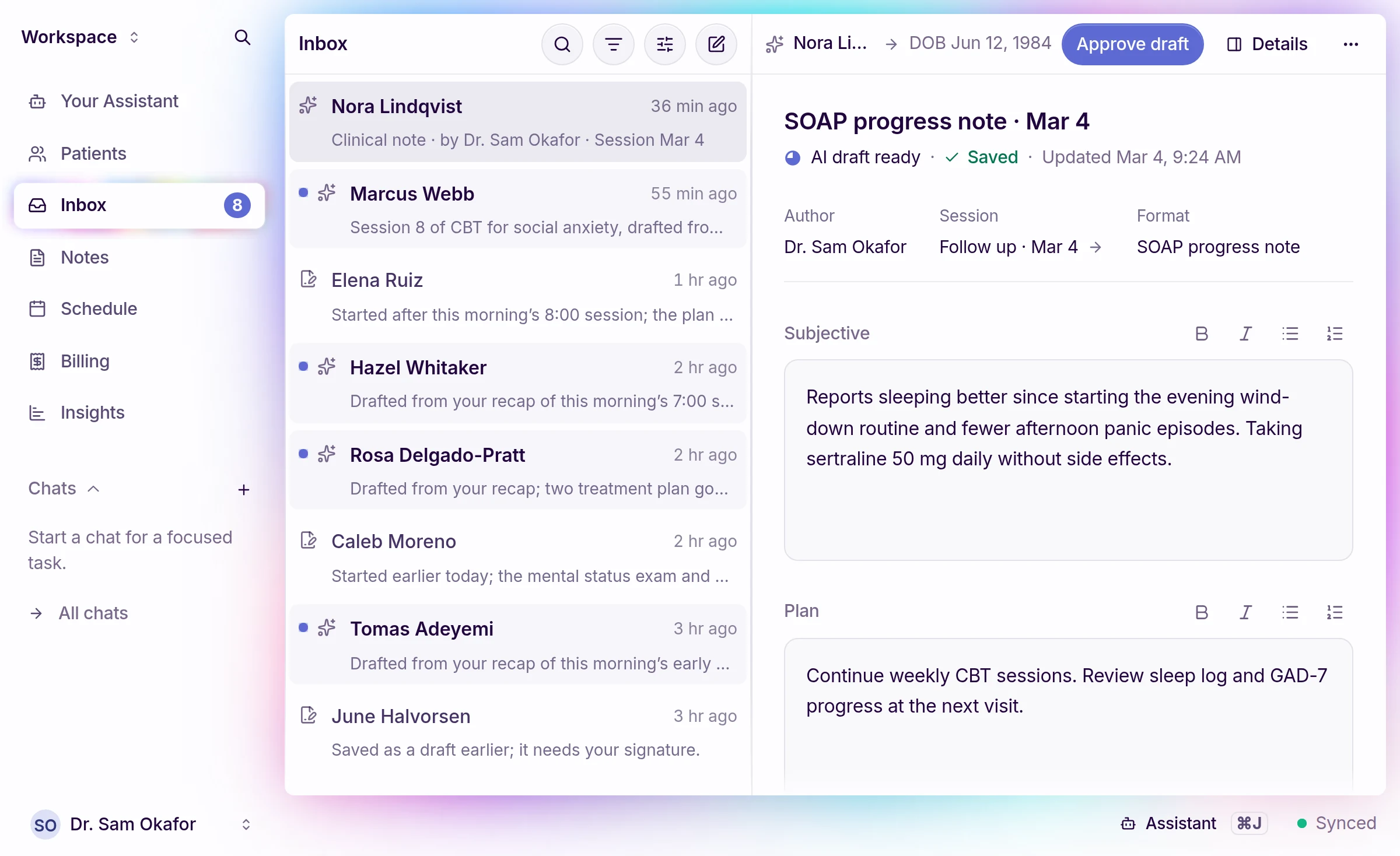
Your clinical Inbox on desktop.
Open Calm in a desktop browser. Staff can review their schedule, Inbox, and charts in one workspace.
Instant chart switching
An offline-first local replica keeps charts, notes, and schedules responsive across sessions—even when clinic Wi-Fi dips.
Review a draft
Open an AI draft in the Inbox and review its text before signing.
Visit context
Open the encounter and chart from the clinical workspace.
One schedule
Check appointments, rooms, and upcoming telehealth visits.
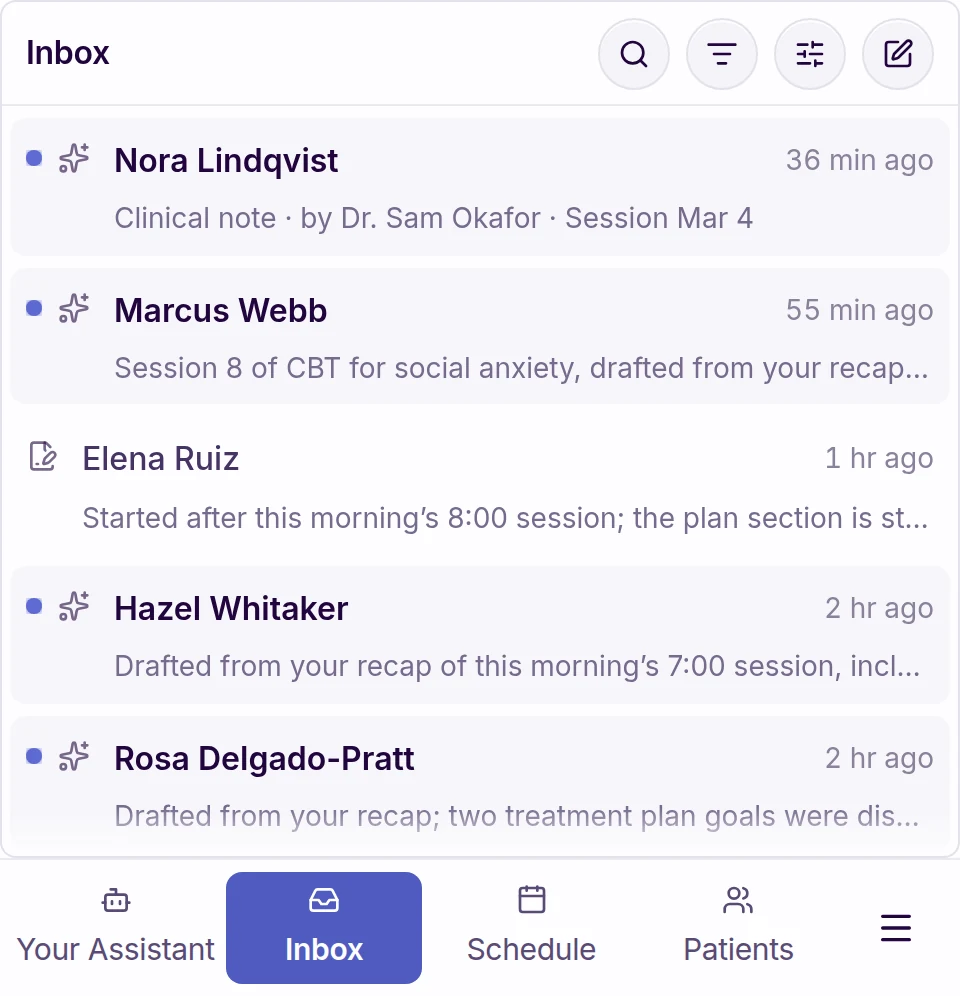
Between-session mobile access.
Review morning briefings, run browser telehealth, or check your schedule from any phone—while clients complete intake on theirs without an app download.
iOS · Android · Mobile Web
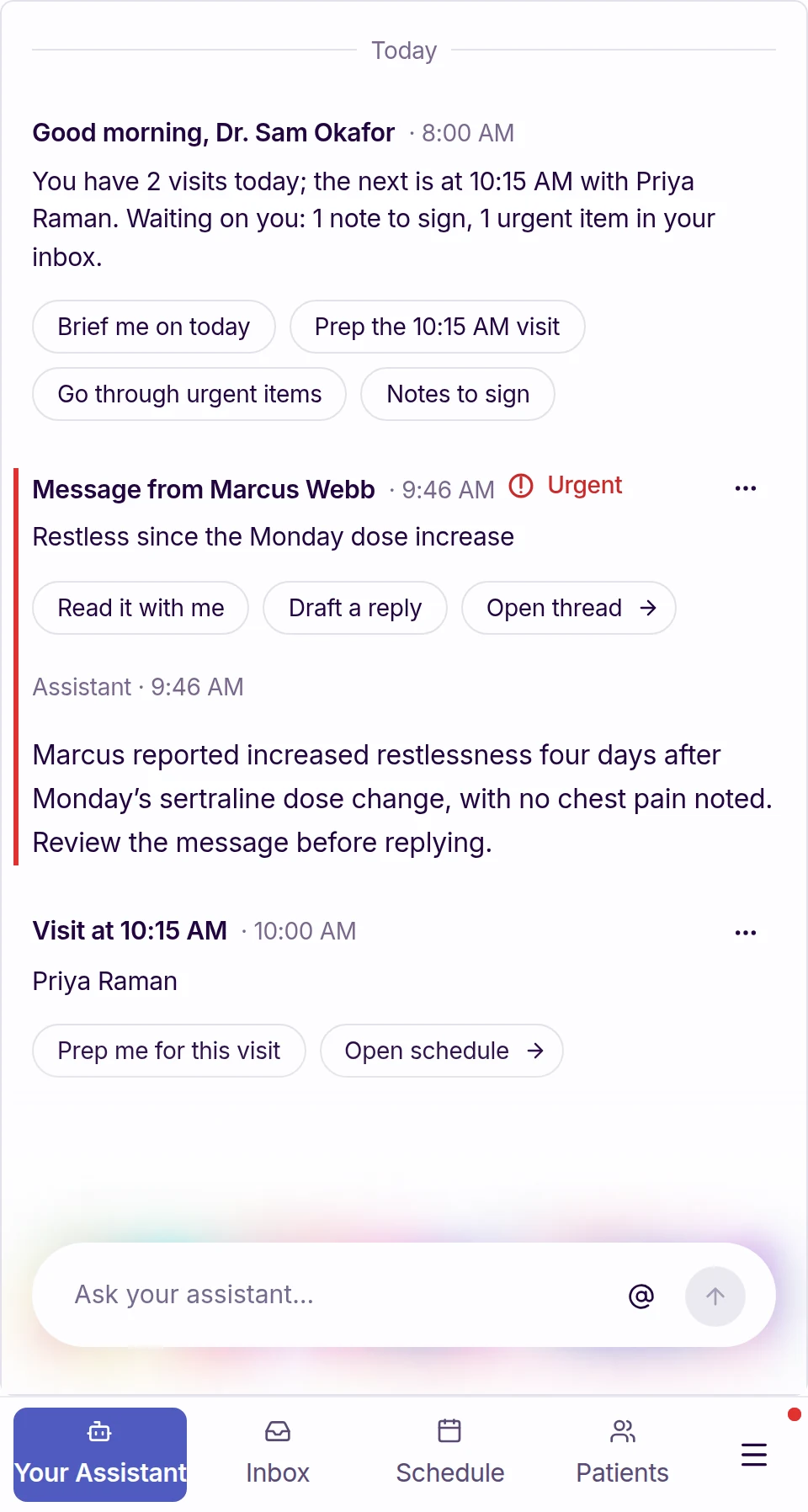
Clinician · Assistant
Morning briefing & triage
Scan today’s visits, urgent messages, and unsigned notes one-handed.
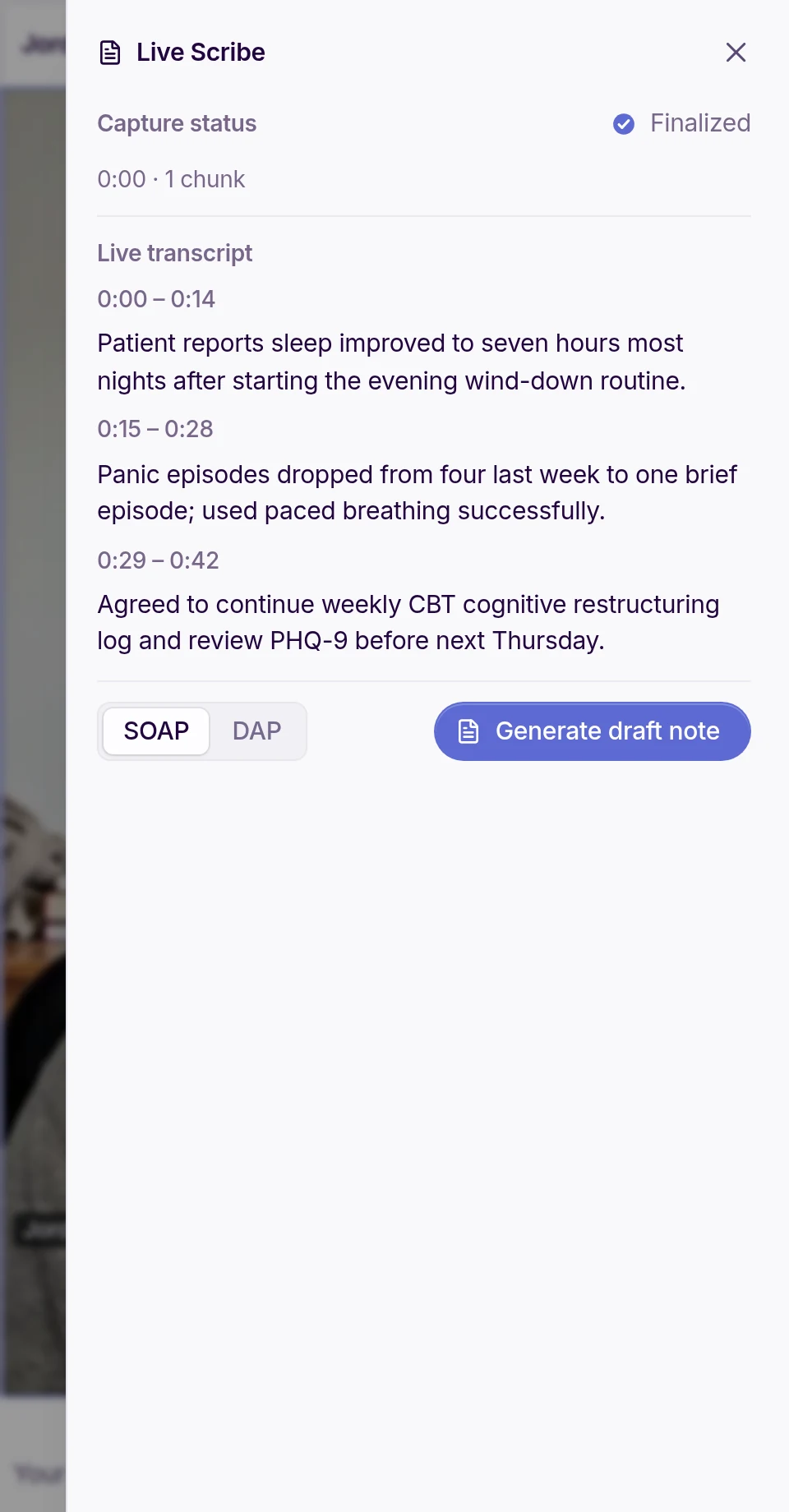
Clinician · Telehealth
Browser video & live scribe
Run 1:1 or group video visits from mobile Safari or Chrome.
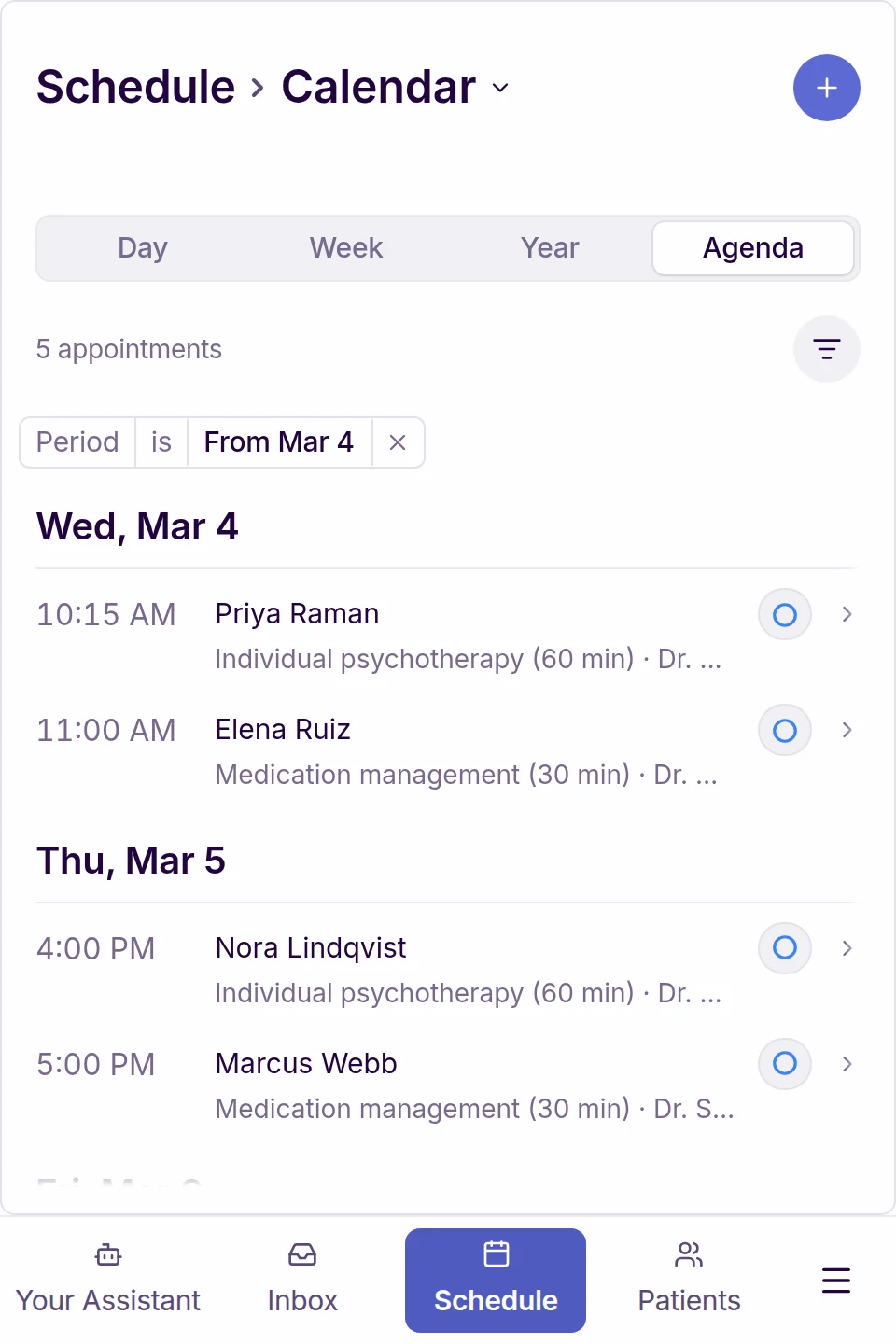
Clinician · Schedule
Day & agenda view
Check upcoming sessions, timing, and visit types between visits.
One-handed phone layouts
Responsive layouts and bottom navigation keep Assistant, Inbox, Schedule, and Patients within thumb reach on iOS and Android.
Passkey & authenticator MFA
Register a passkey on a supported device or enable an authenticator app for an additional sign-in step.
Opening sensitive records
When you open a Part 2 record or psychotherapy note on a phone, the browser keeps the server’s copy in memory only.
Give clients a portal they do not dread.
Request a walkthrough to see the client portal, desktop, and mobile views with your team.